
Optimized Networking With Event Matchmaking App
Eventspot’s multi-featured, intelligent event matchmaking platform takes attendee engagement to the next level. Get on board now, build your event app and event website, and maximize your ROI.

Connect
Secure Tag-Based Event Networking Software
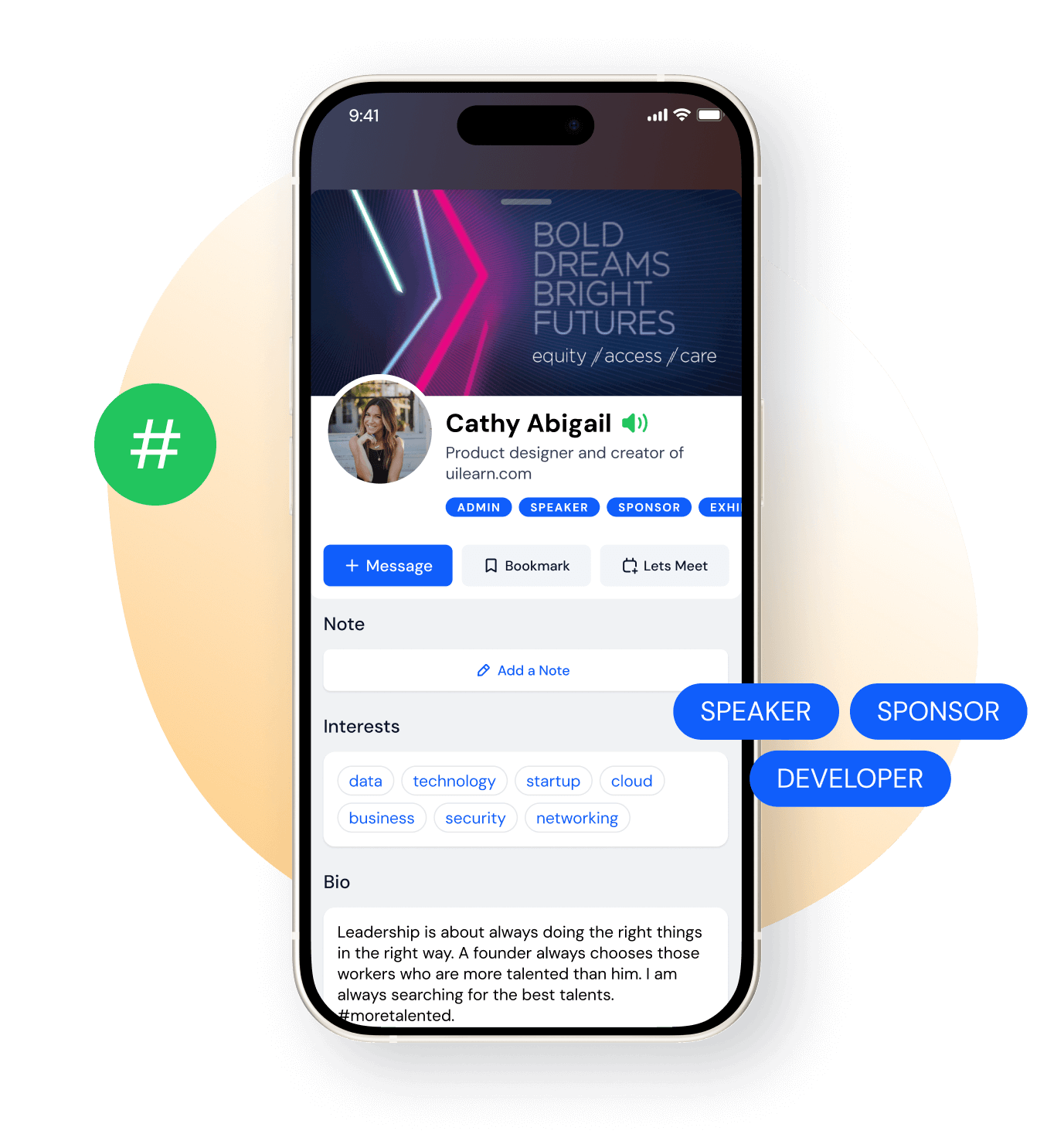
With Eventspot, attendee interaction and networking are more systematic than ever. Users are connected based on shared interests that they select when registering. You can set up to 20 relevant tags or interests in the admin panel for attendees to choose from. Networking works on both web and mobile.
Matchmaking
AI Event
Matchmaking Algorithm
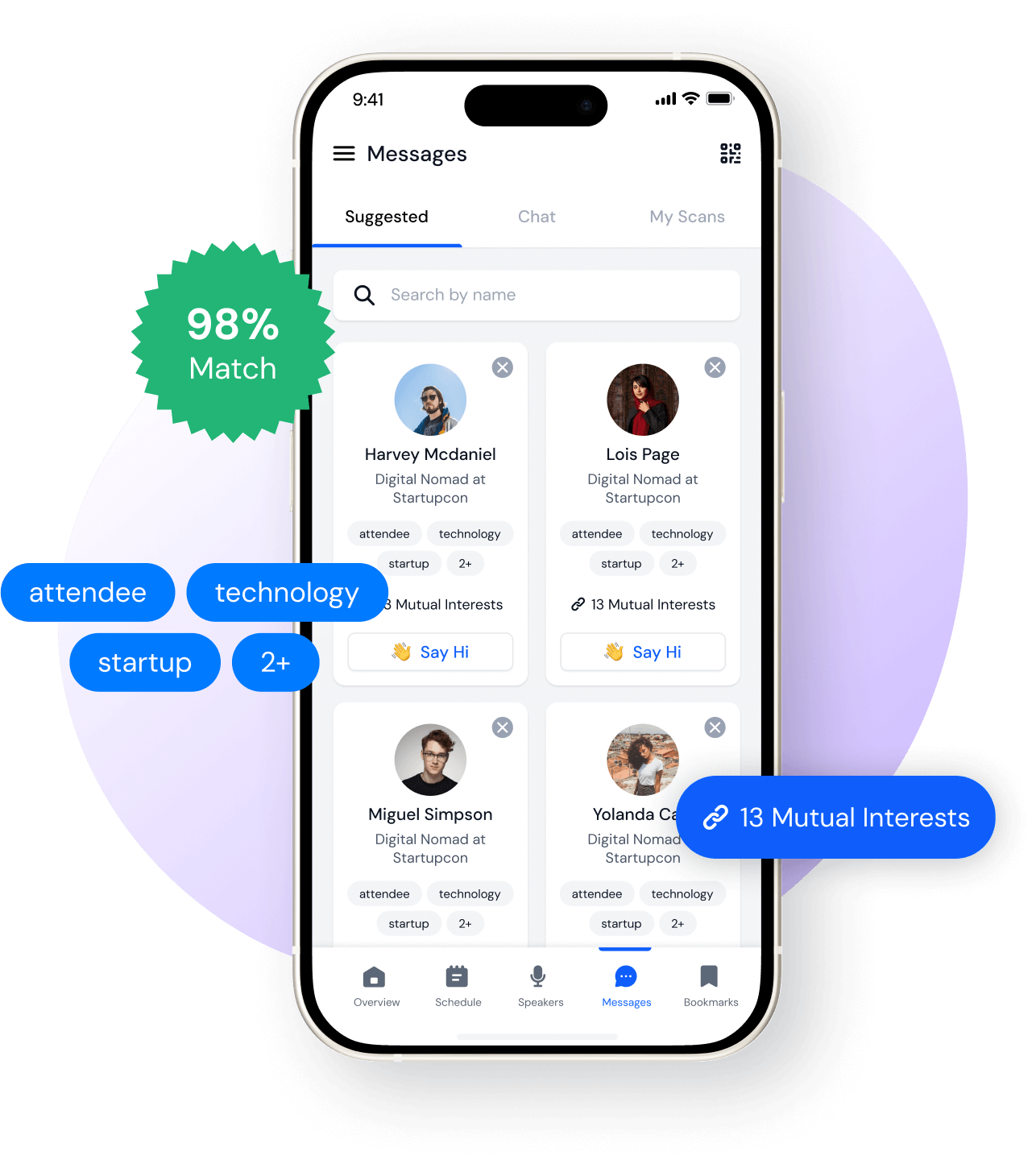
Eventspot's matchmaking software matches profiles intelligently to help each participant identify who they should meet based on their interests. Attendees can swipe through and view details of the contacts matched to them, and Eventspot ranks the top matches with a percentage score.
Networking
Make Real-Time Connections With Eventspot's Matchmaking Tool
Connecting with other attendees during an event has always been challenging. Tag-based matchmaking lets your attendees connect with like-minded people, opening up better career, business, and social opportunities. One-on-one matchmaking makes your event stand out with valuable networking opportunities for your attendees.
B2B Event
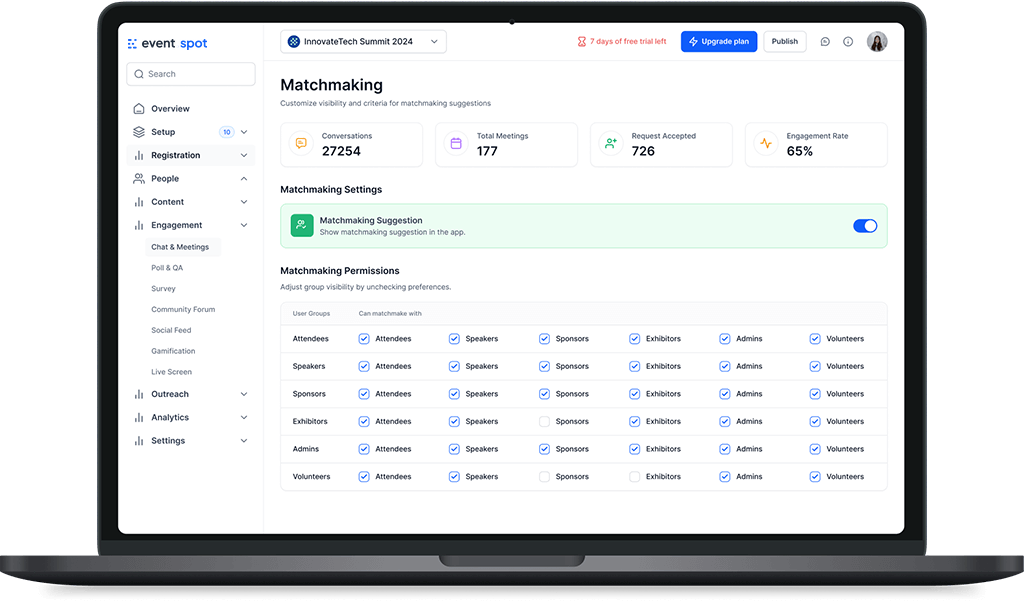
More powerful matchmaking rules
User visibility settings determine how users can view each other’s profiles based on their primary groups. For example, if the "Attendee - Exhibitor" option is unchecked, attendees won't be able to view the profile of anyone whose primary group is Exhibitor.

Restrict visibility: This setting restricts one user group from visiting or engaging with another user group as per selection.
User suggestions: If enabled, it shows user suggestions based only on common interests.
Engagement Rates
Involve Your Attendees
Drive Up Engagement Rates

Live PollSet up interesting polls and surveys your attendees would love to participate in. Choose custom durations for your polls.

Attendee FeedbackEncourage attendees to share their valuable feedback while attending your event. Let people rate each conference session they attend on a 5-point scale.

Smart Q&AAllow speakers to view and respond to questions from the audience directly on the event app. The Q&A process becomes simpler, more sophisticated, and highly responsive.

Push NotificationsChoose the section of attendees to send your push notifications to (speakers, exhibitors, sponsors, or everyone). You can send accompanying emails as well.

Event TicketingThe Eventspot networking platform doubles up as a robust event ticketing and registration tool. List your tickets in minutes and maximize your returns.

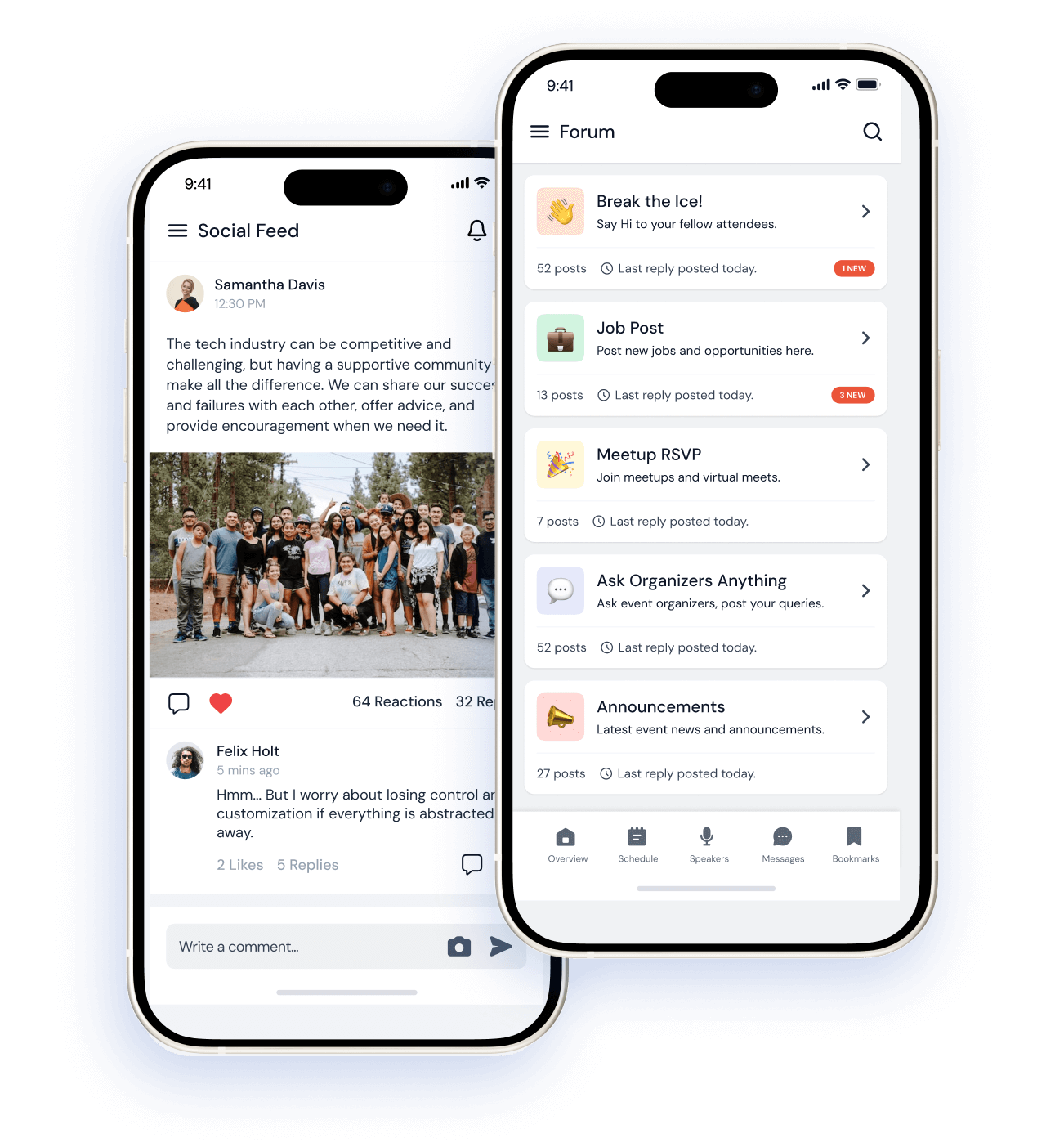
Build A Community Create your own event community on the event website and app. Send messages, post live questions, seek opinions, and do much more.

Monitor Attendee Interactions & Engagement
Lead retrieval and conversions become simpler, smarter, and more effective with Eventspot’s one-stop event management platform. For exhibitors, it's the best tool to maximize ROI.

Track Interactive ContentView all the polls and questions posted by your attendees real-time. Check out the live discussions happening on the platform.

Track Social Feed InteractionsCheck the number of people who interact with your social media feeds. Track the number of likes and mentions on social platforms.

Track Devices, Installs & SessionsMonitor the devices your event app is being used on, the browsers on which the event website is viewed, and the number of sessions.

View InfographicsGet all the engagement stats automatically converted into insightful, custom-generated infographics. Eventspot makes event management SMARTER!
Frequently Asked Questions
What is Eventspot’s Event Meetings and Matchmaking feature?
Eventspot’s tag-based matchmaking feature encourages productive networking by matching attendees with others who have similar interests. Attendees can then build on those connections by using the meetings feature to schedule meetings with each other.
What types of meetings can be scheduled using Eventspot (1:1, group, hosted buyer)?
Attendees can schedule 1:1 meetings, group meetings, and hosted buyer meetings using Eventspot’s Meetings feature.
What is the difference between attendee-driven matchmaking and organizer-curated matchmaking?
Traditional event matchmaking often relied on random encounters between attendees. AI-driven matchmaking is about strategic connections. Attendees are matched with folks with similar interests. Eventspot offers a ‘successful match percentile’ based on which attendees can confidently approach other attendees. This saves time and ensures each transaction is meaningful.
Why is structured networking and matchmaking important for B2B events?
Structured networking and matchmaking are integral to B2B events because they save time otherwise spent chasing random contacts. AI-driven networking matches attendees with relevant people from their industry. This approach is strategic and gets more results.
Why should I use Eventspot instead of manual scheduling tools or third-party apps?
Eventspot offers one unified dashboard to match with attendees, network with peers, and schedule meetings. This helps track successful networking connections and schedule meetings instantly, a process that often becomes time-consuming and inefficient with manual scheduling tools or third-party apps.
What criteria does Eventspot use for matchmaking (interests, roles, business goals)?
Eventspot uses tag-based matchmaking to connect like-minded attendees. Organizers can create tags based on the event’s theme or common industry topics.
Can attendees request, accept, or decline meeting invites through the Eventspot platform?
Yes, attendees have complete flexibility to request, accept or decline meeting requests through Eventspot’s platform.
Does Eventspot allow calendar syncing, time-slot selection, and meeting room assignments?
Yes, Eventspot allows attendees to select available meeting rooms and time-slots while scheduling a meeting with one or more attendees.
How does matchmaking increase networking efficiency and attendee satisfaction?
Event Matchmaking by Eventspot matches attendees based on the highest level of similarity. This ensures that attendees get the most out of conversations and meet the right people. This technology improves networking efficiency and attendee satisfaction.
How does Eventspot ensure the right people connect at the right time, maximizing business outcomes?
Eventspot’s Event Matchmaking feature matches attendees with the highest similarity based on their selected interests. This helps the right people connect, and this strategic networking maximizes business outcomes.
Schedule a
personalized demo.
See how Eventspot elevates the experience for your attendees. Explore what modern event tooling can do for you, with a free demo tailored to your goals.

Features
Explore Our Most
Popular Features


See How Eventspot Elevates Every Event
We are committed to making your event a success.
Complete the form to request a demo & we will show you why event teams are choosing Eventspot.
Flexible plans with transparent pricing.
Complete the form to request a demo & we will show you why event teams are choosing Eventspot.
Flexible plans with transparent pricing.
Request A Free Trial
Thank you! Your submission has been received!
Oops! Something went wrong while submitting the form.

