


In-Person Event Platform
Best Platform To Create And Manage Your In-Person Event
Make your next in-person event a success with the help of our efficient event management platform. Plan and execute your in-person event with the Eventspot event platform. Enjoy all the powerful Eventspot tools and features.
Request DemoInteractive features
Stay Connected & Manage Your Audience Easily
Tune your in-person event experience with powerful features and optimization!

Badge Printing
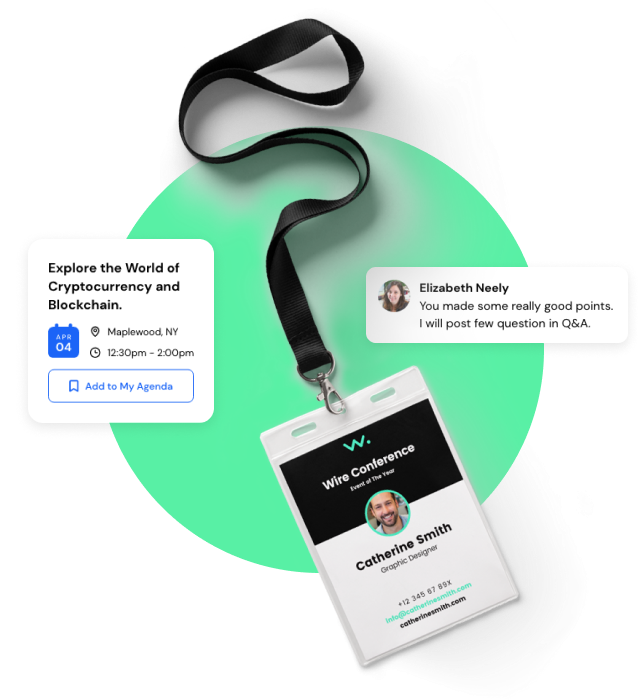
Automatically print name badges and tags for your guests on arrival.

Lead Retrieval
Collect data and analytics reports on your audience for insights.

Display Builder
Use the TurnKey RFID reader software integration for your in-person events.

Session Tracking
Automate the in-person event with Eventspot smart session tracking.
Ticketing & Registration
Sell Tickets and Manage Registration
Sell tickets for your in-person event with the Eventspot platform. Use powerful features like QR scanning, tag assignment, and much more. Create chatbots and other channels to communicate with your audience.

No more juggling between 8 different tools
Draft, schedule, and send emails with a single tool
Learn more

Give Your Sponsors & Exhibitors a Reason to Come Back Next Year.
Your Sponsors & Exhibitors Paid for Visibility. Give Them Something Worth Measuring. When Exhibitors Win, You Get Renewed. When Sponsors Win, You Get Upsells.

Product Showcase
Enable your exhibitors to display their products, brochure PDFs, offers, and coupons to attendees in the event mobile app & web
Enable your exhibitors to display their products, brochure PDFs, offers, and coupons to attendees in the event mobile app & web
Learn more


Sponsored Ads
Create more visibility for your sponsors with ad banners, splash screens, in-content banners, and more.
Create more visibility for your sponsors with ad banners, splash screens, in-content banners, and more.
Learn more

Lead Scanning
Let your exhibitors collect leads with simple QR code scanning. Attendees can also share their vCards with exhibitors virtually.
Learn more

Interactive Floor Maps
Design your floor plan and booths with a drag-and-drop editor. Attendees can find sponsors and exhibitors right in the app.
Learn more
Frequently Asked Questions
How do I choose the right event platform for my in-person conference and event?
When choosing an event platform, you must consider factors such as the platform's pricing, features, ease of use, customer support, and security. You can also read reviews and compare multiple platforms before deciding.
What features should I look for in an event platform for in-person events?
Standard features to look for, all offered by Eventspot, include: ticket sales and registration, attendee management tools, event scheduling and promotion, and real-time reporting and analytics.
How much does it cost to use an event platform for hosting in-person conferences?
The cost of hosting in-person events can vary widely depending on the features you need. Eventspot offers single-event and multi-event plans with unlimited features and a minimal charge on ticket sales. The model can also be customized to meet your requirements.
Can I customize the branding and design of my event page on an event platform?
Yes, with Eventspot, you can customize the branding and design of your event page, including adding images, logos, and other visual elements.
How can I manage ticket sales and registration on an event platform?
Eventspot offers tools for managing ticket sales and registration, including setting ticket prices and quantities, creating discount codes, and tracking ticket sales in real time.
Does the event platform offer tools for managing attendee information and engagement?
Eventspot offers tools for managing attendee information and engagement, such as sending event updates and notifications, tracking attendee behavior and preferences, and facilitating networking opportunities.
Can I track attendance and collect feedback from attendees on an event platform?
Yes, Eventspot offers tools for tracking attendance and collecting feedback from attendees, including post-event surveys and analytics.
How does the Eventspot In-Person event platform handle payment processing and refunds?
Eventspot offers secure payment processing and the ability to handle refunds to attendees in case of cancellation or other issues.
Is the Eventspot In-Person event platform secure and compliant with data protection regulations?
Yes. Eventspot is secure and GDPR-compliant, and it also offers a consensual networking module, data encryption, and secure logins.
Features
Explore Our Most
Popular Features


See How Eventspot Elevates Every Event
We are committed to making your event a success.
Complete the form to request a demo & we will show you why event teams are choosing Eventspot.
Flexible plans with transparent pricing.
Complete the form to request a demo & we will show you why event teams are choosing Eventspot.
Flexible plans with transparent pricing.
Request A Free Trial
Thank you! Your submission has been received!
Oops! Something went wrong while submitting the form.

