
Native Floor Maps Solution That Drives Booth Sales
Design custom floor plans, customize booths, and start selling immediately with our built-in sales tools.

Time
Booth management is one of the most time-consuming planning tasks
Clarity
Exhibitors want transparent booth pricing and availability
Manual
Booth allocation is still done by hand at many events
Digital
Exhibitors prefer digital floor plans for booth selection
Simple 5-Step Process
Upload your pre-designed floor map
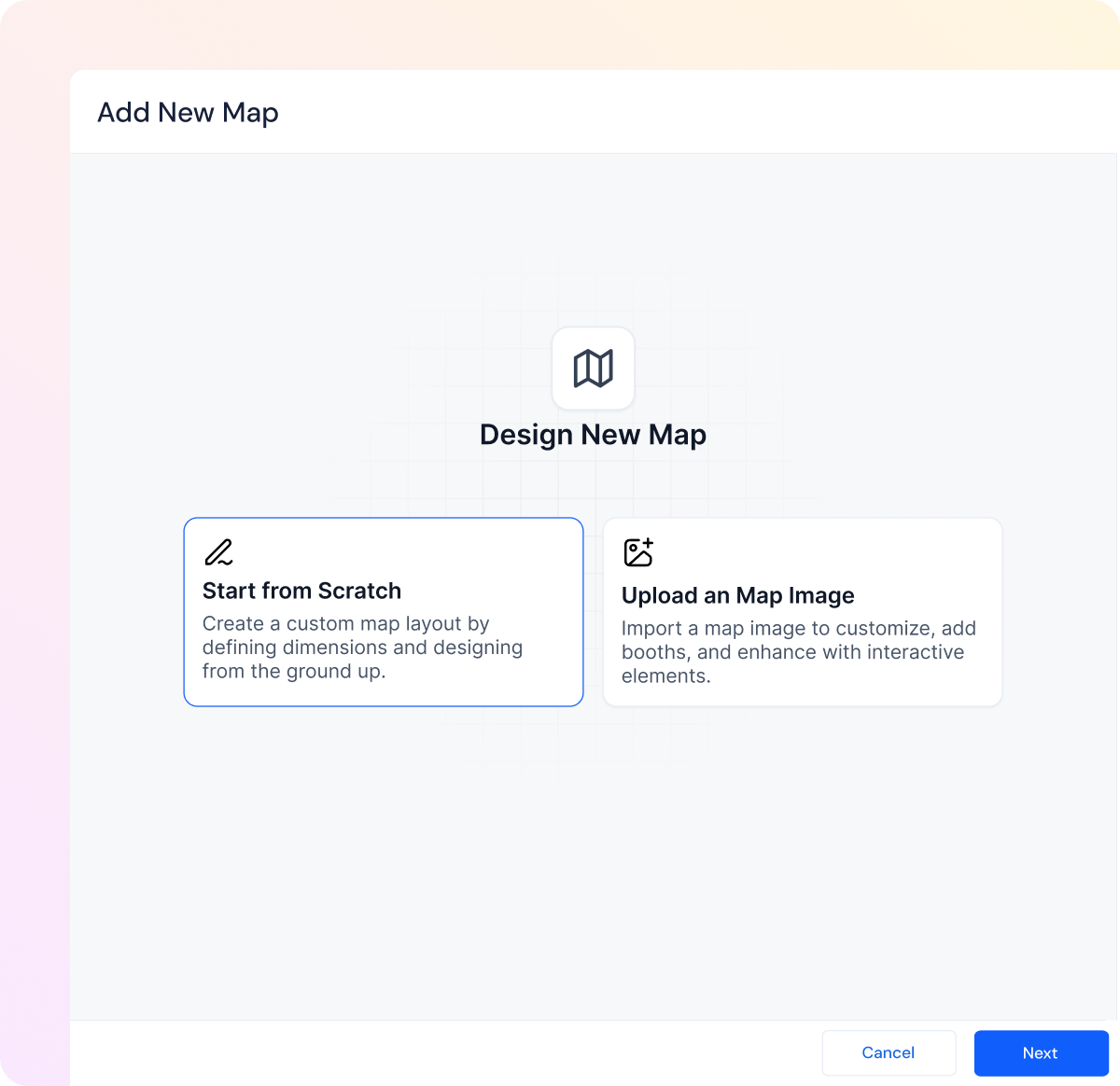
Edit and customize booth spaces
Set pricing and availability

Share with exhibitors via quick publish links

Manage booth requests and payments

Power-Packed Features
Everything you need to deliver seamless travel experiences

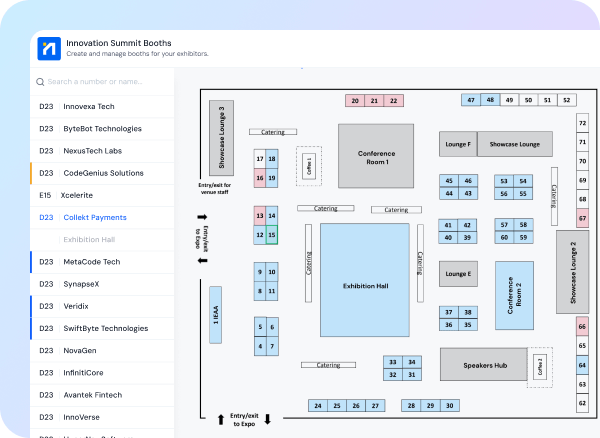
Smart Floor Map Management

Quick upload of pre-designed floor maps
Simple tools to add, remove, or modify booth spaces
Create multiple views of selected areas or the entire venue
Interactive zoom and navigation features
Toggle visibility of booths and pricing
Detailed Booth Customization
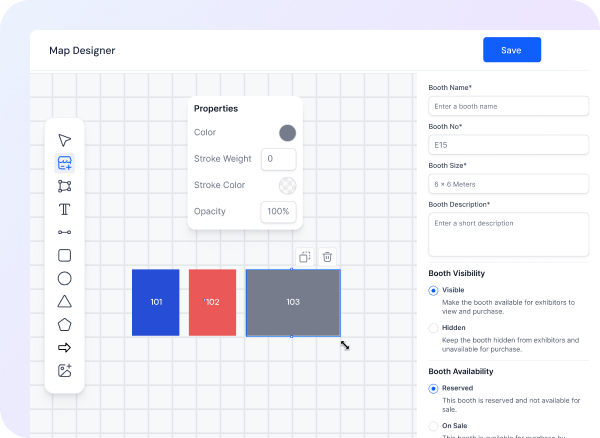
Customize booth names and numbers
Set differentiating booth colors
Define detailed specifications
Manage accurate dimensions
Live preview of all changes
Booth Sales Management
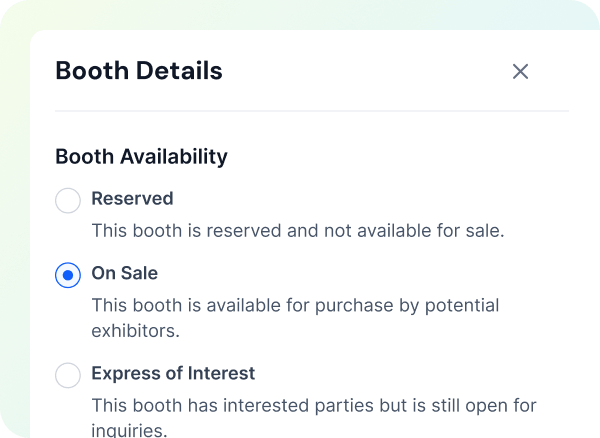
One-click booth request system for exhibitors
Flexible booth status management (Reserved, On Sale, etc.)
Approval workflow for exhibitor requests
Quick status updates to prevent double booking
Automated booking notifications
Sales & Payment Processing
Secure payment processing via Stripe
Flexible pricing and discount options
Track payments and pending transactions
Automated invoice generation
Digital payment confirmations

Real-time Analytics
Unified sales dashboard
Track revenue and booth sales in real-time
Detailed transaction reporting
Export capabilities for presentations
Audit logs
Buyer and discount tracking

Ready to Streamline Your Floor Plan Management?
Join event organizers who are saving hours on booth management
Frequently Asked Questions
What file formats do you support for floor plan uploads?
We support common image formats, including JPG and PNG. You can easily upload your existing floor plans or start customizing them immediately.
Can I modify booth layouts after publishing?
Yes, you can make changes to your floor plan at any time. Any updates will be reflected in real-time, and all stakeholders will automatically see the latest version.
How do exhibitors book and pay for booths?
Exhibitors can express interest in booths through our platform. Once approved, they can complete their purchase securely via our integrated payment system or through offline payments.
Can I control which booths are visible to exhibitors?
Yes, you have complete control over booth visibility. You can show/hide specific booths, mark them as reserved, or set different statuses like 'On Sale' or 'Expression of Interest'.
How do I track booth sales and payments?
Our dashboard provides real-time tracking of all booth sales, payment statuses, and revenue generation. You can easily export reports for your records or presentations.
See How Eventspot Elevates Every Event
We are committed to making your event a success.
Complete the form to request a demo & we will show you why event teams are choosing Eventspot.
Flexible plans with transparent pricing.
Complete the form to request a demo & we will show you why event teams are choosing Eventspot.
Flexible plans with transparent pricing.
Request A Free Trial
Thank you! Your submission has been received!
Oops! Something went wrong while submitting the form.

Free Demo
Request a Demo
Please fill out the form below to request a demo. Our team will be in touch with you shortly to schedule a personalized demo.
Request a Demo
Tell us a bit about your event and our team will reach out to schedule your personalized demo.
Thank you! Your submission has been received!
Oops! Something went wrong while submitting the form.
