
Professional Event Website Builder for Modern Events
Create a dynamic, multilingual site without writing a single line of code.
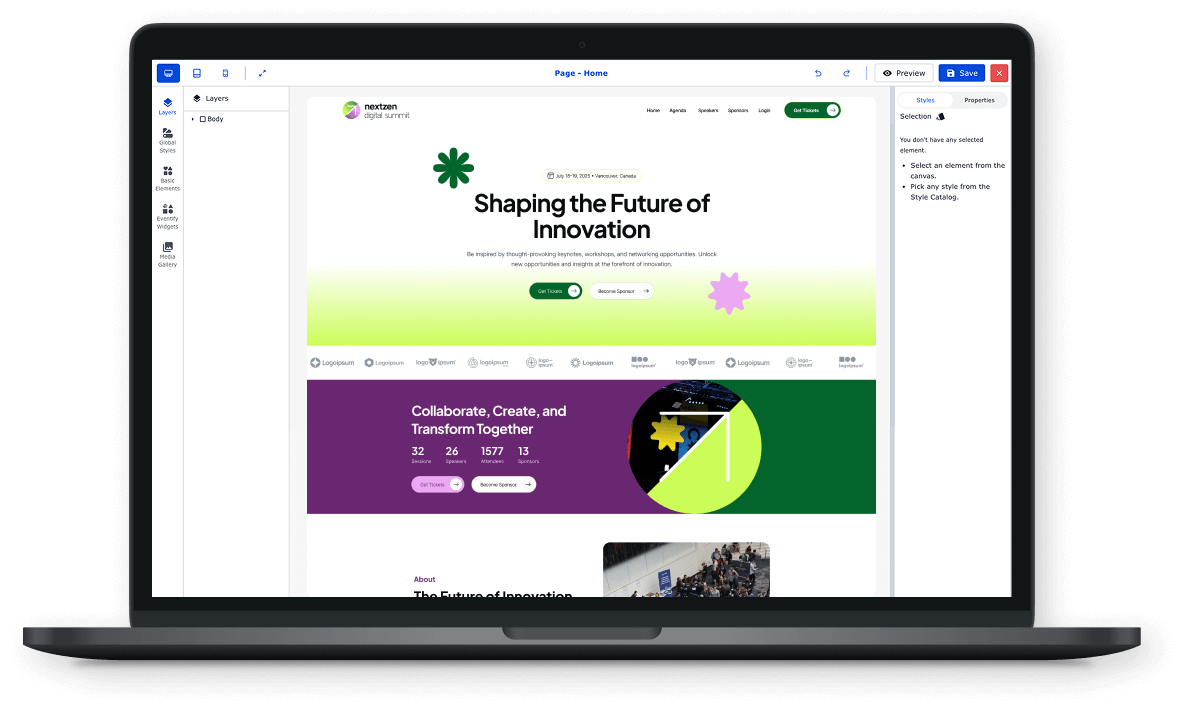
Build a Dynamic Event Website in Just 3 Easy Steps
With Website Builder, creating a professional event site is as easy as Set Up, Design, and Launch! Here's How:
Access the Website Builder
Start by going to Admin Portal → Website Builder.

Choose to upgrade from a traditional multi-section microsite to a full multi-page site.
Select from ready-made templates or create a custom design from scratch.
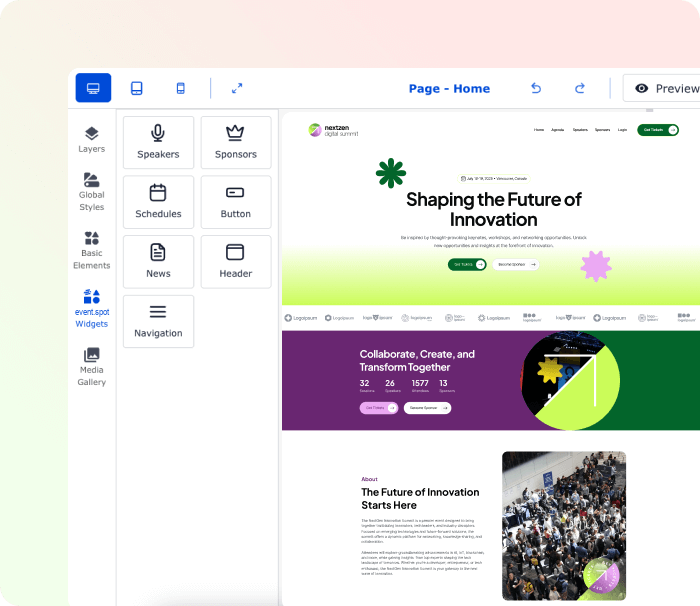
Enjoy a code-free experience—just drag, drop, and publish.
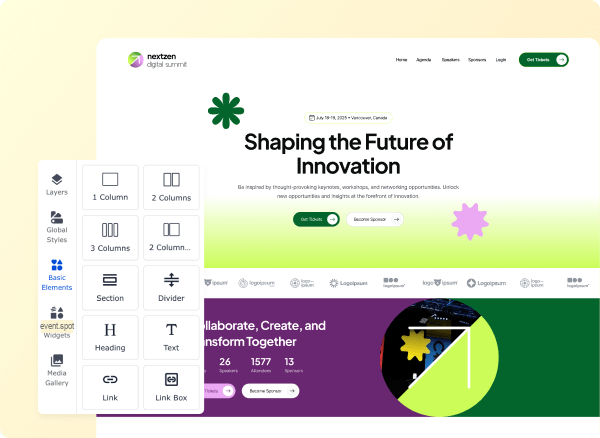
Customize Your Event Site
Design a professional, dynamic website tailored to your event’s needs.
Add pages like Home, Agenda, News List, News Details, Session Details, Speaker List, Speaker Details, Sponsors, and more.
Create custom pages and organize them with an intuitive Menu & Navigation Bar.
Keep your site fresh with real-time updates and dynamic content.

Publish & Engage
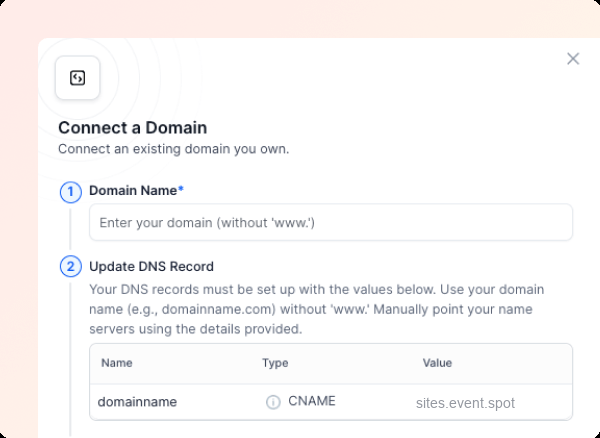
Launch your event site and make it accessible to attendees instantly.
Ensure a mobile-friendly, multilingual experience for a global audience.
Share the site link across channels to drive engagement and registrations.
Make instant edits without downtime—Eventspot keeps your site live and updated.
Higher
Attendee Engagement
With Dynamic, Mobile-Friendly Event Websites
Better
Event Discoverability
Through SEO-Optimized Web Pages
Lower
Development Costs
No Need for Expensive Web Developers
From Microsite to Multi-Page Masterpiece
Ditch the one-pager. Build, customize, and launch a full-fledged multi-page site without writing a single line of code.
Home Page That Hooks from the First Click
Make your homepage the ultimate first impression—bold, inviting, and unforgettable.
Design with Drag-and-Drop Ease, bringing your vision to life in minutes.
Showcase Event Essentials, from dates and location to quick sign-ups.
Engage with Multimedia, including videos, image galleries, and dynamic elements.
Update Instantly, keeping your site fresh and your audience informed.
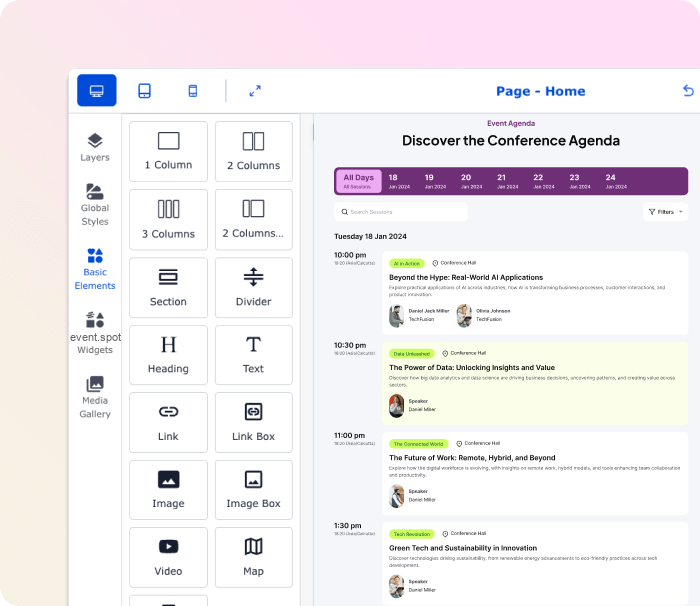
Agenda Pages That Act Like Your Event's GPS
Help attendees navigate your event like pros—no guesswork, no confusion.
Display All Sessions & Schedules in a clear, easy-to-follow format.
Link Session Details, Speaker Bios, and Venues to create a seamless experience.
Offer Personalized Schedules so attendees can map out their day.
Push Real-Time Updates to keep everyone on track, even if plans change.
Here’s Why Top Events Choose Us.
Good Isn’t Enough—Go Exceptional.




















Schedule & Agenda Integration
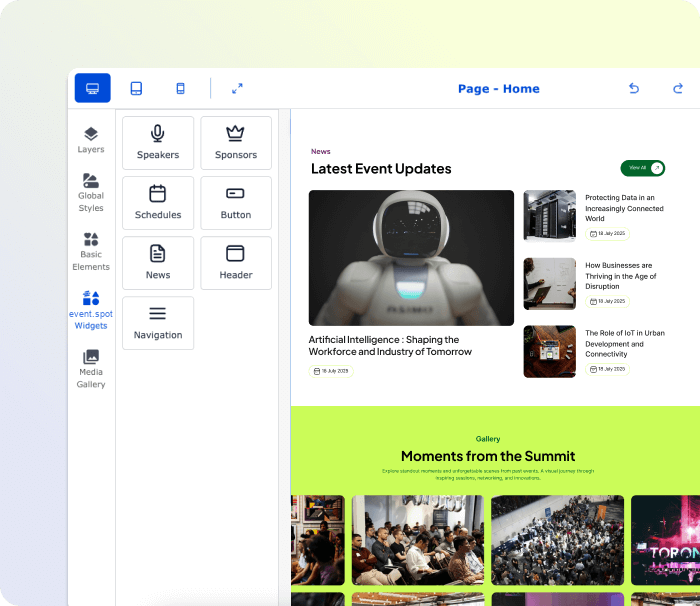
Make Headlines with Your News Pages
Turn your event site into a news hub where updates and stories thrive.
Share Real-Time Announcements & Blogs to keep the excitement rolling.
Feature Breaking News & Critical Info right where visitors will see it.
Boost Your SEO Game with optimized, high-impact content.
Drive Interaction through comments, shares, and community engagement.
Create Speaker Pages That Make Experts Shine
Elevate your speakers with profiles that do more than list a name.
Showcase Detailed Bios, Topics & Social Links, boosting their visibility.
Feature Videos, Articles & Extra Content for deeper audience connection.
Enable Direct Engagement, letting attendees connect with speakers.
Edit & Update on the Fly, keeping profiles fresh and relevant.

Schedule & Agenda Integration
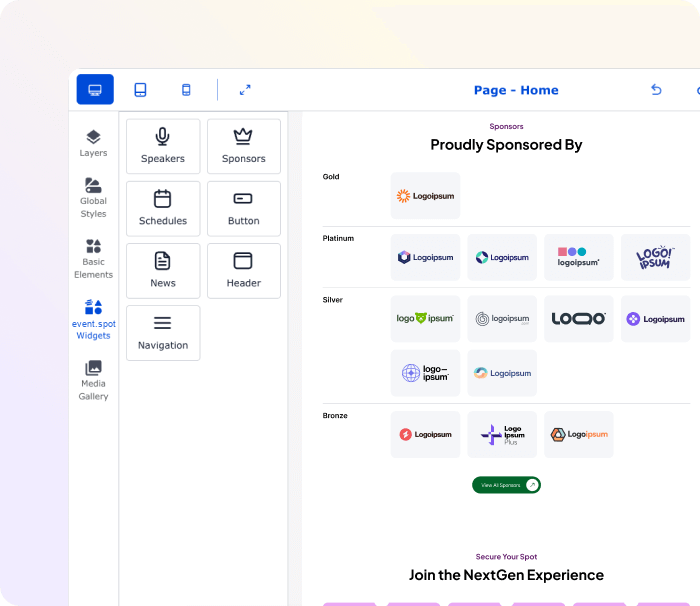
Your Sponsors, Always in the Spotlight
Turn sponsor pages into a valuable asset for your partners.
Spotlight Sponsors with Premium Placement, showcasing logos and links.
Create Tiered Sponsorship Displays to reflect partnership levels.
Embed Sponsor Content, from videos to promotional offers.
Offer Analytics, showing sponsors the real value of their investment.
Custom Pages That Break the Mold
Go beyond templates—create unique pages that tell your event’s story.
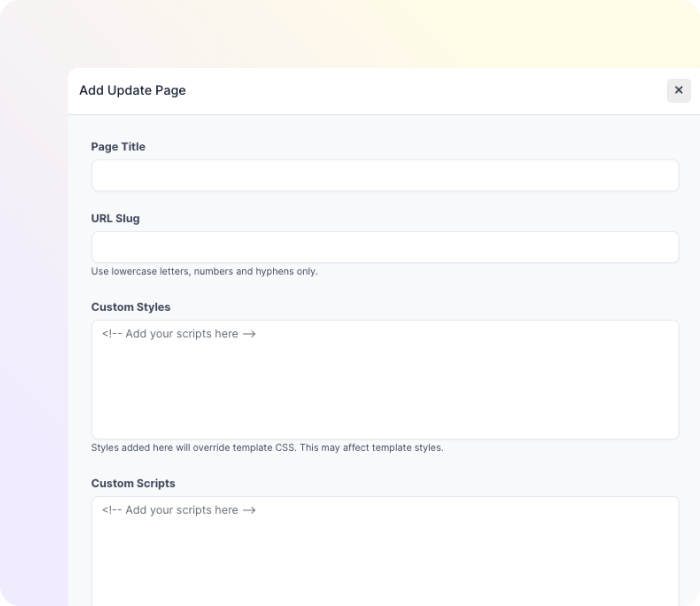
Build Custom Pages from Scratch for agendas, policies, FAQs, and more.
Use Advanced Editing Tools to match your branding and style.
Mix and Match Content Types, including text, media, and dynamic elements.
Set Privacy Controls to manage who sees what.
Schedule & Agenda Integration
Navigation That Puts Your Event on Autopilot
Seamless, intuitive, and built for exploring.
Customizable Menus & Navigation Bars to match your site’s flow.
Easy-to-Use Dropdowns & Links to all important pages.
Mobile-Friendly Design, ensuring smooth access on any device.
Sticky Menus & Quick Links for instant access to critical info.
A Website That Works as Hard as You Do
With Eventspot’s website builder, your site is:
Fully Mobile-Optimized, looking perfect on any screen.
SEO-Ready, attracting organic traffic and boosting discoverability.
Built for Speed, keeping load times low and satisfaction high.
Always Up-to-Date, with effortless content management.
Every Great Event Starts with a Great Website
Corporate Conferences
Create a dynamic event site with session details, speaker bios, and sponsor showcases to keep attendees informed.
Trade Shows & Expos
Build a multi-page site featuring exhibitor lists, floor plans, and live updates to engage both in-person and virtual audiences.
Webinars & Virtual Events
Set up landing pages, registration forms, and agenda sections with seamless integration for streaming links.
Product Launches
Develop a bold, branded site with countdowns, launch event details, and media kits for press and partners.
Workshops & Training Sessions
Create dedicated pages for schedules, instructor bios, downloadable resources, and certification details.
Team-Building Events
Design an engaging site with activity details, group session schedules, and sign-up forms for participants.
Festivals & Cultural Events
Build a vibrant site featuring artist lineups, event schedules, and ticketing information with a creative touch.
Job Fairs & Recruitment Events
Set up company profiles, job listings, interview schedules, and a space for attendees to submit resumes.
Conventions & Meetups
Create a site with agenda sections, speaker pages, community forums, and social sharing features.
Awards Ceremonies
Design a polished site showcasing nominees, event schedules, live streaming options, and photo galleries.
Hackathons
Build a site with project submission portals, mentor bios, event schedules, and judging criteria.
Charity Fundraisers
Set up a donation-friendly site with event information, sponsor highlights, and a section for live auctions.
Build Bold. Share Smart. Engage Always.
Create a website that not only supports your event but elevates it—before, during, and long after it’s over.
Frequently Asked Questions
What types of event websites can I create with Eventspot’s website builder?
You can create anything from simple, single-section microsites to fully-featured, multi-page event websites. Ideal for conferences, trade shows, webinars, festivals, and more!
Do I need coding skills to use Eventspot’s website builder?
Not at all! Eventspot’s builder is 100% no-code. Simply drag, drop, and customize your site using our intuitive interface.
Can I customize my event website to match my brand?
Yes! You can adjust colors, fonts, layouts, and even add custom pages to ensure your website aligns perfectly with your brand identity.
Is Eventspot’s website builder mobile-friendly?
Absolutely! Your event website will automatically be responsive, providing an optimal experience on desktops, tablets, and mobile devices.
Can I create a multilingual event website with Eventspot?
Yes, Eventspot supports multilingual websites, allowing you to cater to a global audience effortlessly.
What kind of pages can I add to my event website?
You can add essential pages like Home, Agenda, Speaker Details, Sponsor Highlights, News Lists, Session Details, and even create custom pages for unique content.
Does Eventspot’s website builder support SEO best practices?
Definitely! Eventspot offers SEO optimization tools, including meta tags, custom URLs, and indexing options to boost your event’s online visibility.
Can I embed external tools and content into my website?
Yes! You can embed videos, forms, maps, and third-party tools directly into your website, enhancing the attendee experience.
How easy is it to update content on my event website?
It’s super easy! Use the Admin Portal to quickly update schedules, speaker info, and any other content—even on the go.
Can I preview my website before it goes live?
Yes, Eventspot’s website builder includes a preview mode so you can see exactly how your site will look across devices before publishing.
See How Eventspot Elevates Every Event
We are committed to making your event a success.
Complete the form to request a demo & we will show you why event teams are choosing Eventspot.
Flexible plans with transparent pricing.
Complete the form to request a demo & we will show you why event teams are choosing Eventspot.
Flexible plans with transparent pricing.
Request A Free Trial
Thank you! Your submission has been received!
Oops! Something went wrong while submitting the form.

Free Demo
Request a Demo
Please fill out the form below to request a demo. Our team will be in touch with you shortly to schedule a personalized demo.
Request a Demo
Tell us a bit about your event and our team will reach out to schedule your personalized demo.
Thank you! Your submission has been received!
Oops! Something went wrong while submitting the form.


