
Abstract management software
The Next-Gen Abstract Management Software
Experience the next-gen of abstract submission software with Eventspot

Innovative software that offers seamless and swift abstract management systems.
Eventspot Abstract Management is ideal for customizable form design, branding, invitations, reviews, and shortlisting!
Extensive "Kanban Board" based reviewing dashboard.
Automated Emails, Collect Fees or offer tickets & much more!
Upgrade your submission management software with Eventspot.
How It Works in 3 Easy Steps


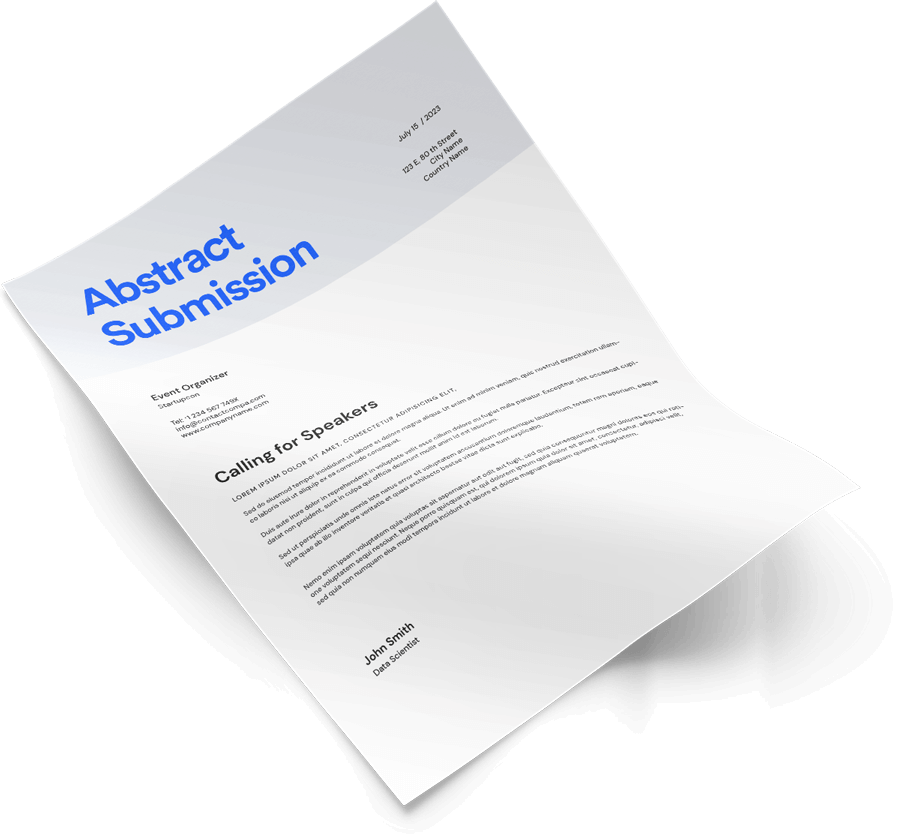
Collect ApplicationsEasily collect applications with Eventspot's abstract management system. Our customizable question templates and shareable links make it easy to promote your abstract submissions on your website, in emails, or on social media. Our software supports a wide range of submission types, including individual and panel submissions, with unlimited submissions.

Empower JudgingEmpower your judging process with Eventspot's easy-to-use evaluation suite. Judges can perform their tasks quickly and easily from any personal or mobile device. Our software offers one-click application approval, shortlisting, evaluation rounds, and a full-featured judging portal.

Shortlist the Best AbstractIdentify and recognize the top applications with Eventspot's smooth awards management suite. See the results at a glance, label shortlisted entries, send automatic emails, and add selected applicants to the event as speakers.
Elevate Your Abstracts & Call for Paper Programs with Eventspot abstract management.
Eventspot is the state-of-the-art awards management software that helps you streamline the process of collecting applications, empowering judging, and selecting the most deserving winners. Whether it's for abstracts, calls for papers, awards, competitions, contests, nominations, prizes, or employee recognition, Eventspot has you covered.
Eventspot is the state-of-the-art awards management software that helps you streamline the process of collecting applications, empowering judging, and selecting the most deserving winners. Whether it's for abstracts, calls for papers, awards, competitions, contests, nominations, prizes, or employee recognition, Eventspot has you covered.
Simplify Submission Management with Eventspot software
Make it easy for applicants to submit their entries while you enjoy smooth and effortless submission management. Eventspot offers a personal workspace for applicants, enhanced application categories, and a fully customizable drag-and-drop application form. Plus, you can accept payments via Stripe!
Make it easy for applicants to submit their entries while you enjoy smooth and effortless submission management. Eventspot offers a personal workspace for applicants, enhanced application categories, and a fully customizable drag-and-drop application form. Plus, you can accept payments via Stripe!
Empower Your Reviewing and Judging with Eventspot abstract software
Our user-friendly evaluation suite enables reviewers and/or judges to perform their tasks quickly and easily, from any laptop/desktop or mobile device. Eventspot offers one-click application approval and shortlisting with its own judging portal.
Our user-friendly evaluation suite enables reviewers and/or judges to perform their tasks quickly and easily, from any laptop/desktop or mobile device. Eventspot offers one-click application approval and shortlisting with its own judging portal.
Identify and Recognize Top Applications with Eventspot abstract website
Easily identify and recognize the top applications with Eventspot's smooth abstract management suite. See the results at a glance, label winners with tags, send automatic emails, and give them entry to the event.
Easily identify and recognize the top applications with Eventspot's smooth abstract management suite. See the results at a glance, label winners with tags, send automatic emails, and give them entry to the event.
Submit, Collect & Review
Custom Forms
Create separate categories for different types of participants, tailor the sections, add images, and support uploading multiple files, with a wide variety of templates.

Collect & Review
A Kanban View of the dashboard to retrieve the information you need, track the status of forms, and shortlist them. Auto assignment of submissions to the relevant reviewers who can access the portal to review, rate and comment on entries.

Submit-Collect Abstracts
Whether you receive a few submissions or a thousand, our plan covers everything at no additional cost. Submitters get one-click submission and instant acknowledgment, followed by quick reviews and automatic response emails.
Absorb
Shortlist reviewed submissions for final selection, then add the selected submitters to the event.


Abstract Design
Manage Abstract Submission from Design to Publish
Extensive selection of fully customizable key question templates.
Pluggable links to post and promote on website, emails, and social media handles.
Various submission types including individual and panel submissions.
Customizable fields, deadlines, and co-candidate limits per abstract submission.
Support for various file uploads including images, documents, video, and audio files.
Multi-view table for examining, removing, amending, and downloading abstract submissions and data.
Various field types such as checkboxes, input boxes, and file upload sections.
Advanced abstract management features such as filtering, sorting, and searching.
User-friendly and easy to use interface
Secure data management and data encryption
Mobile-friendly and accessible on all devices
Advanced analytics and reporting.
Learn more

Assign Review
Assign Abstract to the Reviewers
Say goodbye to the tedious and time-consuming process of assigning abstracts to reviewers with our cutting-edge system. Unlike Oxford abstract management software, our easy-to-use platform simplifies the reviewing process by allowing you to quickly add reviewers with just their names or email addresses. Reviewers have direct access to their portal, making the process seamless and efficient. As an event administrator, you can assign abstracts to reviewers based on their expertise or even in bulk. Reviewers can be assigned using round-robin, circular, or manual methods. This ensures that the most qualified individuals are reviewing the abstracts. Stay informed and on top of the reviewing process by sorting abstracts by rating, status, and date (latest or oldest). You can also inform candidates about the status of their abstract and whether any corrections or re-submissions are required. With Eventspot's conference abstract submission software, managing the abstract review process has never been easier. Say goodbye to the hassle and hello to a streamlined, efficient process.

Abstract Design
Seamless Abstract Review & Rating
Eventspot abstract management app simplifies decision-making on submissions, letting reviewers rate abstracts with custom questions & files.
Reviewers may grade abstracts according to different criteria.
Our system’s algorithm computes and generates the average rating of the reviewed abstract upon review submission, which aids the admins in making decisions promptly.
Get access to personalized evaluation fields.
Support various file uploads including images, documents, video files, and audio files in jpg, jpeg, png, pdf, mp4, and more.
Learn more
kanban view
Abstract Automation
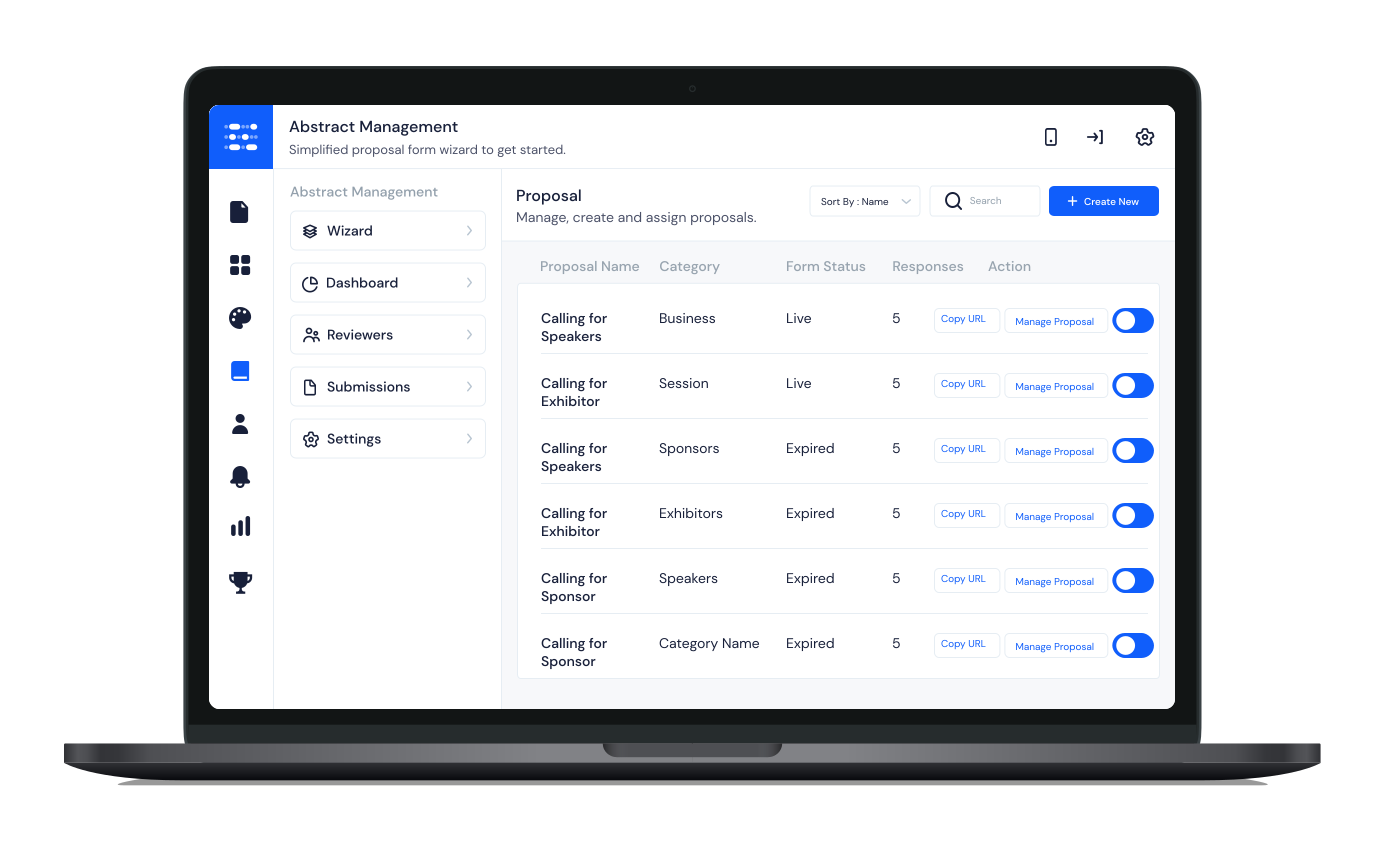
Eventspot’s dynamic Kanban Dashboard puts everything at the admin’s fingertips.
Abstract Automation with Eventspot streamlines the process of managing abstract submissions for events. Our dynamic Kanban Dashboard puts everything at the administrator's fingertips, making it easy to check the status of abstracts in real time. The dashboard shows whether each abstract is submitted, in review, shortlisted, or rejected. Admins can confirm candidates directly or send tickets with one click so candidates can complete their registration. They can also filter abstracts by status, topic type, date, author name, and keywords. With our drag-and-drop feature, admins can easily re-assign a rejected abstract or directly shortlist an abstract. The platform also offers personalized website branding for publishing abstracts, making it easy for event organizers to showcase their event's brand. Admins can monitor progress and stay on top of late and incomplete reviews with our streamlined chase-up process. Overall, Eventspot's Abstract Automation makes it easy for event organizers to manage abstract submissions and stay on top of the reviewing process. With real-time status updates, easy filtering, and personalized branding options, managing abstract submissions has never been easier.
Assign Review
Analytical Dashboard
Get Eventspot to manage your abstracts with remarkable precision and complete transparency, and devote your resources to offering your attendees an incredible experience.
Conferencing mayhem is a thing of the past. Discover the cost of sophisticated abstract management software for your conference on academics, technology, or medicine today! From basic abstract management to a comprehensive event app, we provide various services for all event needs. The price you see is the price you pay since pricing should be transparent. Just select the package that complements your requirements.
Features
Customizable Key Question Templates:Create fully customizable key question templates to fit the specific needs of your event.

Pluggable Links:Promote your abstract submissions on your website, in emails, or on social media handles with easy-to-use pluggable links.
Submission Types: Support for various submission types, including individual and panel submissions, with an unlimited number of submissions.

Customizable fields: Create custom fields, set collection deadlines, and limit the number of co-candidates allowed per abstract submission.

File uploads:Support for various file uploads including images, documents, video files, and audio files in different formats.

Multi-view table: Examine, remove, amend, and download abstract submissions and data with our easy-to-use multi-view table.

Field types:Select from a variety of field types, such as checkboxes, input boxes, and file upload sections, with customized image-adding options.

Judge’s Panel: Each reviewer gets their own login dashboard, and reviewer names are hidden.
Hidden Fields:
Hide fields from judges to keep the review process neutral.
Hide fields from judges to keep the review process neutral.

Kanban Style Filtering and sorting:Filter and sort abstract submissions by abstract ratings, status, and date (latest or oldest) to stay on top of the reviewing process.

Issue Tickets / Collect Fees:Optionally collect fees for the applications as needed by your event.

User-friendly interface:Easy to use interface that makes managing abstract submissions a breeze.
Mobile-friendly: Accessible on all devices, including mobile phones, tablets, and laptops.

Advanced analytics:Monitor progress and stay on top of late and incomplete reviews with our advanced analytics and reporting features.

Branding: Personalize the application page with a custom cover and logo to match your event's unique style and showcase your brand.
FAQ
1. What is Eventspot's abstract management software?
Eventspot's abstract management system is a cutting-edge platform that streamlines the process of managing abstract submissions for events. It offers an end-to-end solution for collecting, reviewing, and grading abstracts, and brings accepted abstracts straight into the Eventspot event platform.
2. How does Eventspot's conference abstract management software simplify the reviewing process?
Eventspot's software simplifies the reviewing process by allowing event administrators to quickly add reviewers with just their name or email address. It also allows reviewers to have direct access to their portal and enables event administrators to assign abstracts to reviewers based on their expertise, or even in bulk.
3. Can I filter out the abstracts according to the status, type of the topic or the date of the abstract?
Yes, Eventspot's abstract tool allows event administrators to filter out the abstracts according to the status, type of the topic or the date of the abstract, author names, and keywords, making it easy to stay on top of the reviewing process.
4. Can Eventspot's submission management software be customized to match my event's branding?
Yes. You can personalize the application page with a custom cover, logo, and branding options to match your event's unique style.
5. Can I re-assign a rejected abstract or directly shortlist an abstract?
Yes, we offer a drag and drop feature that allows event administrators to easily re-assign a rejected abstract or directly shortlist an abstract.
6. Can Eventspot's conference abstract management software be accessed on mobile devices?
Yes. Eventspot's abstract management software works on all devices, including mobile phones, tablets, and laptops.
7. Is Eventspot's Abstract management software secure?
Yes, Eventspot's event app software offers secure data management and data encryption to ensure that all submissions and data are protected.
8. Does Eventspot's Abstract management system offer technical support and customer service?
Yes, Eventspot offers technical support to get you started and customer service to ensure that any issues or questions are promptly addressed.
Schedule a
personalized demo.
See how Eventspot elevates the experience for your attendees. Explore what modern event tooling can do for you, with a free demo tailored to your goals.

Features
Explore Our Most
Popular Features


See How Eventspot Elevates Every Event
We are committed to making your event a success.
Complete the form to request a demo & we will show you why event teams are choosing Eventspot.
Flexible plans with transparent pricing.
Complete the form to request a demo & we will show you why event teams are choosing Eventspot.
Flexible plans with transparent pricing.
Request A Free Trial
Thank you! Your submission has been received!
Oops! Something went wrong while submitting the form.

