Community Forum for All to Share & Connect

Enable your attendees to build lasting relationships that make them want to attend all your events. With the Eventspot event management app, you can deliver your event content and stay connected with your community from anywhere in the world. A community for your events.
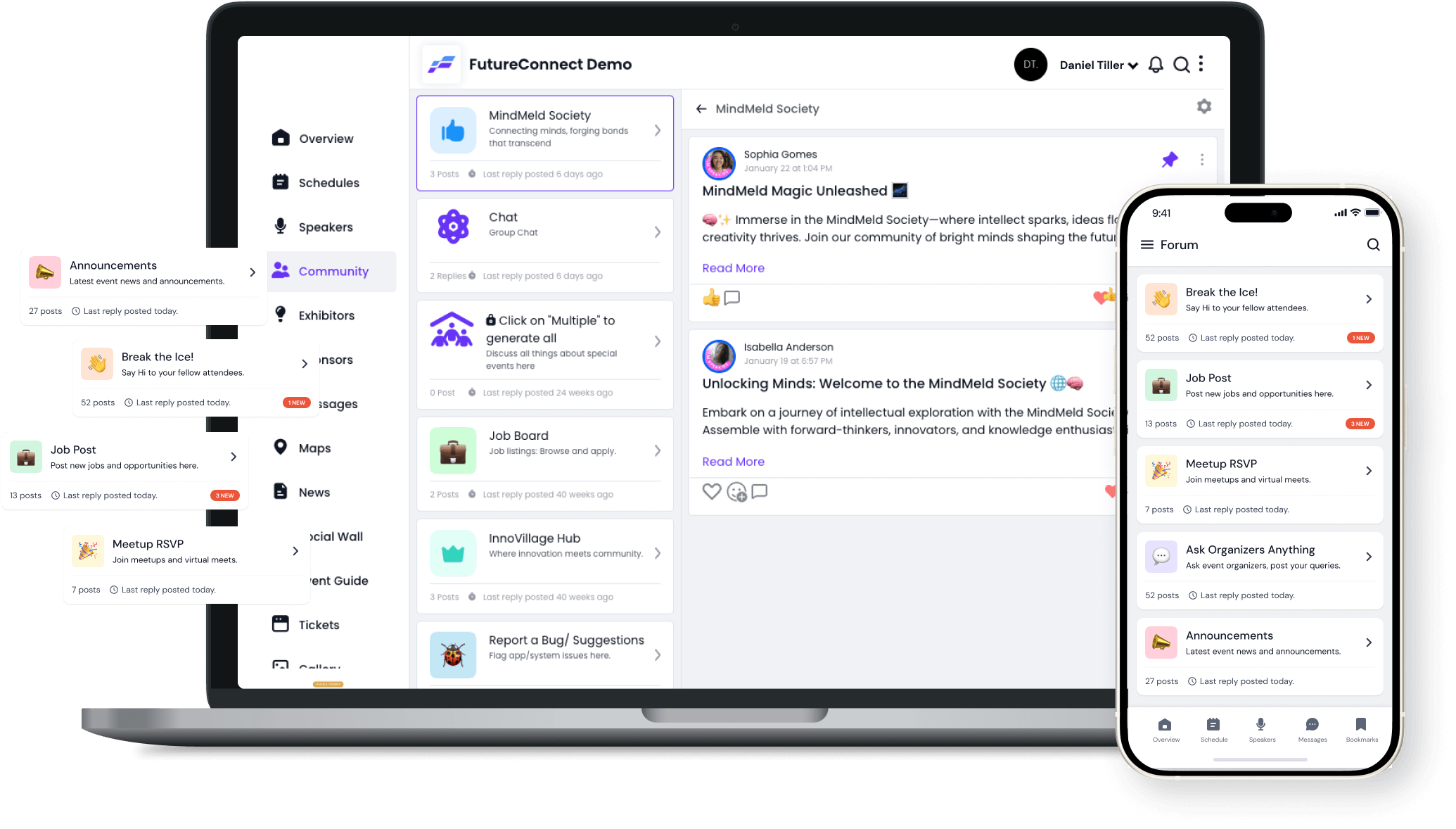
Laptop and smartphone displaying FutureConnect Demo app with community forum, job board, chat, announcements, and meetup features.
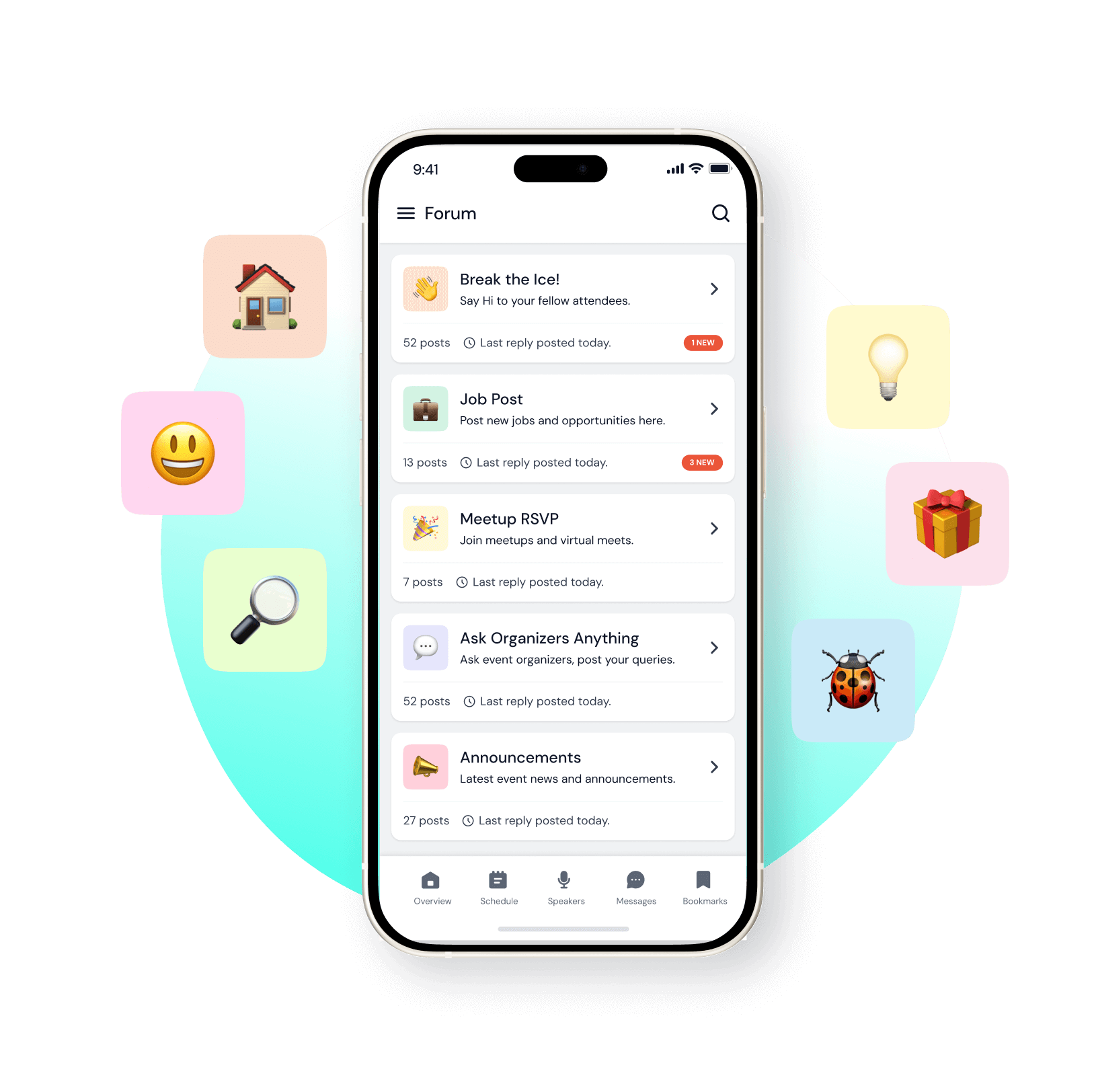
Mobile phone screen displaying a forum app with categories like Break the Ice, Job Post, Meetup RSVP, Ask Organizers Anything, and Announcements, surrounded by colorful emoji icons.
Networking

Enhance Networking

Mobile event apps are really important to promote your event and keep your attendees informed. Let your community share content with attachments and links. This is where all of the comments, communications, photos, and social interactions will be visible to the entire community.
Two smartphones showing a social media app; one screen is creating a post with an image, the other shows a social feed post featuring a group photo and supportive community message.
Attract

Make New Connections with Eventspot Event Communication App

Eventspot is an event networking app with built-in features such as communities that make it simple for attendees to network. Most attendees come to an event to interact, grow their networks, and make new connections.
Two smartphones showing an event app with forum topics like 'Break the Ice!' and announcements including posts from Leslie Snyder, Seth Matthews, and Sally Palmer about event updates and volunteer requests.
Community

StayConnected

Use our event networking app to build a community, increase connections, and improve networking. Eventspot allows your sponsors, exhibitors, and attendees to stay connected.
Tablet screen showing an event community management interface with a list of public community posts and groups, including names and brief descriptions.
Engagement

Promote Attendee Engagement

Promote attendee engagement with event networking features and tools that support attendee interaction. Whether your event is in person, virtual, or hybrid, Eventspot is designed to create the best event experience.

Frequently Asked Questions

What is a community forum?
It is a place where attendees can discuss topics and share ideas with groups of other attendees, called communities. Attendees who have a question or an idea can post or comment as members of the forum.
What are the types of communities an organizer can create?
An organizer can create two types of communities. Post: members can post on any community page created by the admin, and others can view or comment on those posts. Group: members reply to topic posts created by the admin to contribute to the discussion.
Is there any restriction on posting or commenting?
No, there is no restriction on the number of posts or comments made by the members.
How do I add photos to a forum post or reply?
You can add photos to forum posts or comments using the Write Message option on the screen.
Who can create communities?
The admin can create communities for members to either post or comment.
Features

Explore Our Most
Popular Features

Icon representing add or new item button
Learn more
Ticket icon representing event ticketing

Registration & Ticketing

Sell tickets online & manage user registration
Icon representing add or new item button
Learn more
Speech bubble icon representing messaging feature

Chat & Meetings

1-1 messaging and meetings to increase attendee engagement
Icon representing add or new item button
Learn more
Calendar icon representing event schedule

Schedule

Event tracks & sessions as per date and time in one place
Icon representing add or new item button
Learn more
User icon representing registration feature

Matchmaking

All-in-one B2B matchmaking for your attendees
Icon representing add or new item button
Learn more
Share icon representing social sharing feature

Social Feed

Private social network feed for your event
Icon representing add or new item button
Learn more
Multiple people icon representing community section

Community Forum

Forum or group messaging on predefined topics
Icon representing add or new item button
Learn more
Bar chart icon representing analytics dashboard

Poll & Live Q&A

Create interactive polls and Q&A on live sessions
Icon representing add or new item button
Learn more
Microphone icon representing speakers feature

Speaker Profile

Speaker’s detailed information for sessions
Icon representing add or new item button
Learn more
Newspaper icon representing news section

Event News

A news section for event-related news & announcements
Icon representing add or new item button
Learn more
Info icon representing event guide section

Event Guide

Create your own event help and support guidebook
Icon representing add or new item button
Learn more
Image icon representing photo gallery

Gallery

Event photo gallery by host or attendees
Icon representing add or new item button
Learn more
Storefront icon representing exhibitor booths

Product Showcase

Comprehensive exhibitor and sponsor page
Icon representing add or new item button
Learn more
Crown icon representing sponsors section

Sponsored Ads

Built-in ads to promote sponsors & exhibitors
Icon representing add or new item button
Learn more
Checkmark icon representing survey feedback

Lead Scanning

Scan and export leads and contacts in one place
Icon representing add or new item button
Learn more
Map icon representing interactive venue maps

Interactive Maps

Tappable interactive booth and floor maps
Icon representing add or new item button
Learn more
Bell icon representing outreach notifications

Push Notification

Send instant push notifications to attendee app
Icon representing add or new item button
Learn more
Trophy icon representing gamification features

Custom Branding

Customize & design your very own branded event app within minutes
Icon representing add or new item button
Learn more
Calendar icon representing event schedule

Session Rating

Get session rating and feedback from attendees
Icon representing add or new item button
Learn more
Bar chart icon representing poll or voting features

Survey

Build your own surveys to get feedback about the event
Icon representing add or new item button
Learn more
Bell icon representing outreach notifications

Email Notifications

Send instant email notifications to your attendees
Icon representing add or new item button
Learn more
Newspaper icon representing news section

Dynamic Form Builder

Drag & drop form builder for checkout forms, surveys & profiles
Icon representing add or new item button
Learn more
Calendar icon representing event schedule

Schedule

Event tracks & sessions as per date and time in one place
Icon representing add or new item button
Learn more
Info icon representing event guide section

Event Guide

Create your own event help and support guidebook
Icon representing add or new item button
Learn more
Checkmark icon representing survey feedback

Email Designer

Drag and Drop custom email template designer
Icon representing add or new item button
Learn more
Bar chart icon representing analytics dashboard

Analytics Dashboard

Get real-time insights on your event on multiple fronts
Icon representing add or new item button
Learn more
Multiple people icon representing community section

Community Forum

Forum or group messaging on predefined topics
Icon representing add or new item button
Learn more
Speech bubble icon representing messaging feature

Chat & Meetings

1-1 messaging and meetings to increase attendee engagement
Icon representing add or new item button
Learn more
Ticket icon representing event ticketing

Registration & Ticketing

Sell tickets online & manage user registration

Schedule a
personalized demo.

See how Eventspot elevates the experience for your attendees. Explore what modern event tooling can do for you, with a free demo tailored to your goals.

Three smiling young adults with arms crossed, wearing casual plaid and denim shirts.
contact

Request a Demo

If you have a question, feedback, or a suggestion, or simply want to say ‘hello’, fill in this form. We’ll get back to you ASAP!
Thank you! Your submission has been received!
Oops! Something went wrong while submitting the form.
Thank you! Your submission has been received!
Oops! Something went wrong while submitting the form.
Monitor icon
Free Demo