
SCAN. QUALIFY. FOLLOW UP.
Turn Badge Scans Into Booked Meetings
Exhibitors scan badges or QR codes, qualify and rate leads on the spot, and everything lands in one workspace — during the event and long after.
Book Free Demo Now!Higher
Event engagement
More
Organic event conversions
Greater
Revenue potential
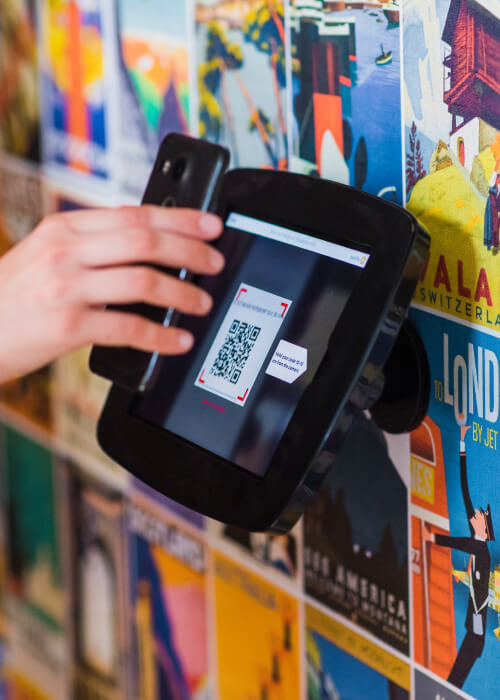
Streamlined Lead Capture
Say goodbye to cumbersome manual processes. The Eventspot app lets you scan attendee badges or business cards with a simple tap on your smartphone or tablet, capturing lead information instantly and hassle-free.
Customized Lead Forms
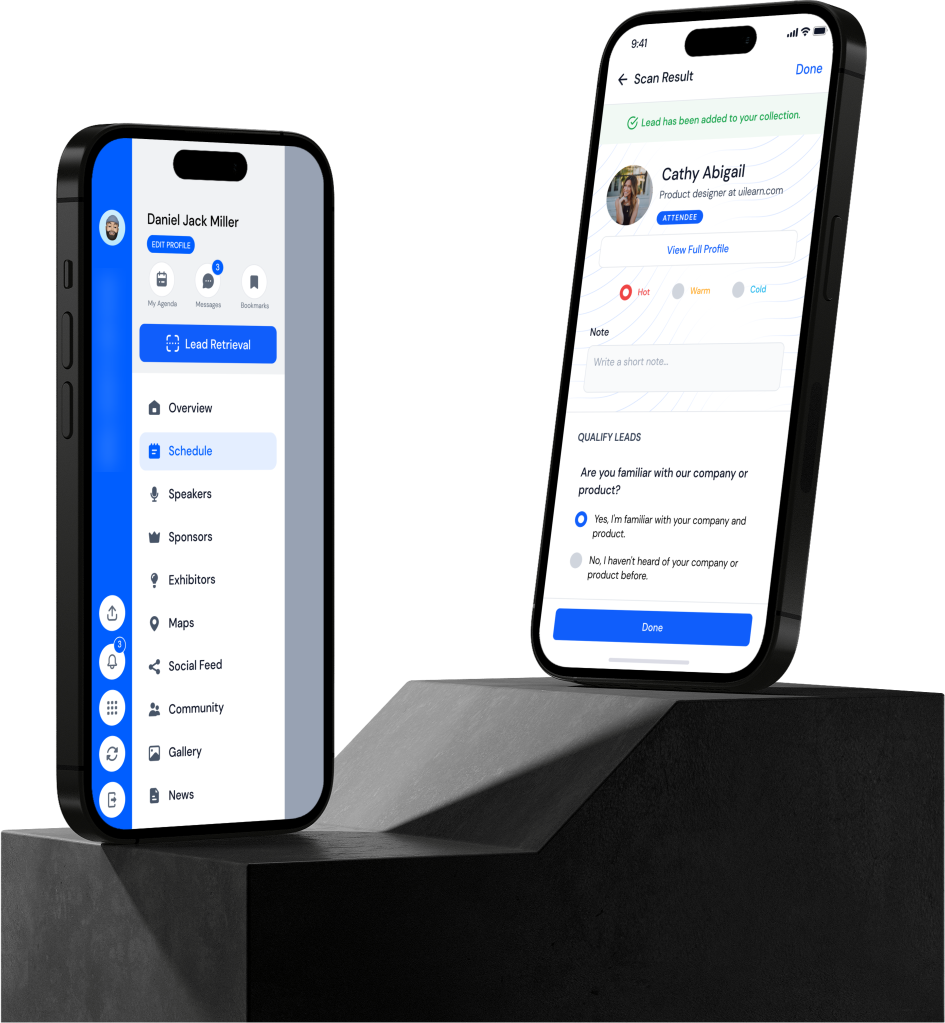
Create custom lead capture forms tailored to your requirements, so you can collect relevant information and qualify leads on the spot. You can prioritize and categorize leads based on interest level and potential value.
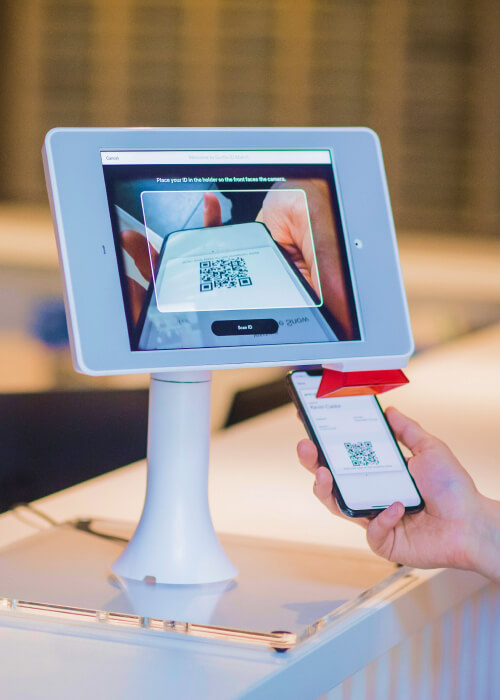
Offline Capabilities
Give your kiosk the power of offline operation and reduce dependence on unreliable networks that cause hold-ups. Once set up, our badge printing system can operate even with no internet connectivity.

Lead Retrieval
Get instant access to lead data so your sales team can follow up and make sure leads are still engaged and interested in your products and services. You can add notes and schedule follow-up actions directly in the app, so your team stays on top of leads and maximizes conversions.
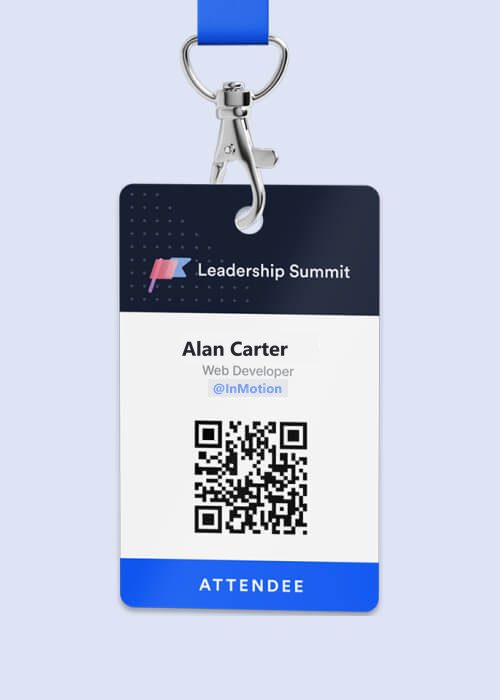
Integrated with CRM
Keep your leads organized and accessible with our intuitive app, which syncs captured leads with your CRM system in real time. No manual data entry is required, and leads are added to your sales pipeline promptly.
Analytics and Reporting
Unlock valuable insights into lead management, conversion rates, and event performance with comprehensive analytics and reporting tools that let you track your lead generation success. Make data-driven decisions that fuel business growth.

Attendee Tracking
On-site badge generation allows you to easily track and analyze event attendance.
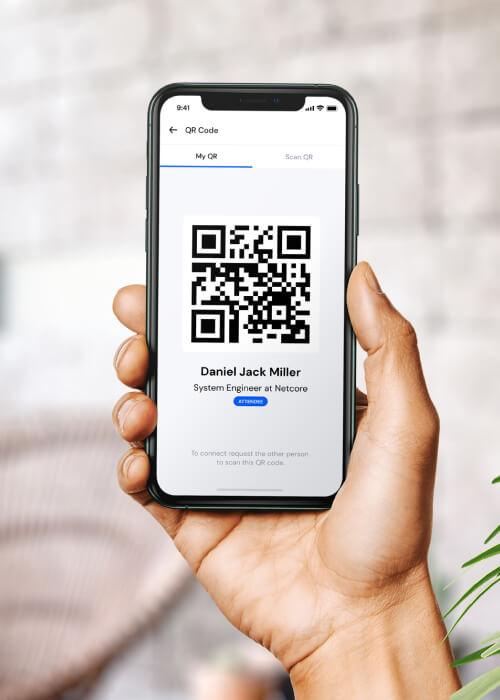
Offline Mode
Capture leads even in areas with limited connectivity; scans sync automatically once you’re back online, so lead collection is never interrupted. Enhance your event’s security and protect against duplicate tickets and fraud with real-time QR scans.
A Scanner Booth Staff Actually Want To Use
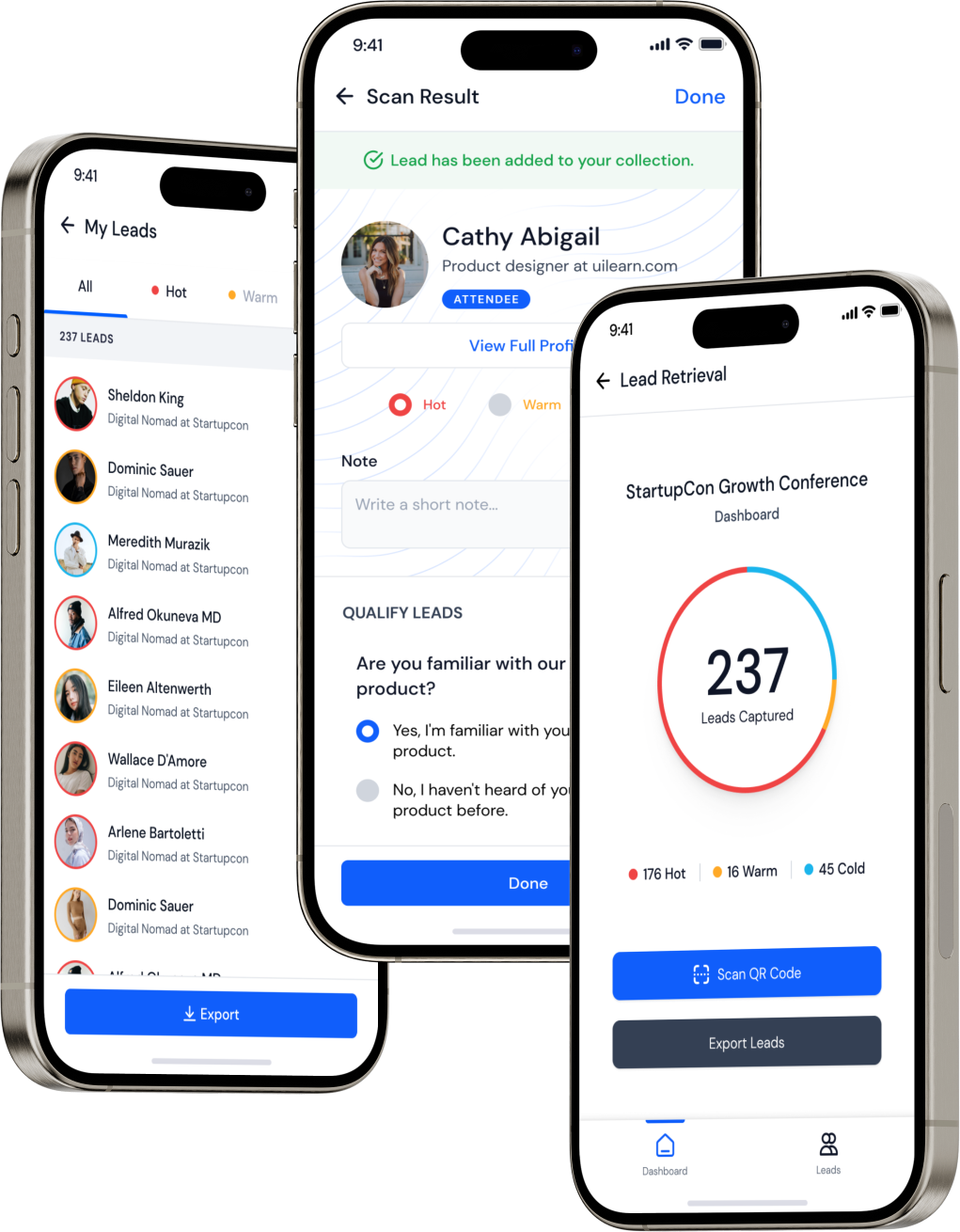
Ease of use: The Eventspot app is designed with a focus on user experience, with an intuitive interface that makes lead scanning and retrieval effortless for attendees and exhibitors.
Reliable: The app is backed by robust technology and dependable support, ensuring smooth performance.
Time-saving: Our conference badge scanners reduce the time spent checking tickets during the event, saving you valuable time.
Customization: Every event is unique, which is why our app can be customized to meet your specific branding and lead capture needs.
Scalable: Whether it's a small networking event or a large-scale trade show, Eventspot scales to events of any size, ensuring flexibility and adaptability at every stage.
No manual errors: The lead capture app eliminates human error and reduces manual effort.
Built for busy expo floors
From First Scan To Follow-Up
At Eventspot, we specialize in state-of-the-art lead scanning and retrieval solutions that streamline how leads are captured, managed, and nurtured at events, conferences, trade shows, and more. With Eventspot’s innovative app, you can eliminate manual lead collection, manage attendance at your events, and embrace a more efficient approach to lead management.
Easy Attendee Check-in
Quick check-in of attendees on their arrival through scanning event QR codes. Any device connected to the internet can be used for attendee check-in. The device’s integrated camera is used to scan the QR code - no need for fancy scanners or any hardware.
Handy Lead Scanner
Attendees can easily scan QR codes on their phones with the trade show scanner app. Our lead retrieval app for trade shows is a real time-saver, with no need to select tickets for attendees. Our event lead capture app makes things easy for hosts and attendees alike.
Optimize Lead Qualification
With Eventspot, the host can ask attendees a set of qualifying questions to gather important information that can lead to valuable post-event conversions and engagement.
Know Your Leads
Capture valuable leads efficiently and export them for future use. You can get an overview of hot, warm and cold leads enabling you to streamline follow-up efforts and nurture leads for long-term success.
Frequently Asked Questions
How do lead retrieval & scanning work?
Lead scanning involves using the Eventspot app's QR code and badge scanner to scan a badge or QR code worn by an event attendee. The scanned information is then added to a database for later follow-up.
Can I use my device to scan leads?
Yes, as long as your device has the Eventspot lead scanner app installed and you are logged in as a user of the event. Attendees can also drop a vCard with the exhibitors they want to be added as a lead.
What kind of information can I capture with the lead retrieval & scanning app?
Typically, lead scanning can capture basic attendee information such as name, email, phone number, and company. Additionally, you can add a custom note to the scanned attendee.
Is lead scanning secure?
Eventspot's lead scanning & retrieval feature uses secure connections and encryption to protect attendee information.
Can I customize the information I capture with lead scanning?
Yes, the Eventspot lead retrieval app allows adding a custom note to the lead captured.
Can lead scanning be used for follow-up marketing campaigns?
The information captured through lead scanning can be used for email marketing and other follow-up campaigns.
Can I export my leads to a CRM or other database?
Yes, Eventspot allows for easy export of leads from the app's My Scans feature.
Can lead scanning help me measure ROI for my event?
Yes, by tracking the number of leads captured from Eventspot analytics, you can calculate the ROI of your event.
How much does lead scanning cost?
Eventspot does not charge anything extra for the lead scanning feature. It comes with the package for the entire event.
Do I need internet access to use lead scanning?
Lead scanning works in low-connectivity areas, and captured leads sync to Eventspot automatically once you’re back online.
Can I use lead scanning for virtual events?
Yes, you can also use lead scanning for virtual events in Eventspot by capturing information from online attendees.
Can lead scanning help me measure attendee engagement?
Yes. Eventspot's lead scanning and retrieval app tracks which attendees visit which booths or sessions, so you can get a sense of attendee engagement and interests.
Can I use lead scanning to track sponsor or exhibitor ROI?
You can measure the ROI for those companies by tracking which attendees visit sponsor or exhibitor booths.
Can lead scanning help me improve future events?
Yes, by analyzing lead data and follow-up actions, you can identify areas for improvement in future events.
What types of events or situations can benefit from lead retrieval?
Lead retrieval systems are beneficial at many kinds of events, such as trade shows, conferences, exhibitions, seminars, job fairs, networking events, and sales meetings. Any event where lead generation and capturing attendee information matter can benefit from lead retrieval on a platform like Eventspot.
How can lead retrieval help to improve lead follow-up and conversion rates?
The lead retrieval app provides exhibitors with accurate and timely lead information, enabling them to follow up with potential customers promptly. By capturing lead data at the point of contact, exhibitors can personalize their communication, demonstrate interest, and nurture leads more effectively, ultimately increasing conversion rates.
Can lead retrieval systems be used in virtual or online events?
A lead retrieval system can be adapted for virtual or online events. Instead of scanning physical badges or cards, virtual lead retrieval systems may utilize unique identification codes, virtual business cards, or integration with virtual event platforms like Eventspot to capture attendee information. These systems allow exhibitors to gather leads and engage with attendees during virtual events.
How does a Lead Scanning feature help an exhibitor?
For in-person events, an exhibitor can add leads through a QR scan. Conference lead capture helps exhibitors record the queries generated at the venue.
Is there an option for third-party CRM integration with Eventspot's lead scanning system?
Eventspot helps exhibitors at every stage of lead nurturing, right up to conversions. Third-party CRM solutions can be integrated with our lead scanning system, on request.
Can scanning be done on staff members' own Android or iOS devices?
Our event badge scanner app works across platforms, so booth staff can use their own Android or iOS devices. Eventspot's lead retrieval app performs better than Cvent's Universal Lead Capture.
Is there an option for an exhibitor to scan their leads from their app?
An exhibitor can capture leads through a QR code scan at in-person events. This helps exhibitors record the queries generated at the venue.
What are the key features to look for in a lead retrieval app or system?
Key features to consider when choosing a lead retrieval app include: ease of use and setup; compatibility with event formats and badge types; integration with CRM or other software; customizable lead capture forms or questionnaires; real-time data syncing and accessibility; robust analytics and reporting; and secure data handling and privacy compliance.
Features
Explore Our Most
Popular Features


See How Eventspot Elevates Every Event
We are committed to making your event a success.
Complete the form to request a demo & we will show you why event teams are choosing Eventspot.
Flexible plans with transparent pricing.
Complete the form to request a demo & we will show you why event teams are choosing Eventspot.
Flexible plans with transparent pricing.
Request A Free Trial
Thank you! Your submission has been received!
Oops! Something went wrong while submitting the form.

