
Event Site Map Creator Software
Eventspot offers interactive event floor maps with embeddable widgets, booth numbers, booth selection, navigation, and more. The layout and design tools are helpful for exhibitors. Eventspot's interactive map lets attendees view the exhibitor floor and the location of each booth. Zoom in and out and pan in any direction to locate specific exhibitors.


Interactive Map
Customize Maps With Our Event Map Creator
Our interactive floor plan designer is flexible, built in, and the best in the event industry. Our maps can be themed, customized, and updated dynamically. When you update the floor plan with Eventspot's interactive map maker, every attendee sees the change on their map.
Track
Keep Track of Exhibitor Booths
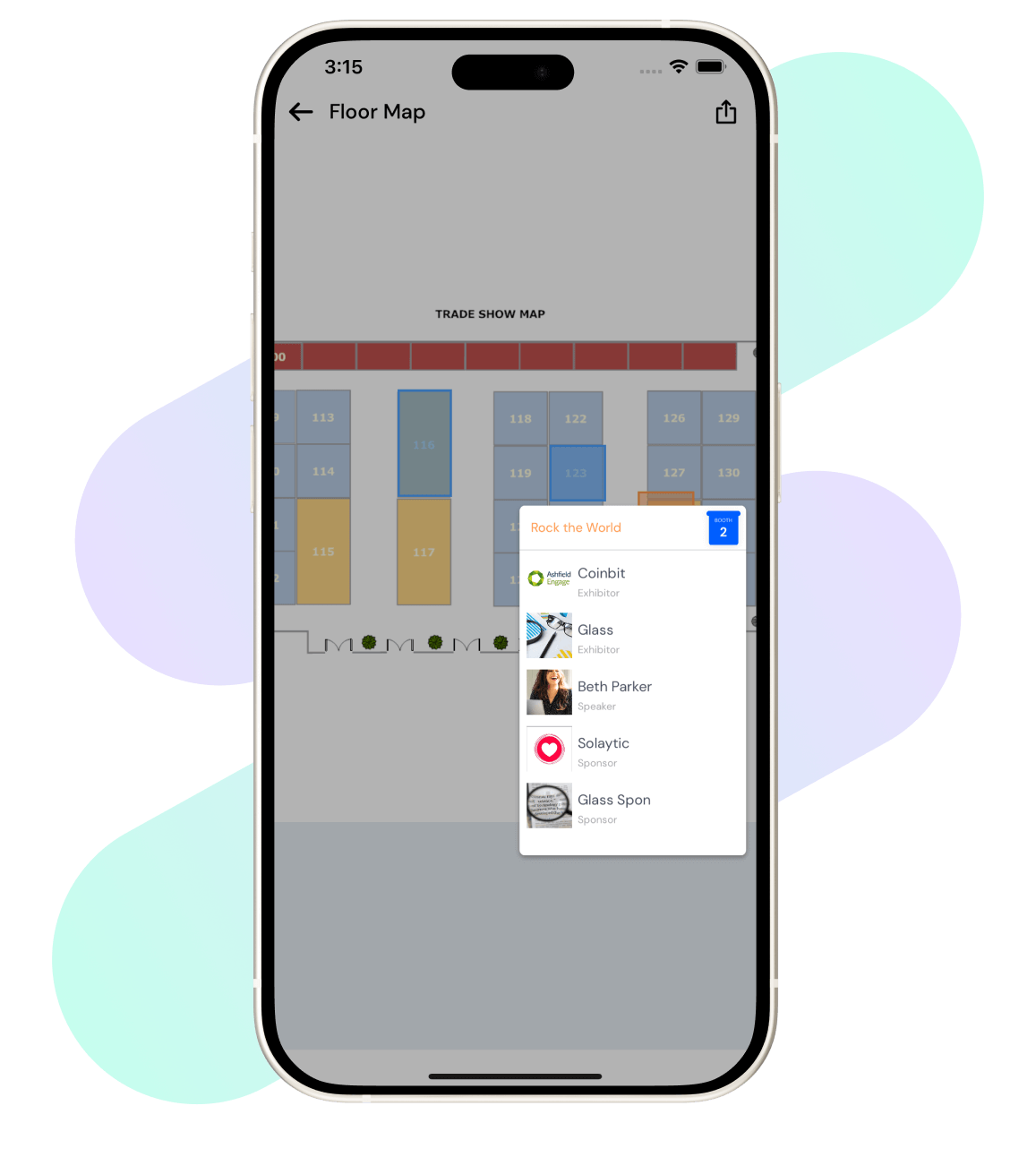
Eventspot's interactive floor map creator benefits everyone involved, from hosts to attendees and exhibitors. It gives attendees a guide for navigating the event hall and keeping track of the exhibitor booths they want to visit.
The Best
Experience The Best Event Site Map Creator
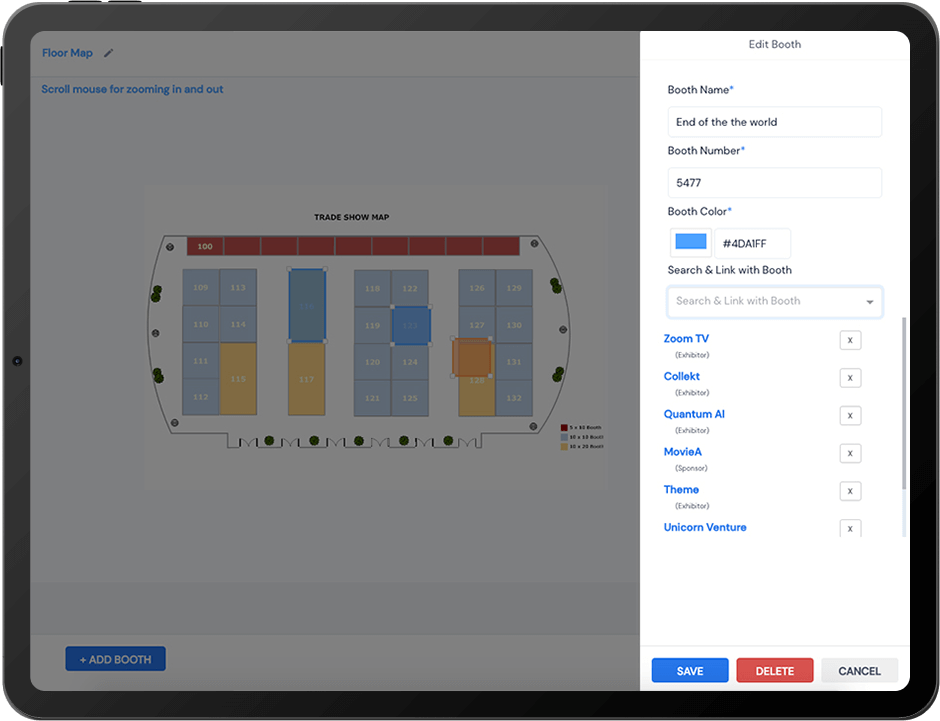
With Eventspot's floor plan maker, experience the best interactive maps, synced with all the booths you've added to your event. Use a custom background image to guide your floor plan's design. The auto-layout tool places all your booths on the floor plan with one click. Floor plan templates let you create unlimited booths and floor plans. Customize your floor plan with text, custom colors, shapes, and more. It's integrated with exhibitor portals for floor plan previews and booth selection, and with the mobile event app for easy pan, zoom, and tap navigation.
Frequently Asked Questions
What is Eventspot’s Maps or Floor Plan Builder, and what does it allow organizers to do?
Eventspot's interactive event map, or floor plan builder, lets organizers create a digital representation of the event venue, complete with booth layouts.
What types of events benefit most from using an interactive floor plan tool?
Events like trade shows, large-scale events and conferences benefit most from using floor plan tools.
What kinds of venue layouts can be created and customized using Eventspot’s builder?
Organizers can create their own customized venue layouts using Eventspot’s floor map builder. You can add custom backgrounds to support the floor plan's design, with unlimited booths and floor plans.
Why is having a digital map or interactive floor plan important for attendee experience?
The attendee experience benefits greatly from Eventspot’s floor plan builder, because digital floor maps offer real-time information on session schedules and locations. This helps attendees plan their schedule clearly.
Why should I use Eventspot’s floor plan builder instead of static PDFs or printed layouts?
Eventspot’s floor plan builder offers real-time updates on sessions and locations, which helps attendees navigate the event seamlessly. Static PDFs and printed layouts can't do this, so they add little to the attendee experience.
What are the key features of Eventspot’s Floor Plan Builder (drag-and-drop, zones, search)?
The key features of Eventspot’s Floor Plan Builder include: 1. Custom background images for the design. 2. Adding all booths to the floor plan with a single click. 3. Customizing floor plans with text, custom colors, and shapes. 4. Previewing floor plans and selecting booths. 5. Easy pan and zoom navigation.
Does Eventspot support interactive maps with clickable areas, pop-ups, or navigation aids?
Yes. Eventspot supports interactive maps with easy pan, zoom, and tap navigation.
Can I embed the floor plan into the mobile event app or website?
Yes, you can use Eventspot’s embeddable widget to add the floor map to your event app or website.
How does Eventspot’s map feature help reduce attendee confusion and improve wayfinding?
Eventspot’s map features improve event navigation by helping attendees quickly locate sponsors, exhibitors, and speakers. Attendees no longer waste time hunting for a specific booth, which reduces confusion and improves the event experience for everyone.
What advantages does a digital floor plan offer for sponsor visibility and exhibitor ROI?
With Eventspot’s digital floor map, exhibitors can better showcase their booth location. Exhibitors and sponsors can also add information about their products and services to the map. This visibility improves ROI.
How does the floor plan builder support logistics planning and onsite operations?
A digital representation of the entire venue, complete with allocated booths and spaces for amenities like restrooms, charging points, and cafeterias, supports logistics planning and makes onsite operations easy.
What problem does Eventspot solve for organizers managing large or complex venues?
Eventspot’s floor map builder helps organizers manage large and complex venues with a detailed digital representation of the venue.
Schedule a
personalized demo.
See how Eventspot elevates the experience for your attendees. Explore what modern event tooling can do for you, with a free demo tailored to your goals.

Features
Explore Our Most
Popular Features


See How Eventspot Elevates Every Event
We are committed to making your event a success.
Complete the form to request a demo & we will show you why event teams are choosing Eventspot.
Flexible plans with transparent pricing.
Complete the form to request a demo & we will show you why event teams are choosing Eventspot.
Flexible plans with transparent pricing.
Request A Free Trial
Thank you! Your submission has been received!
Oops! Something went wrong while submitting the form.

