
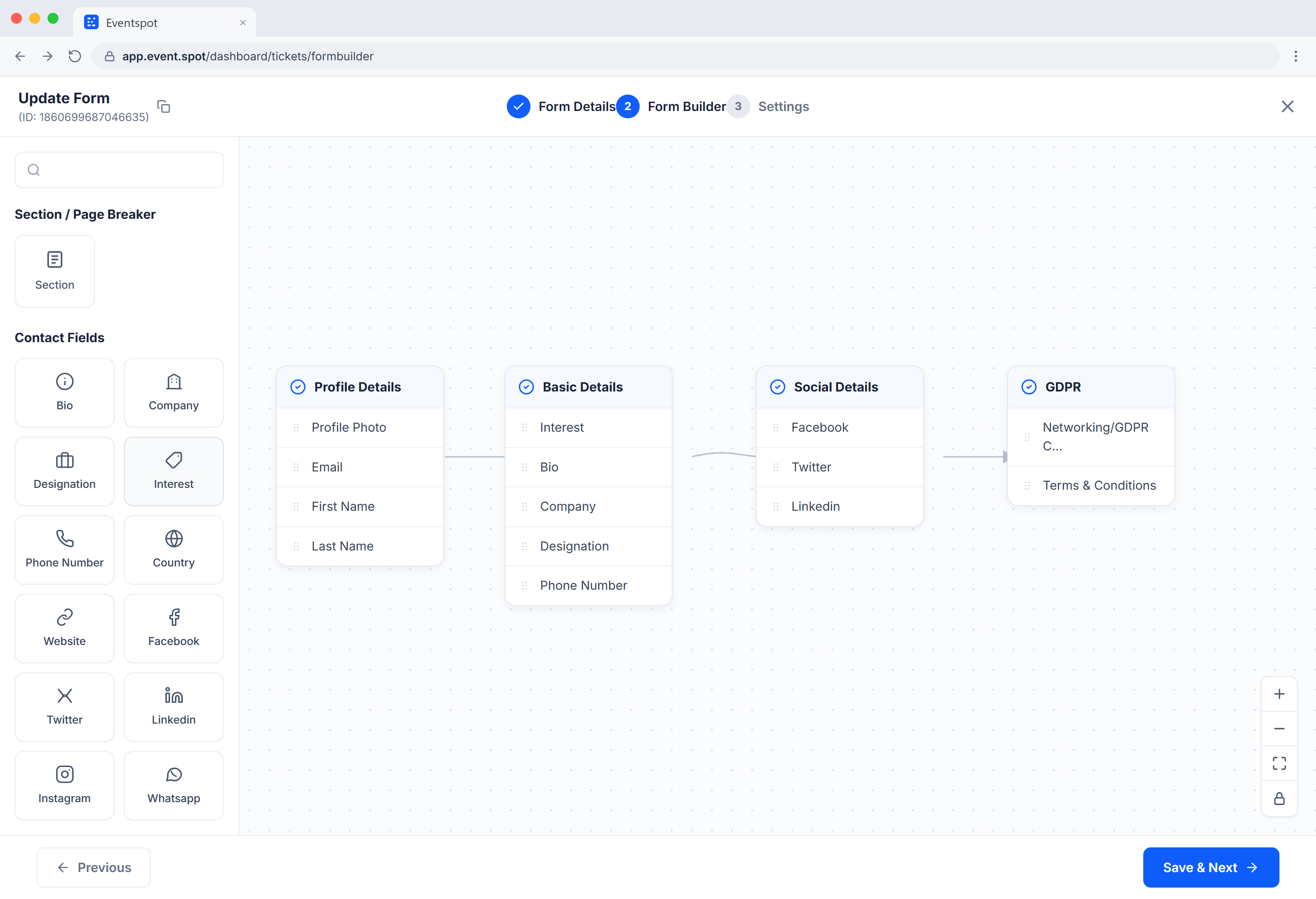
Build Dynamic Forms With Drag and Drop
Eventspot provides a fully customized experience with a variety of form types. The host can create or customize their form using our simple integrated content editing tool by selecting how they need their form to look with our easy-to-use drag-and-drop builder. They can select the fields they want in the form by simply using the drag & drop tools from the toolbox and selecting everything according to their requirements.

FAST
Convenient Form Builder UI to Gather Large Quantities of Data
One of the biggest benefits of using surveys in virtual event platforms is that they allow the host to quickly gather a large quantity of data. A survey can be administered as a sort of interview or self-report measure, and the data can be collected easily. There are a couple of different ways to administer a survey.
Data
Analyze your Data With Dynamic Document Builder
Promote attendee engagement with event networking features and tools that support attendee interaction, including dynamic form generation. Whether your event is in person, virtual, or hybrid, Eventspot is designed to create the best event experience.

Types
Multiple Form Types With Eventspot Dynamic Form Builder
The host can pick the form they want to create using our dynamic builder software. The host can use it to create different types of registration, contact, evaluation, surveys, and checkout forms.
Frequently Asked Questions
What is a dynamic form builder?
The dynamic form builder in Eventspot lets you create customized, interactive forms for registering attendees, exhibitors, sponsors, and speakers, as well as for badge design and surveys.
What are the benefits of using a dynamic form builder?
A dynamic form builder can save time and effort in creating forms, improve data accuracy, and provide a more engaging user experience for form respondents.
What types of fields are available in the dynamic form builder?
Eventspot's dynamic form builder offers a variety of fields, such as product uploads, deals and coupons, social media information, and image and other media fields, along with the standard input fields. You can also rearrange fields, rename labels, and change the form name.
Can I embed my forms on my website?
Yes. You can embed Eventspot forms on your website or share them via email or social media.
How can I collect responses from my forms?
Responses are collected in Eventspot, where you can process the data with built-in features and export it.
Can I add multimedia to my forms?
Yes. You can add images, videos, and files as input fields.
Can I create multi-page forms?
Yes. You can create multi-page survey forms with progress indicators in Eventspot.
Can I create mobile-responsive forms?
Yes. Forms built in Eventspot are optimized for mobile devices.
Can I add payment options to my forms?
Yes, Eventspot's checkout forms offer the option to integrate payment gateways for event registration.
Can I translate my forms into different languages?
Yes. You can add multiple languages and translations to your forms.
Can I track form responses and completion rates?
Depending on the form type (for example, Eventspot's abstract collection forms), you can track form analytics such as response rates, completion times, and user locations.
How secure is my form data?
Form data in Eventspot is protected by encryption and security measures that comply with data protection regulations.
Schedule a
personalized demo.
See how Eventspot elevates the experience for your attendees. Explore what modern event tooling can do for you, with a free demo tailored to your goals.

Features
Explore Our Most
Popular Features


See How Eventspot Elevates Every Event
We are committed to making your event a success.
Complete the form to request a demo & we will show you why event teams are choosing Eventspot.
Flexible plans with transparent pricing.
Complete the form to request a demo & we will show you why event teams are choosing Eventspot.
Flexible plans with transparent pricing.
Request A Free Trial
Thank you! Your submission has been received!
Oops! Something went wrong while submitting the form.

