
Polls and Q&A
Engage Your Audience With Our Live Polls and Q&A App
Turn your events into unforgettable experiences that inspire and captivate your audience with Eventspot. Our easy-to-use poll maker lets you create real-time polls and collect Q&A questions in seconds, giving you instant feedback and making your events more interactive.

Easy event setup
Seamless audience participation
Dynamic live screen

Engagement
The 3 Points of Engagement

Audience App
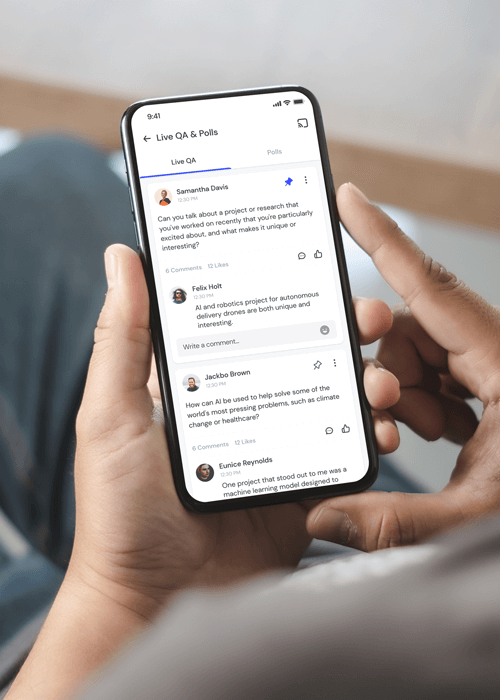
Allow your audience to respond in real-time through questions and polls they can easily access through the Audience App.

Admin App
Eventspot allows you to create polls and questions in advance or on the fly, resulting in fluid and dynamic presentations.

Live Display
Easily showcase live results from polls and let your audience interact with the speaker through powerful live display features.
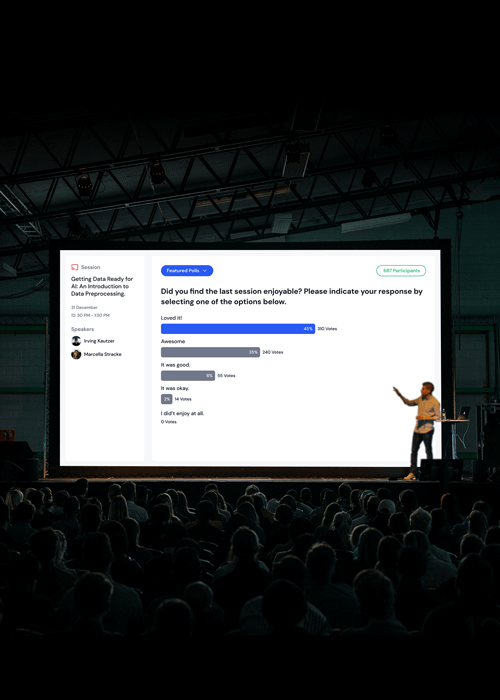
Large Screen Projection
Make an impact on your audience with large screen presentation compatibility.
Eventspot features remarkable large screen projection capabilities, enabling smooth real-time audience interactions. With its smart interface and single projection link, Eventspot can tailor its projection features to your event in a highly customizable way, allowing for truly groundbreaking levels of engagement with attendees. Even for very large crowds, it is easy to project engaging questions or surveys onto the big screen where everyone can participate – an impressive feat!
Realtime Responses
Bring your events to life with real time insights and responses.
Eventspot provides a unique opportunity for event organizers to gain valuable insights from their audience in real time. Using the live polling feature, presenters can quickly create polls and surveys to gather feedback from attendees, or collect questions for a Q&A session.
Admin Remote Control
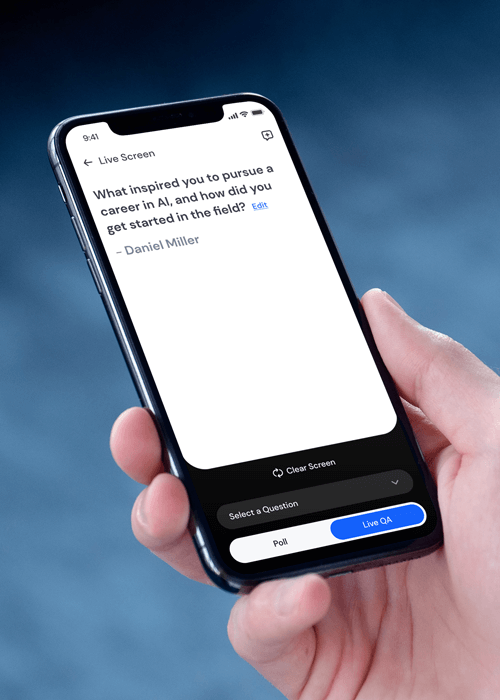
Make an impact on your audience with large screen presentation compatibility.
Eventspot gives you convenient tools to access, manage, and control admin tasks from any device. From creating event Q&As and polls to managing responses to polls and surveys, Eventspot’s Q&A platform puts all the necessary features at your fingertips. With flexible access from any device, you have complete control of our Q&A app for events.
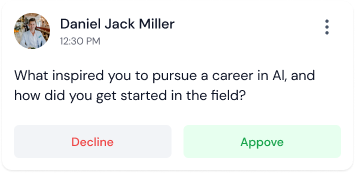
Content Moderation
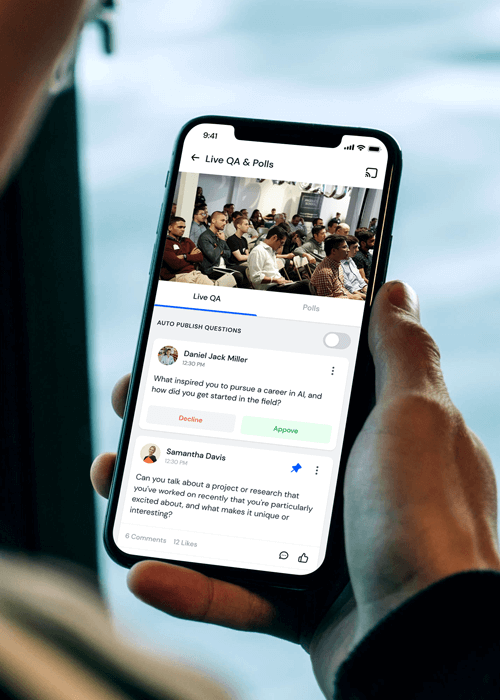
Control the level of transparency you want to get the best out of your polls and surveys.
Organizers have complete control over moderating questions and polls, while participants can choose to remain anonymous. This flexibility maximizes participant engagement, giving organizations confidence that their attendees will be comfortable participating.
More Tools

Stay Anonymous
Appearance on public forums can be intimidating, but with Eventspot, your audience can participate in an informed decision-making process without fear of recrimination or embarrassment, making it ideal for all types of events.

Single or Multiple Choice Polls
Create polls that get better answers from your audience. Our Q&A platform lets you create single-choice or multiple-choice polls tailored to each event's needs.

Live Results
Poll results can also be shown in real time, allowing attendees and organizers alike to see first-hand how trends emerge when many people answer the same question at once.

Upvotes, Pin Ups
A wide range of tools to make your conferences lively and inspiring for your audience. Our tools make great events much more interactive. As a moderator, you can decide which questions are most popular, making it easy for speakers to respond effectively!

Comments, Text Replies
In addition to polls, Eventspot also offers a comprehensive commenting system, allowing attendees to leave feedback, ask questions, and engage in discussions in real-time. With the option to stay anonymous, attendees can freely share their thoughts without fear of recrimination or embarrassment.

Word Clouds (Upcoming)
Use word clouds to achieve peak event satisfaction and make better data-driven decisions. Eventspot makes it easy to visually represent users’ opinions and feedback with word clouds. This powerful feature gives you better insight into the audience's view on a given issue or topic.

Built for Presenters
Eventspot prides itself on being incredibly flexible and easy to use in all meeting environments. Simply open additional tabs to separate admin and display features for live presentation - No specialty URL links or convoluted routing, just quickly and easily display what you need when you need it.

All Data On Hand
Eventspot makes it easy to save, download and review all the data from your presentations, helping you learn and grow for future meetings and keep the information on hand that you need.
Frequently Asked Questions
What is Eventspot’s Live Polls & Q&A feature?
Eventspot’s live poll feature allows attendees to participate in real-time polls. Attendees can submit their responses using the event app. The live Q&A feature allows attendees to submit questions to speakers and panelists. Speakers and experts then respond to these questions in real-time.
What kinds of questions can be asked during a live session?
Attendees can ask questions related to the session, the speaker’s area of expertise or request resources. To ensure the discussions remain appropriate, content moderation is possible with the option to review incoming questions. Only relevant and appropriate questions are then addressed during the session.
What types of polls are supported (multiple choice, scale rating, text input, etc.)?
Eventspot’s Live Poll feature supports multiple-choice polls, ranking polls, and open-ended questions. Polls can also be anonymous, which encourages more participation from attendees.
Why should I include live polls and Q&A in my event sessions?
Including live polls and Q&A in event sessions helps improve attendee engagement and ensures active participation.
Why is real-time audience interaction critical for speaker-led sessions or panels?
Speaker-led sessions or panels need real-time audience interaction to feel interesting and relevant. In the absence of live interaction, sessions become lectures and attendees can lose interest or zone out.
Does Eventspot allow moderators or speakers to filter, prioritize, or highlight audience questions?
Yes. Eventspot lets moderators and speakers filter questions by relevance, so speakers can select questions that are relatable, interesting, and appropriate for the audience.
Are live poll results shown in real-time on the event app or big screen?
Yes, organizers can choose to display the results of the live poll using Eventspot’s large screen projection capabilities.
How does Live Q&A encourage meaningful dialogue between speakers and attendees?
Live Q&A allows attendees to ask questions and initiate a discussion with speakers in real-time. This leads to meaningful discussions and fosters connections.
How can polls & Q&A increase session engagement and attention spans?
Polls and Q&A push attendees to be present in anticipation of poll results or the next question. This keeps the sessions interesting and improves session engagement and attention spans.
What insights can organizers gain from audience responses and top-voted questions?
Organizers gain deep insights into emerging trends and thought processes, and can gauge attendee expectations with live polling and Q&A.
What event objectives can be achieved using Eventspot’s Live Polls & Q&A (e.g., education, feedback, engagement)?
Eventspot’s Live Polls and Q&A feature allows organizers to gather feedback on attendee sentiment and improve attendee engagement and speaker-attendee interaction.
Can attendees remain anonymous when submitting questions during a live Q&A session?
Yes, Eventspot's Q&A feature allows attendees to submit questions anonymously.
How can I manage the volume of questions during a live Q&A session?
The Q&A feature on Eventspot's platform allows organizers to manage the incoming questions and curate the ones that are most relevant to the topic at hand.
How can I ensure all questions are answered during a live Q&A session?
Eventspot's Q&A feature allows organizers to queue up questions and prioritize them based on relevance and popularity. The host can also address the unanswered questions at the end of the session, and attendees can access them through the app's session Q&A feature.
Can I enable moderation for live Q&A sessions to prevent inappropriate questions?
Eventspot's Q&A feature allows organizers to enable moderation and review incoming questions before publication. This helps to prevent inappropriate or irrelevant questions from being asked during the session.
See How Eventspot Elevates Every Event
We are committed to making your event a success.
Complete the form to request a demo & we will show you why event teams are choosing Eventspot.
Flexible plans with transparent pricing.
Complete the form to request a demo & we will show you why event teams are choosing Eventspot.
Flexible plans with transparent pricing.
Request A Free Trial
Thank you! Your submission has been received!
Oops! Something went wrong while submitting the form.

