
event.spot logo
event.spot logoWhy Eventspot
Platform
Core Products
Event Management Software
Event Registration Software
Event Ticketing Software
On-Site Badge Printing
Event Check-in Software
Lead Capture & Retrieval
Mobile Event App FEATURED
Event Management
Budget Planner
Speakers & Abstracts Mgmt.
Maps or Floor Plan Builder
Agenda Management
Event Reporting & Analytics
Attendee Engagement
Meetings & Matchmaking
Event Networking App
Gamification
Live Polls & QA
Community Builder
Event AI
NEW
More Platform Tools
Custom Branding & Whitelabeling
Widgets & Embeds
Security and Compliance
Pricing Plans
Request a Demo
Solutions
industries
Non-Profit Organizations
Corporate Events
Education
Information Technologies
Healthcare
Pharma
Retail
Event Agencies
USE CASES
Onsite Event Management
Virtual Exhibitions
Hybrid Events
Community Meetups
Workshops & Trainings
B2B Conferences
Expo and Fairs
Trade Shows
Virtual Job Fairs
Medical Events
Product Launches
Sales Kickoffs
Education Events
Networking Events
Learning & Development
Internal Events
Awards & Recognition
White Label Mobile Apps
Native Event App
Deliver a seamless event experience with your own branded app.
Event Networking App
Empower networking and collaboration within your event.
Lead Scan & Retrieval App
Simplify lead scanning and retrieval for exhibitors and sponsors.
Pricing Plans
Request a Demo
Features
Content Management
Event Website Builder
Agenda Builder
Speaker Profile
News
Event Guide
Social Boost
Live Screen Display
Registration
Event Ticketing
Check-in Software
Abstract Management
Badge Printing
Dynamic Form Builder
Floor Planner
Event Itinerary
Exhibitors & Sponsors
Exhibitor Profile
Sponsored Ads
Lead Scanning
Interactive Maps
Engagement
Event AI
Matchmaking
Chat & Meetings
Social Feed
Community Forum
Poll & Live Q&A
Gamification
Communications
Instant Push Notification
Email Notification
mORE tOOLS
Event Surveys
Analytics & Reporting
Pricing Plans
Request a Demo
Resources
Company
About Eventspot
Security & Compliance
Resources
Knowledge Base
FAQs
Support
Contact Us
Tools
Event QR Code Generator
Sponsorship ROI Calculator
Event Budget Calculator
Event WhatsApp Templates
Pricing Plans
Request a Demo
Pricing
Request a Demo
Contact Us
Request a Demo
Download Eventspot Feature Presentation
Topics

How to Schedule?

event.spot Knowledge Base

How To Manage Session Check-Ins

Last updated: April 2026  |  Applies to: Event Admins, Session Organisers

Overview

Session check-in lets you track which registered attendees attended a specific session at your event, separate from event-level entry check-in. Each session can have its own check-in method, set individually when creating or editing the session via the Checkin Type field.

__wf_reserved_inherit

The Four Session Check-In Types

1. No Check-In Required

Best for: Open sessions, keynotes, plenaries

Attendance is not tracked and nothing appears to attendees in the app for this session. Use this when you do not need session-level attendance data.

__wf_reserved_inherit

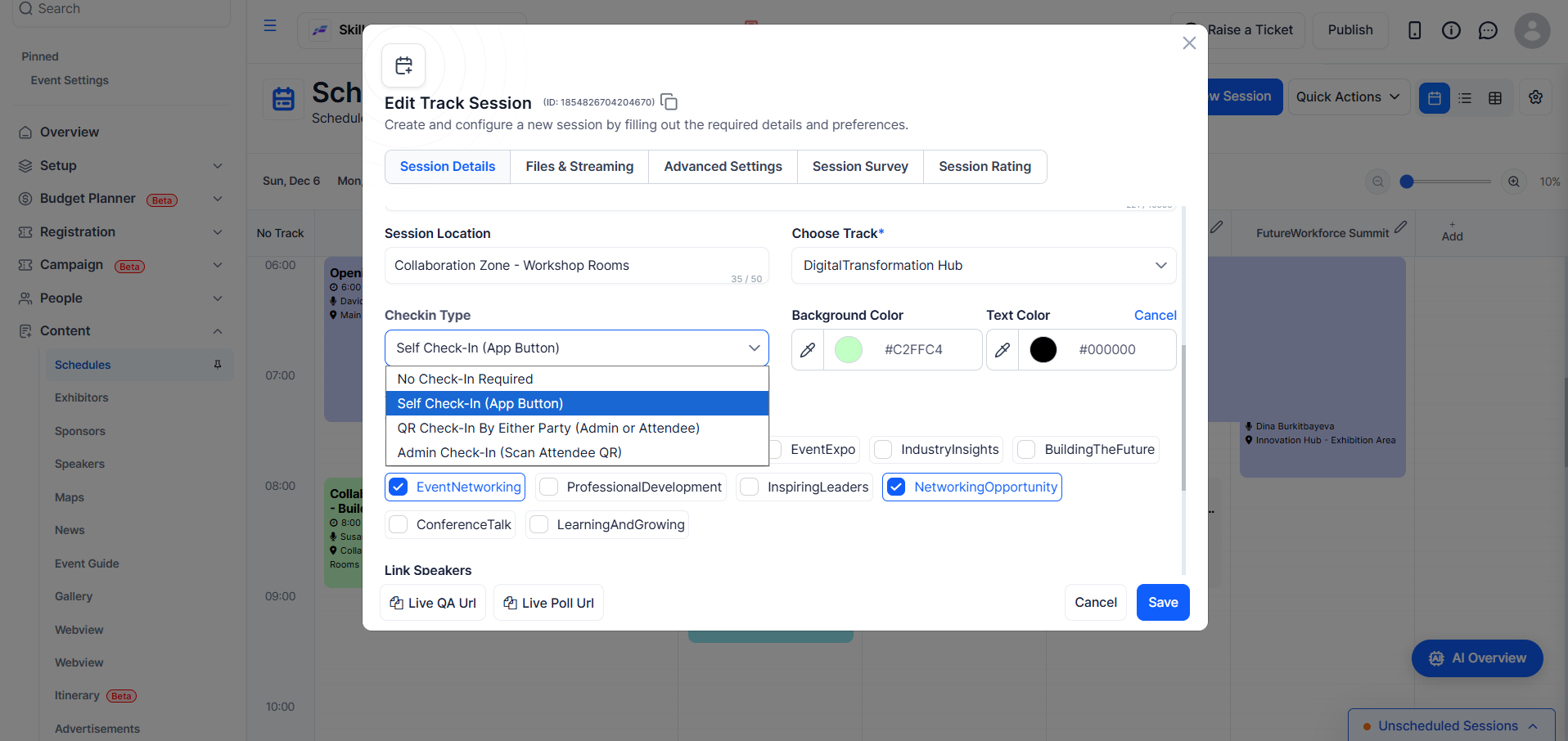
2. Self Check-In (App Button)

Best for: Optional workshops, breakouts, informal sessions

A Check-In button appears in the attendee's mobile app on the session detail page. Attendees tap it to record their own attendance. No QR code or staff involvement is required.
__wf_reserved_inherit

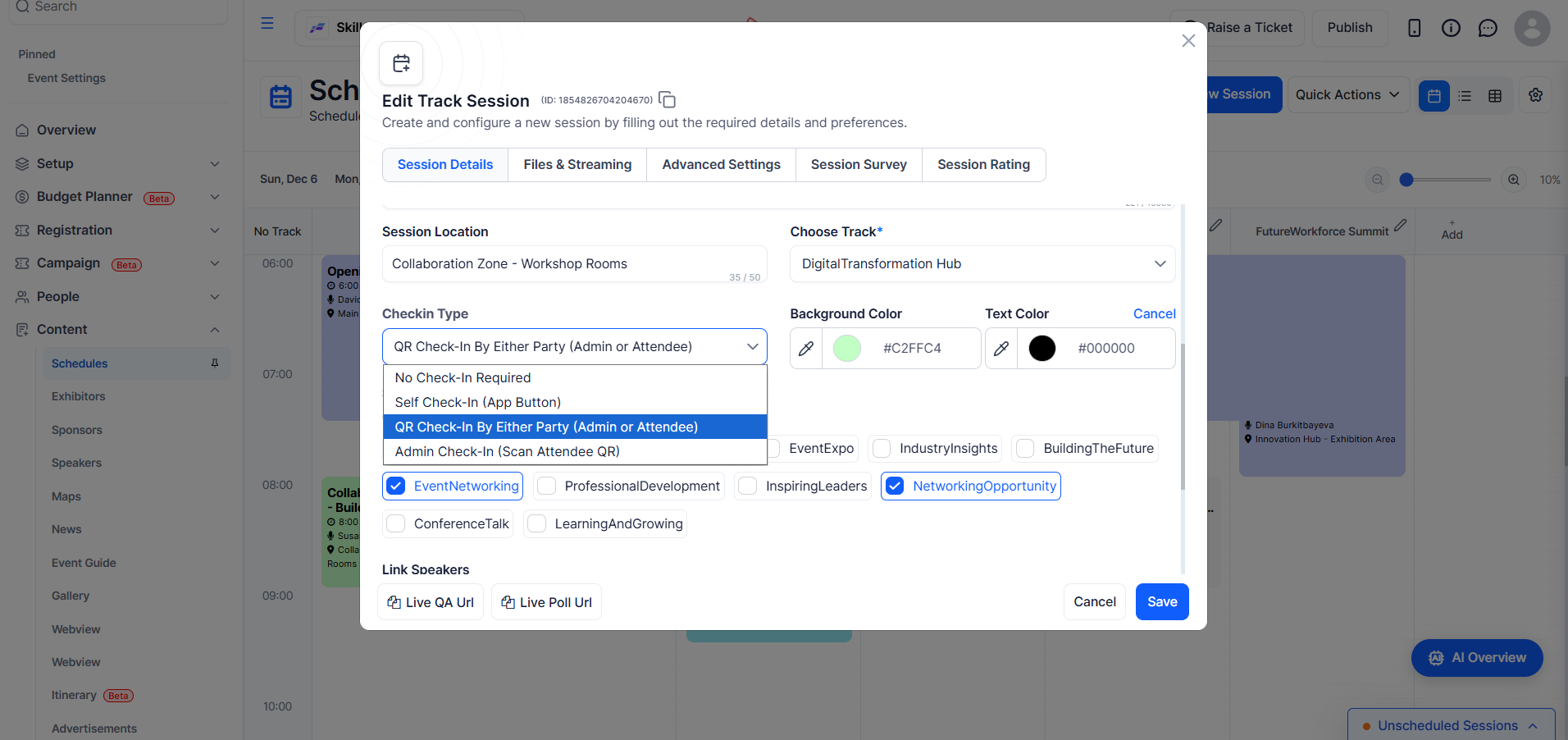
3. QR Check-In By Either Party

Best for: Sessions where attendees scan a room QR code with their app

A unique QR code is generated for each session and check-in can happen from either side:

  • Attendee-led: The attendee opens their app, scans the session QR code displayed in the room, and is checked in instantly
  • Staff-led: A staff member scans from the admin app on behalf of the attendee

Use the Download Session QR button (visible on the session edit form when this type is selected) to export a printable PDF for display at the room entrance or on-screen.
__wf_reserved_inherit

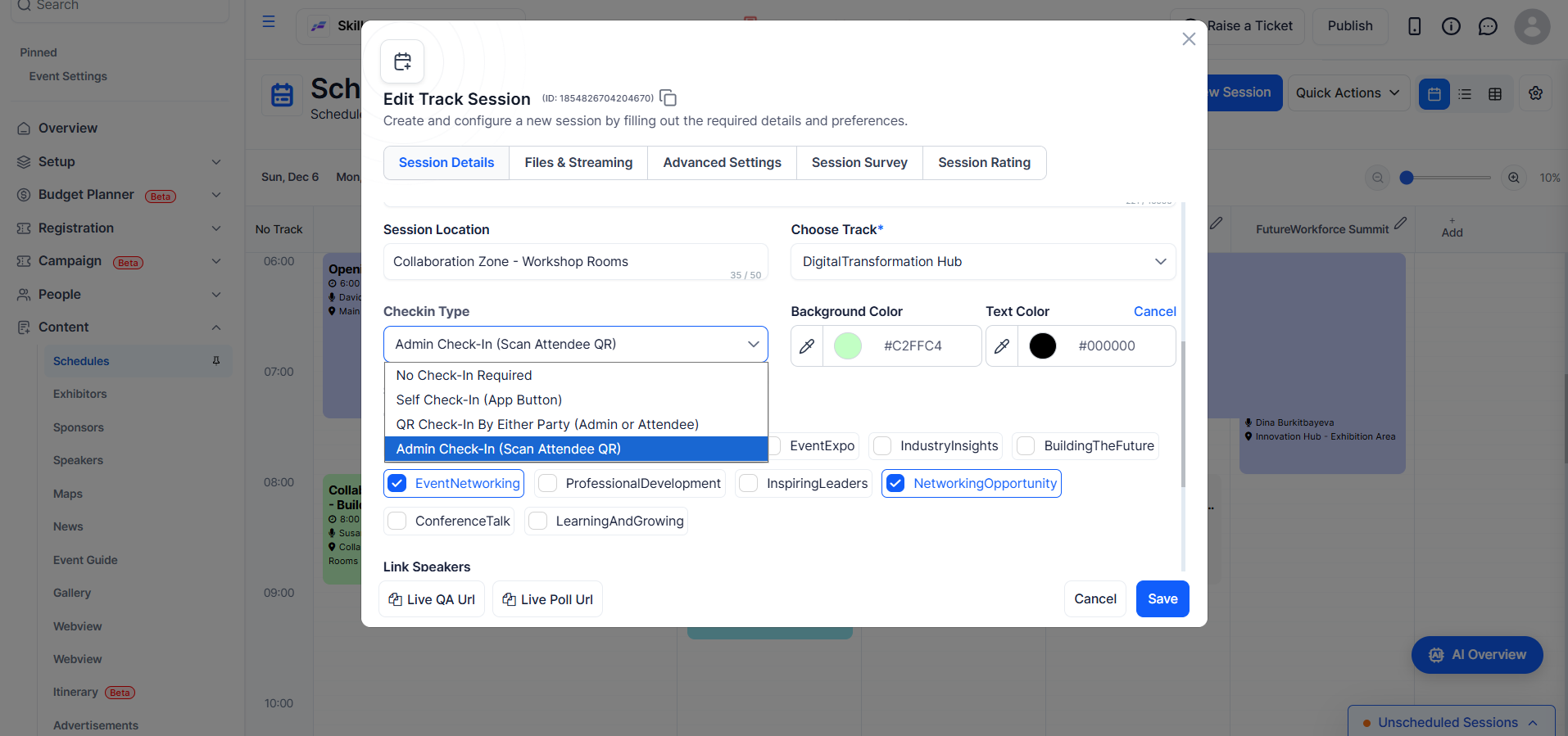
4. Admin Check-In (Scan Attendee QR)

Best for: Controlled-access sessions, VIP rooms, seated dinners

A staff member scans the attendee's personal QR code (visible in their app profile) to check them into the session. Attendees simply present their QR code at the door and do not scan anything themselves.
__wf_reserved_inherit

At a Glance

No Check-In Required involves no tracking and requires no action from anyone; Self Check-In (App Button) is initiated by the attendee directly in the app with no QR code or staff needed; QR Check-In By Either Party allows either the attendee or staff to scan a session QR code, with staff involvement optional; and Admin Check-In requires staff to scan the attendee’s personal QR code to complete check-in.

Manually Managing Session Check-Ins

Regardless of the check-in type on a session, admins can manage attendance manually from the Manage Check-Ins panel at any time. The panel lets you check in or check out individual attendees, reset a record entirely (clearing all check-in and checkout timestamps), and run bulk actions across multiple attendees in one step. The list can be filtered by status (All, Checked-In, or Not Yet Checked-In) and searched by name or email.

__wf_reserved_inherit

Frequently Asked Questions

Q: Our attendees will scan a QR code at each session room using their phone. Which type should we use?

Use QR Check-In By Either Party. It generates a per-session QR code you can download and print for display at the room. Attendees scan it in the app and are checked in immediately, with no staff needed at the door.

Q: Where do I get the session QR code to print?

Open the session in edit mode. When QR Check-In By Either Party is selected, a Download Session QR button appears at the top of the form and exports a printable PDF.

Q: Can different sessions at the same event have different check-in types?

Yes. Check-in type is configured per session, so you could have a keynote with no check-in, workshops on QR, and a gala dinner on Admin Check-In, all within the same event.

Q: What is the difference between "QR Check-In By Either Party" and "Admin Check-In"?

The difference is that QR Check-In By Either Party uses a session QR code that can be scanned by either the attendee or staff, while Admin Check-In uses each attendee’s personal QR code and can only be performed by staff.

Q: Can I manually check in an attendee who did not scan?

Yes. Open the session, go to the user list, and click Manage Check-Ins. Find the attendee and click Check In. Bulk selection is available if several attendees need to be added at once.

Q: Can I undo or correct a check-in?

Yes. From Manage Check-Ins, each checked-in attendee has a Reset button that clears their check-in and checkout record for that session. A confirmation prompt appears before anything is deleted.

Q: What is a session checkout?

Once an attendee is checked in, you can also record when they left by checking them out. The system stores both timestamps and the attendee can be checked back in afterwards if needed.

Q: Can I set the check-in type when importing sessions via spreadsheet?

Yes, you can set the check-in type by adding a check-in type column to your import file and using the supported values, where leaving the field blank sets it to No Check-In Required, self check-in sets it to Self Check-In (App Button), scanqr sets it to QR Check-In By Either Party, and showqr sets it to Admin Check-In (Scan Attendee QR).

Q: My Check-in Type field is greyed out. Why?

Session check-in requires a plan that includes the Session Attendance feature. Contact your Eventspot account manager to upgrade.

For event-level entry check-in and kiosk setup, see the Event Check-In guide.

The future of events
is here.
PLATFORMS
Virtual Event PlatformHybrid Event PlatformIn-person Event PlatformMobile Event AppExpo & ExhibitionEvent Management PlatformEvent Registration PlatformCorporate Event SoftwareTrade Show AppTrade Show Management Software
PRODUCTS
Event Ticketing SoftwareEvent Check-in AppEvent Badge PrintingTicket Sales ReportLead Retrieval AppEvent Networking AppEvent Gamification AppEvent Poll & Q&AEvent Matchmaking AppEvent Concierge Service
RESOURCES
ContactAboutFAQ
OTHERS
Privacy PolicyTerms of UseSite MapSecurity
Eventspot is built with enterprise-grade security
event.spot logo on dark background
© Eventspot 2026. All rights reserved.
FacebookTwitterInstagramLinkedinYouTube icon