event.spot Knowledge Base
How To Add Quest Challenge in Gamification?
Quests let you combine multiple challenges into a single interactive experience for users. Follow the steps below to add a Quest Challenge to your gamification module
Interactive Guide: How to Add Quest Challenge in Gamification?-new (Eshika)
Or check the step-by-step guide
1: Login to Eventspot Admin panel and go to Engagement > Gamification

2: Click on "Add Challenge" button

3: Select Manage Challenges

4: Select "Add Quest" to add a quest challenge
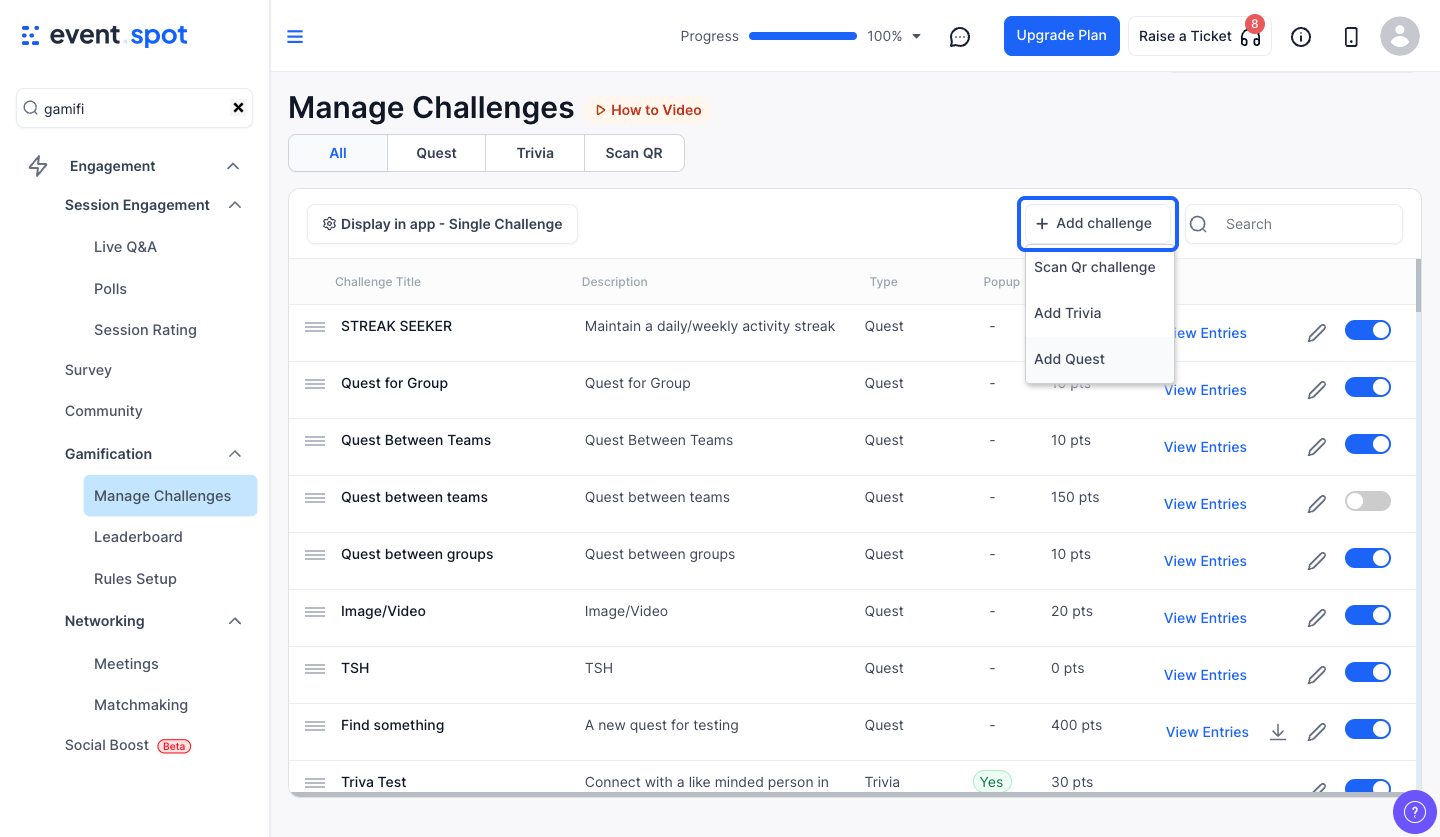
5: Enter a title for Treasure Hunt

6: Give a short description
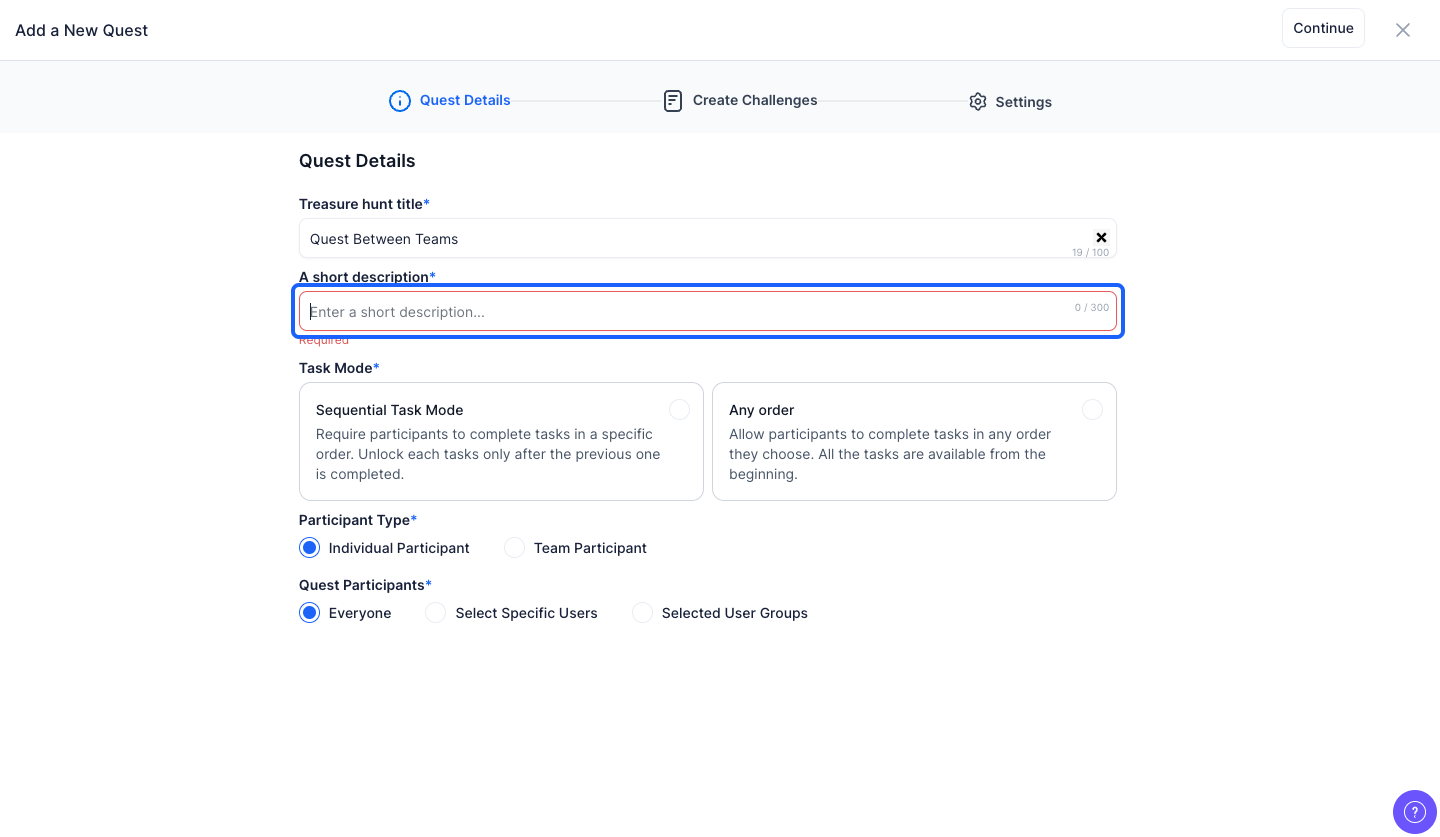
7: You can set the Task Mode to either Sequential or Any Order

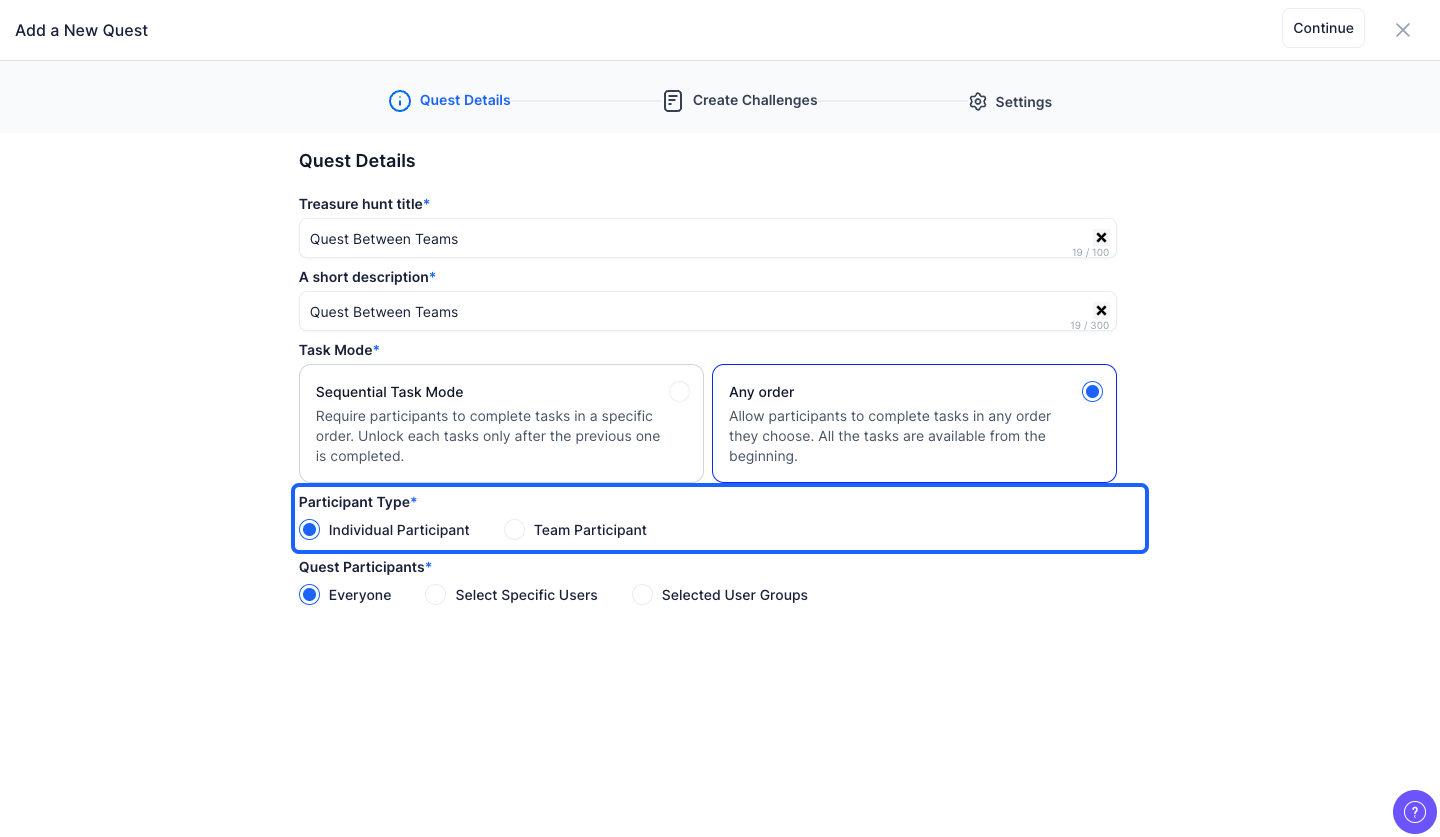
8: You can choose the participant type as individual or team participant
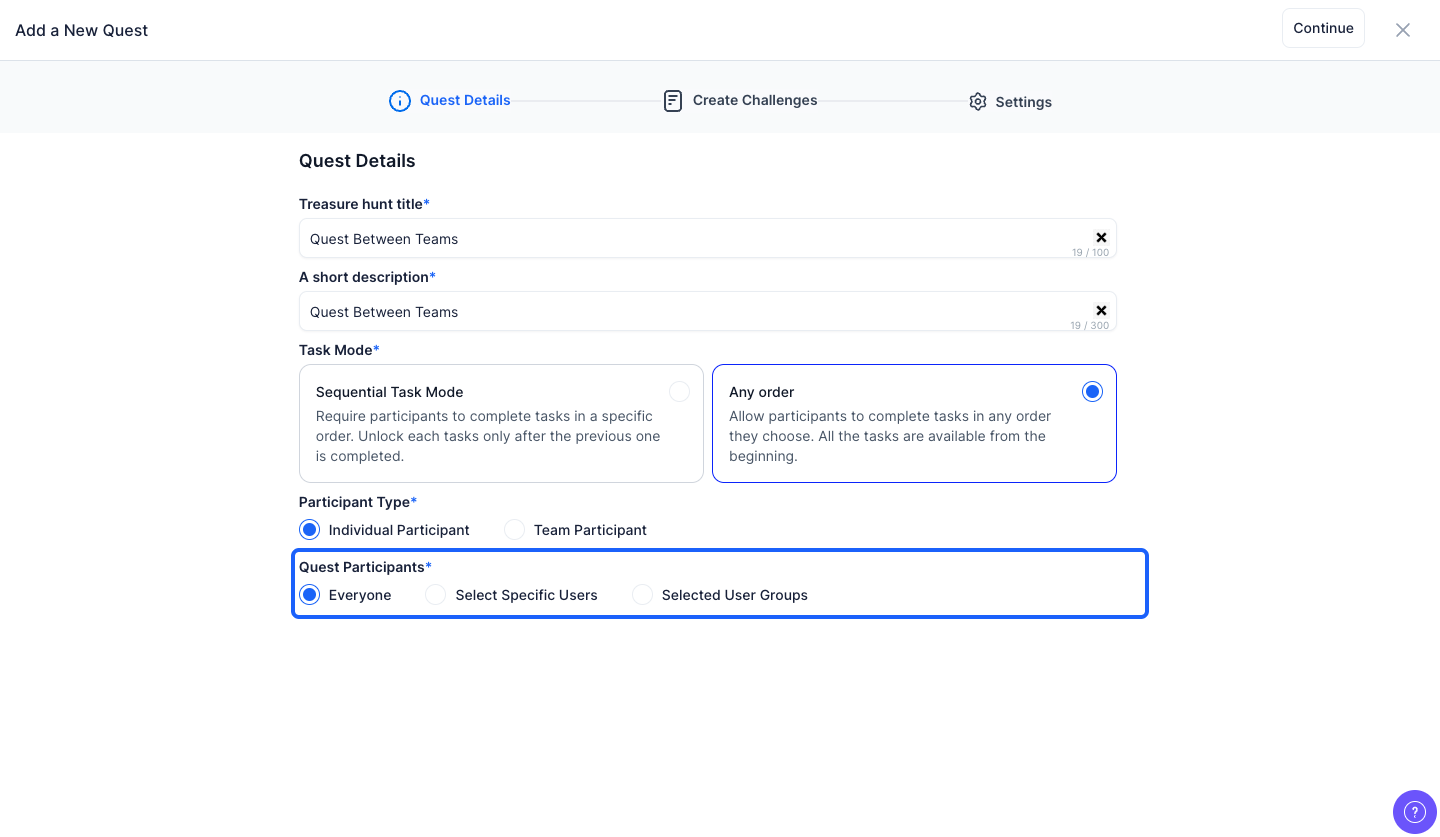
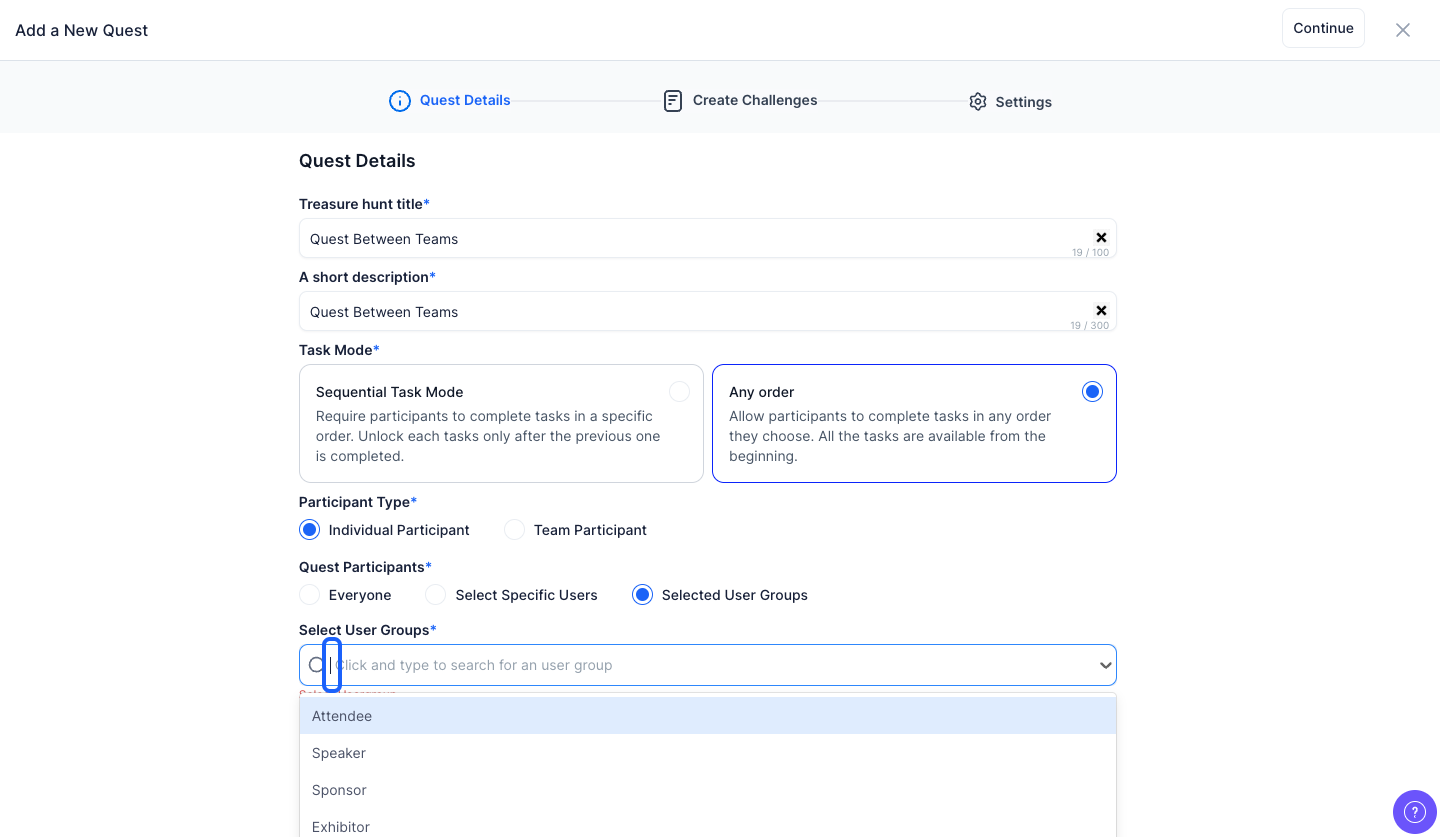
9: If the Participant Type is selected as "Individual Participant" then Quest participants can be either Everyone or Specific Users or Selected User Groups
10: If you select "Specific Users", then you have to select specific users from the dropdown
Note: You can select Multiple Users
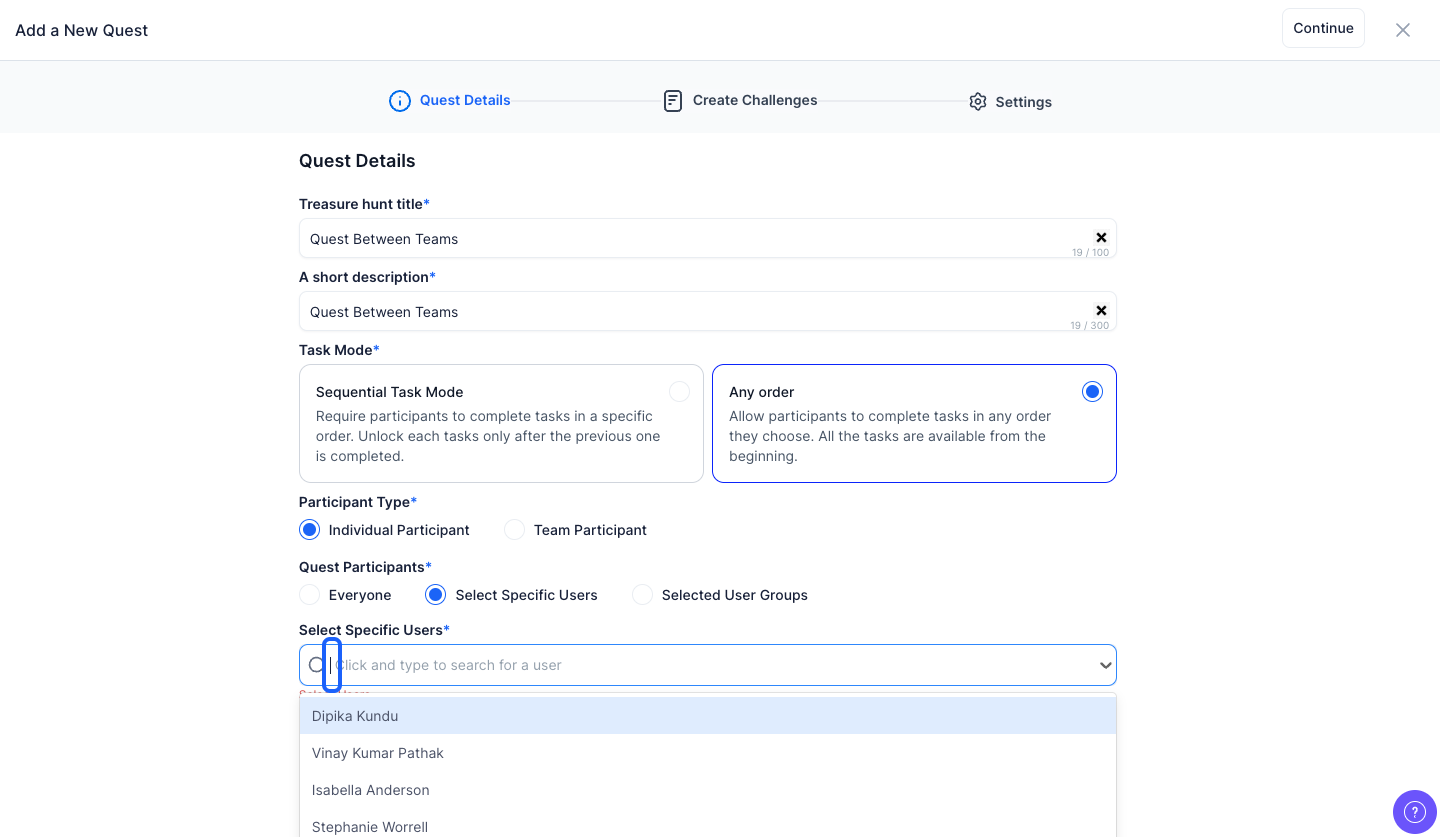
11: If you select "Selected User Groups" then you have to select specific user groups from the dropdown
Note: You can select multiple user groups
12: If the Participant Type is selected as Team Participant then Quest Participants can be either "Selected User Group" or "Custom Team"

13: Click the "Create Custom Team" button to customize the quest team

14: Enter the Group Name
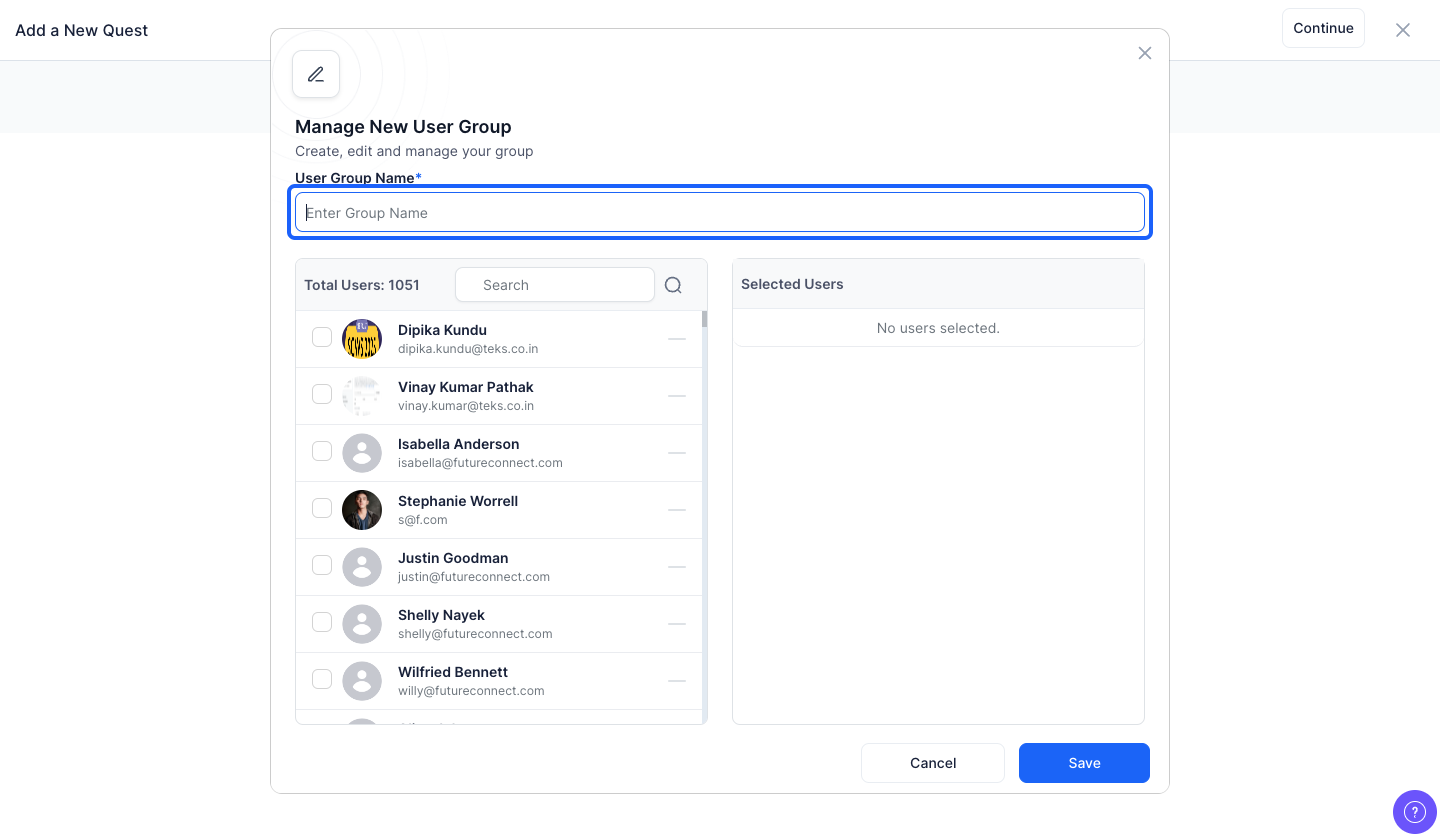
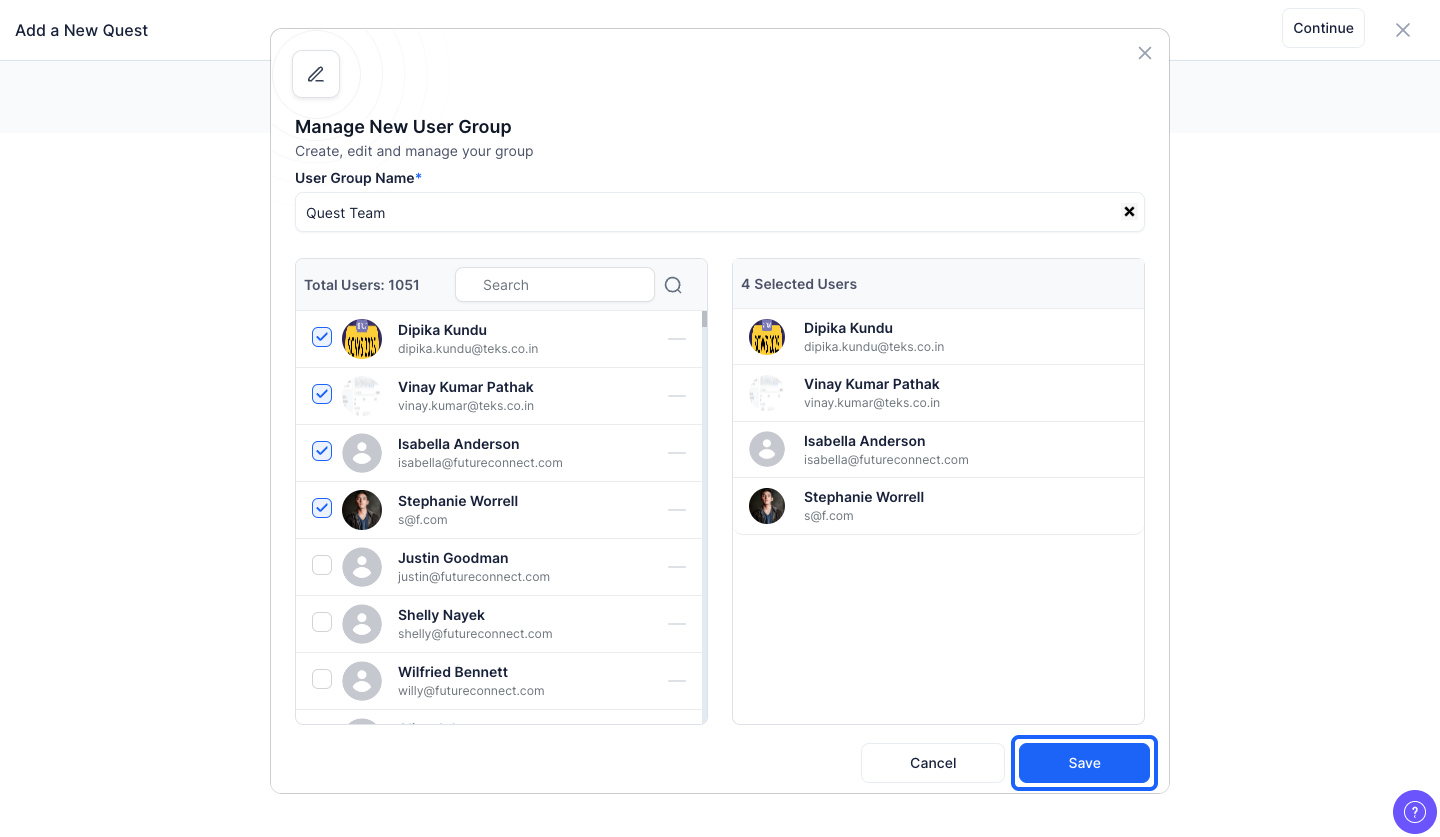
15: You have to select the team members from here

16: You can view the selected users from here

17: Click the “Save” button to create the team
Note: After creating one team, you can again create another team with different users
18: Enter the title of the challenge
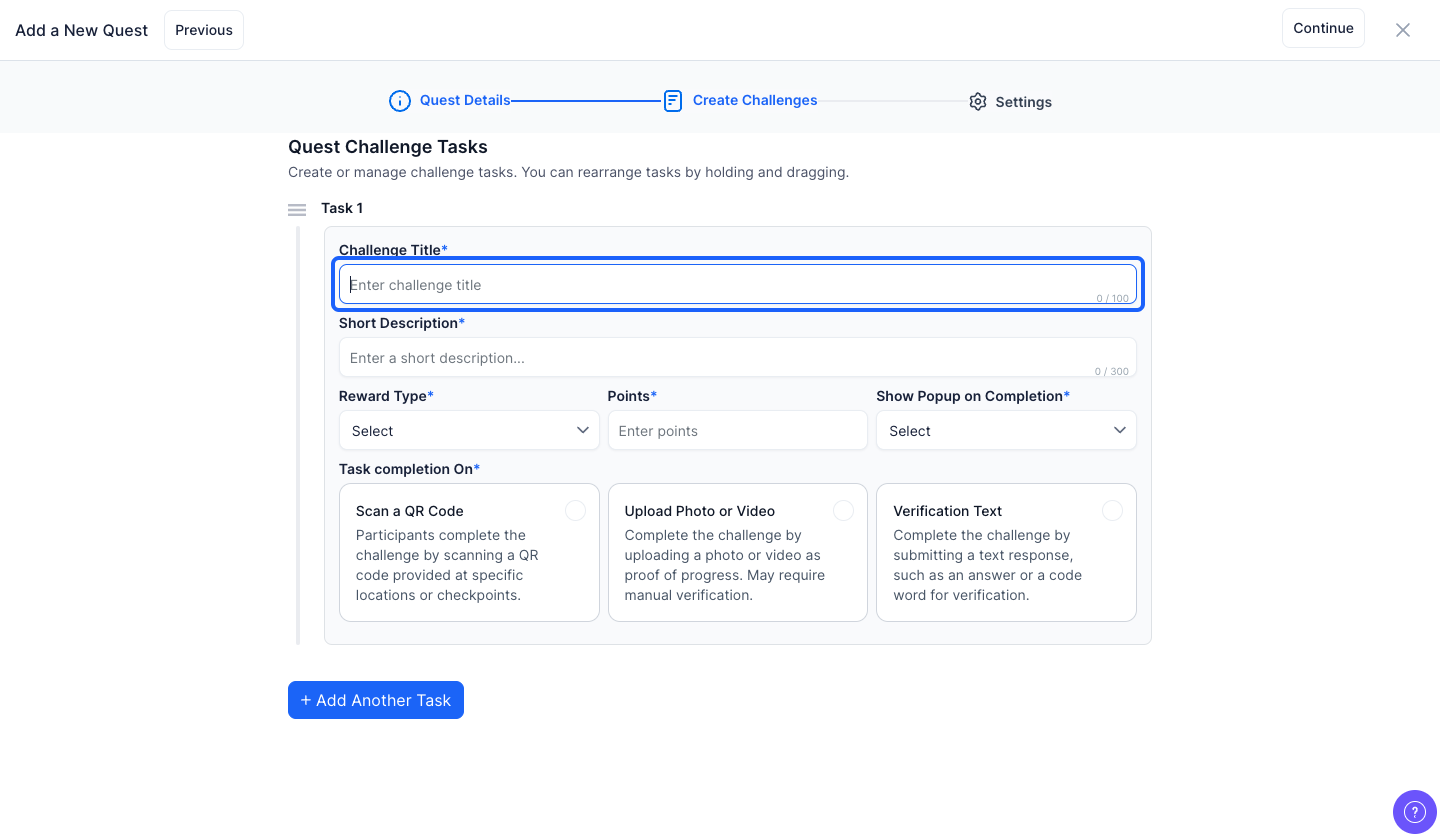
19: Enter a short description

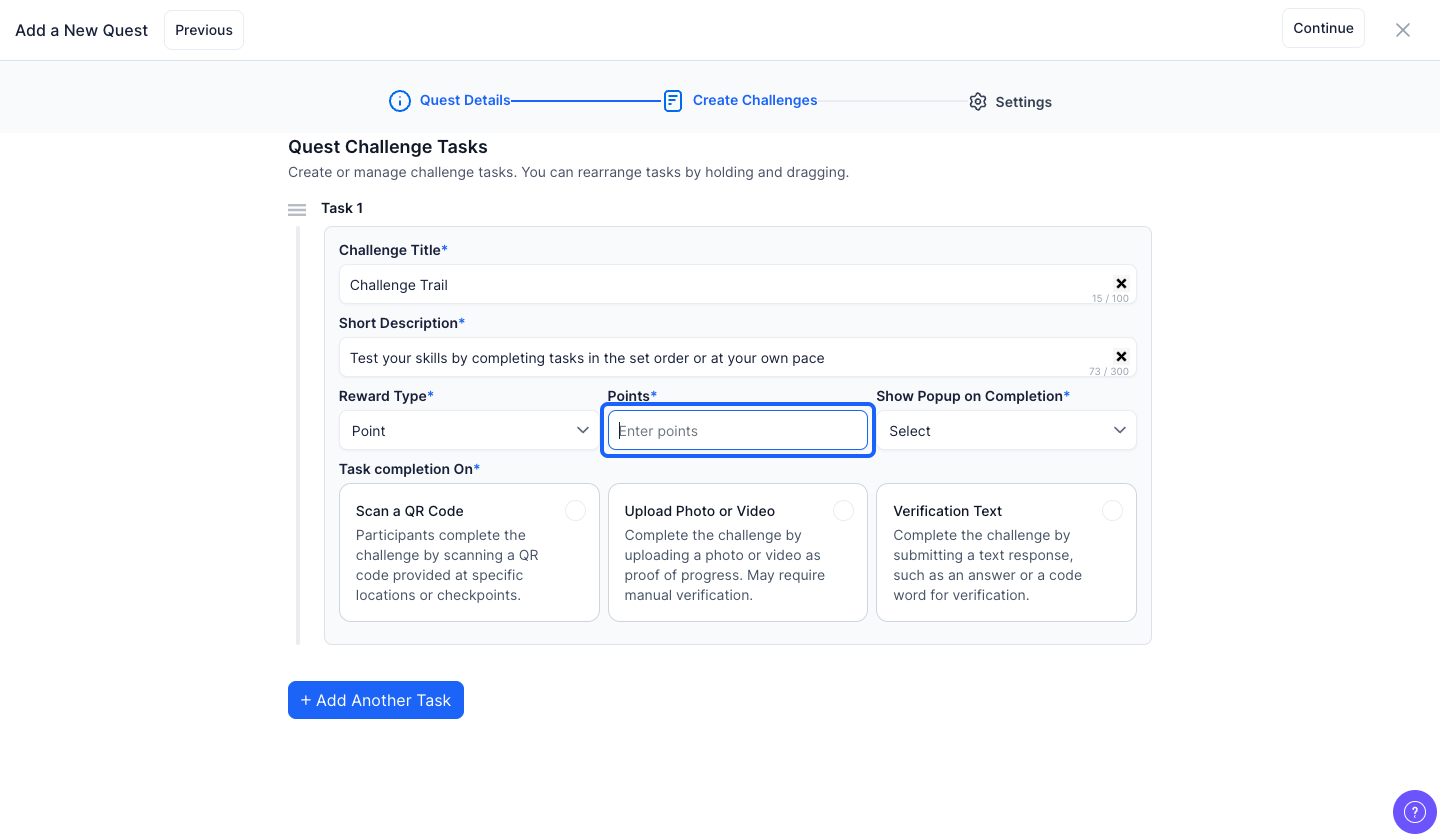
20: Choose the reward type from the dropdown
Note: The reward type can be either points or award

21: If you choose the reward type as "Points", enter the reward points
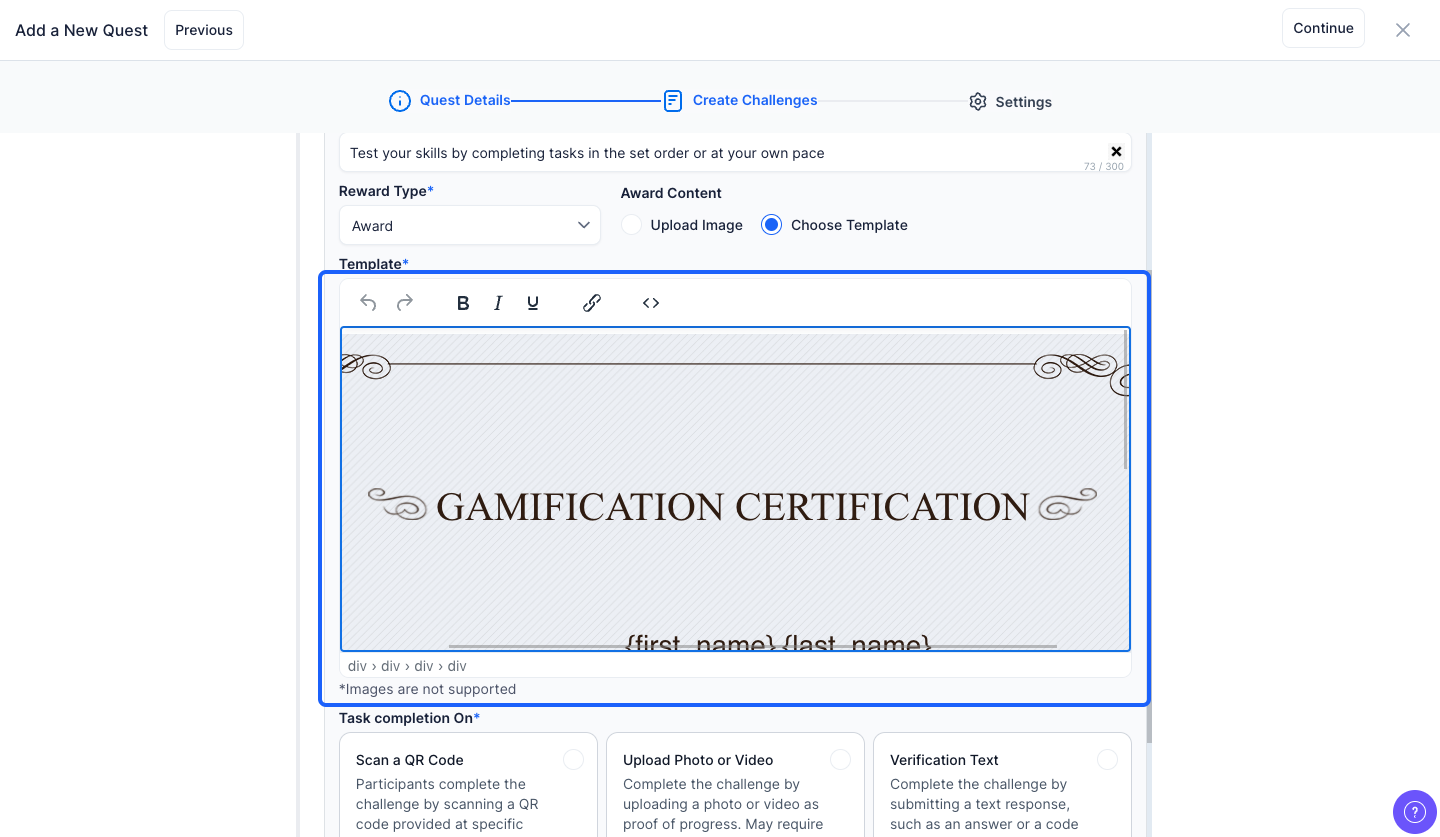
22: If you choose the reward type as "Award", select the "Upload Image" option to upload an image of the certificate

23: Or, select the "Choose Template" option to use the built-in certificate template instead
Note: You can also modify the template
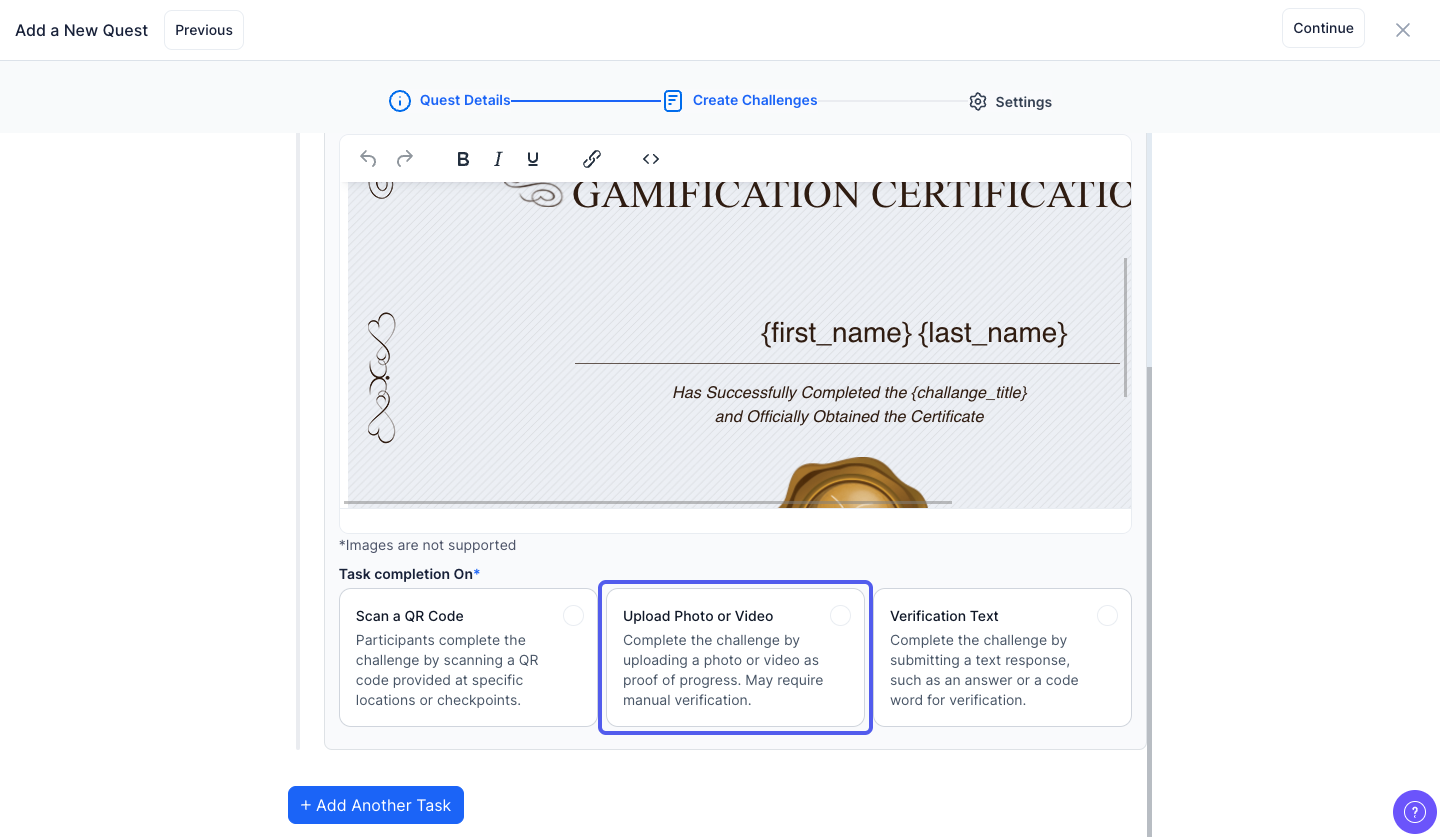
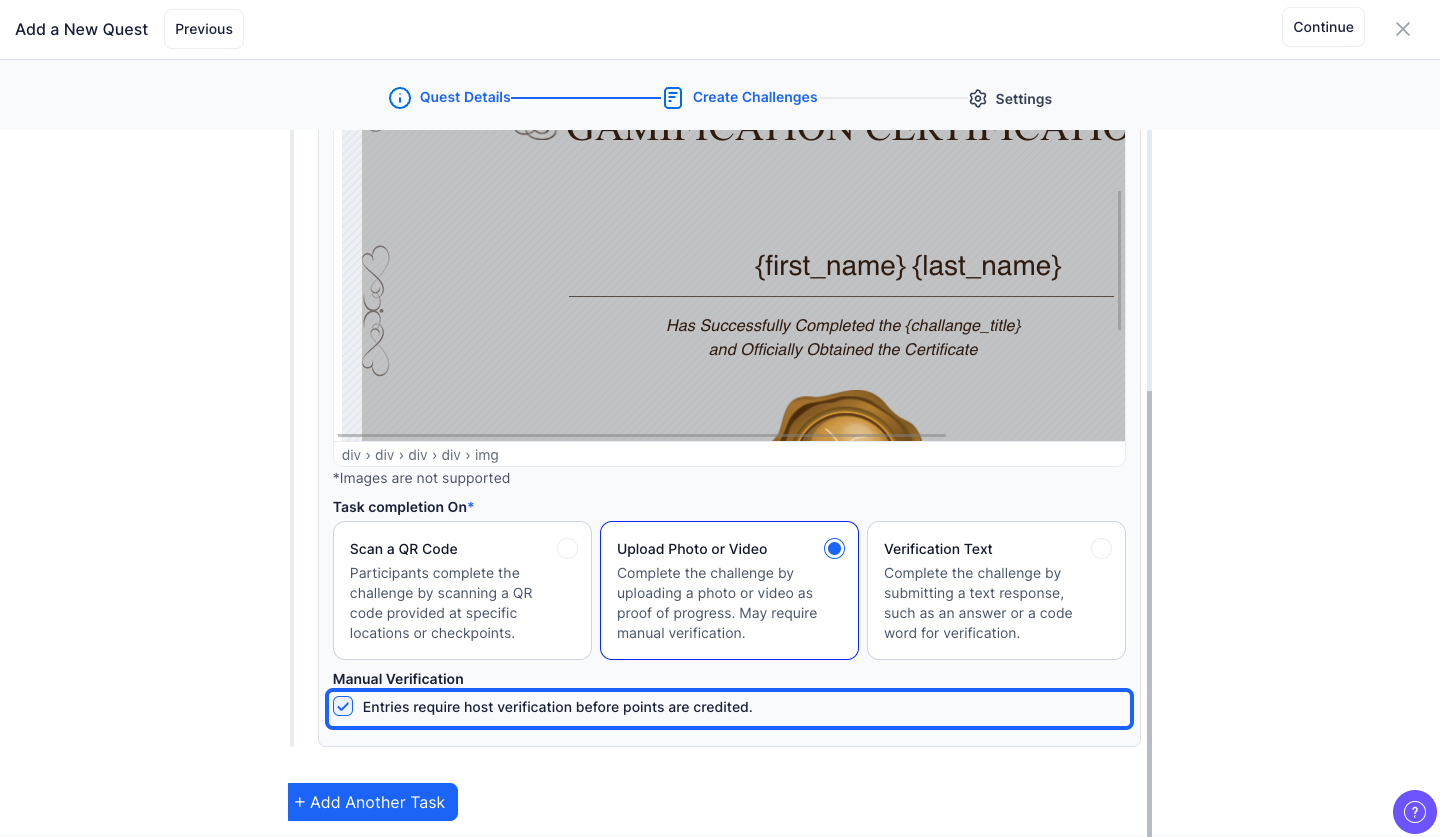
24: You can choose how participants must complete the task using the Task Completion On setting
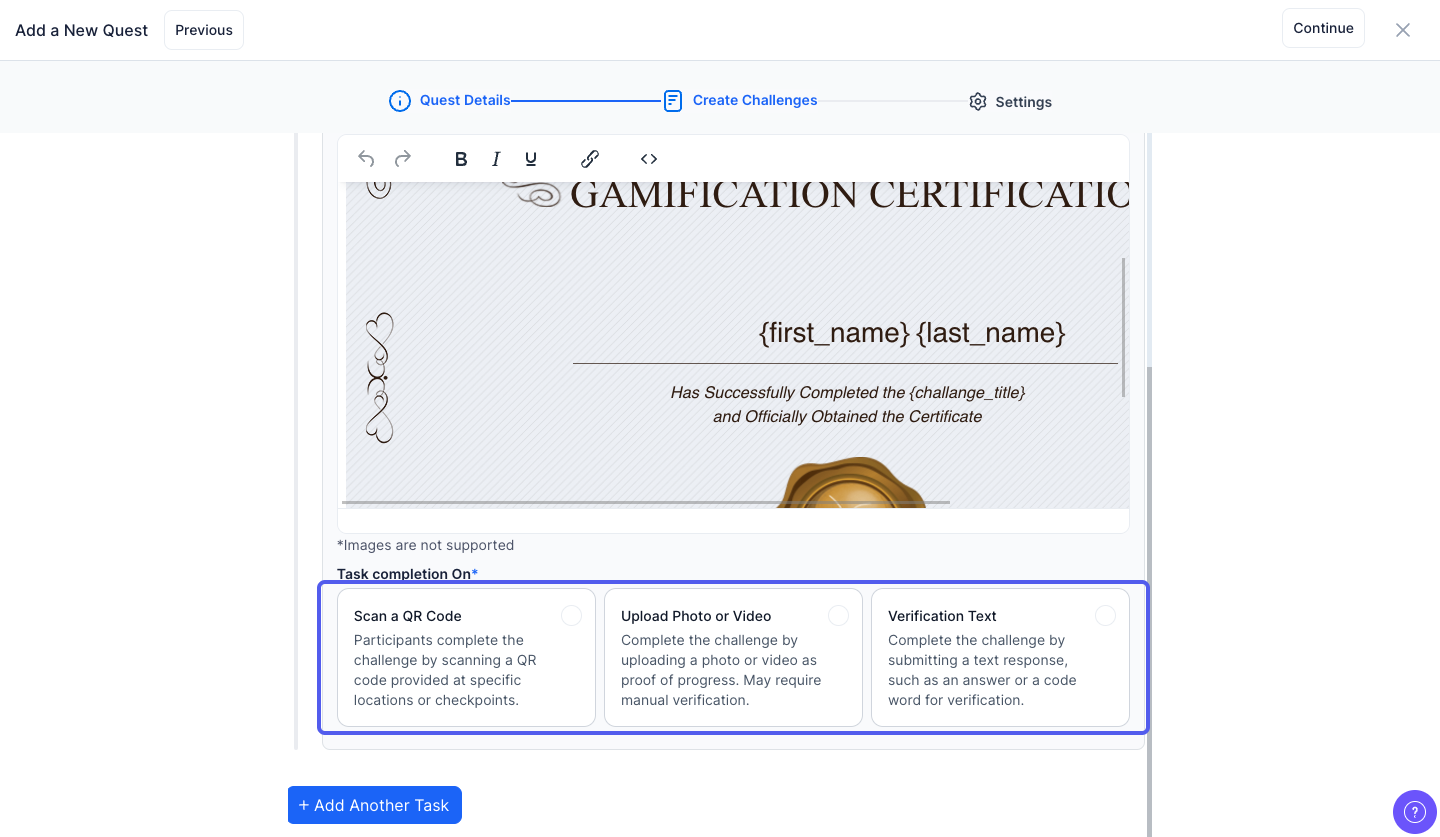
25: Participants can complete the challenge by scanning a QR code
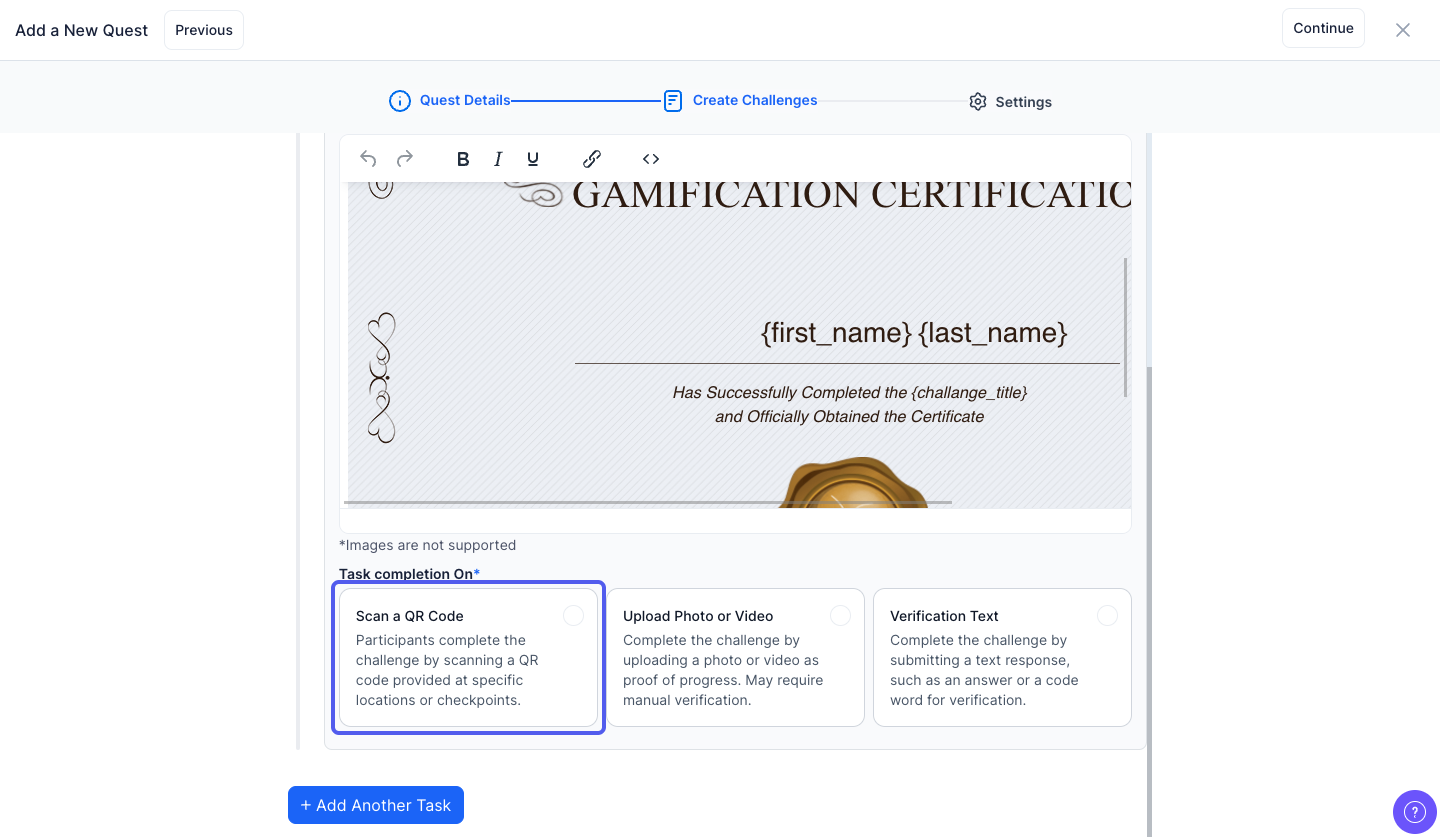
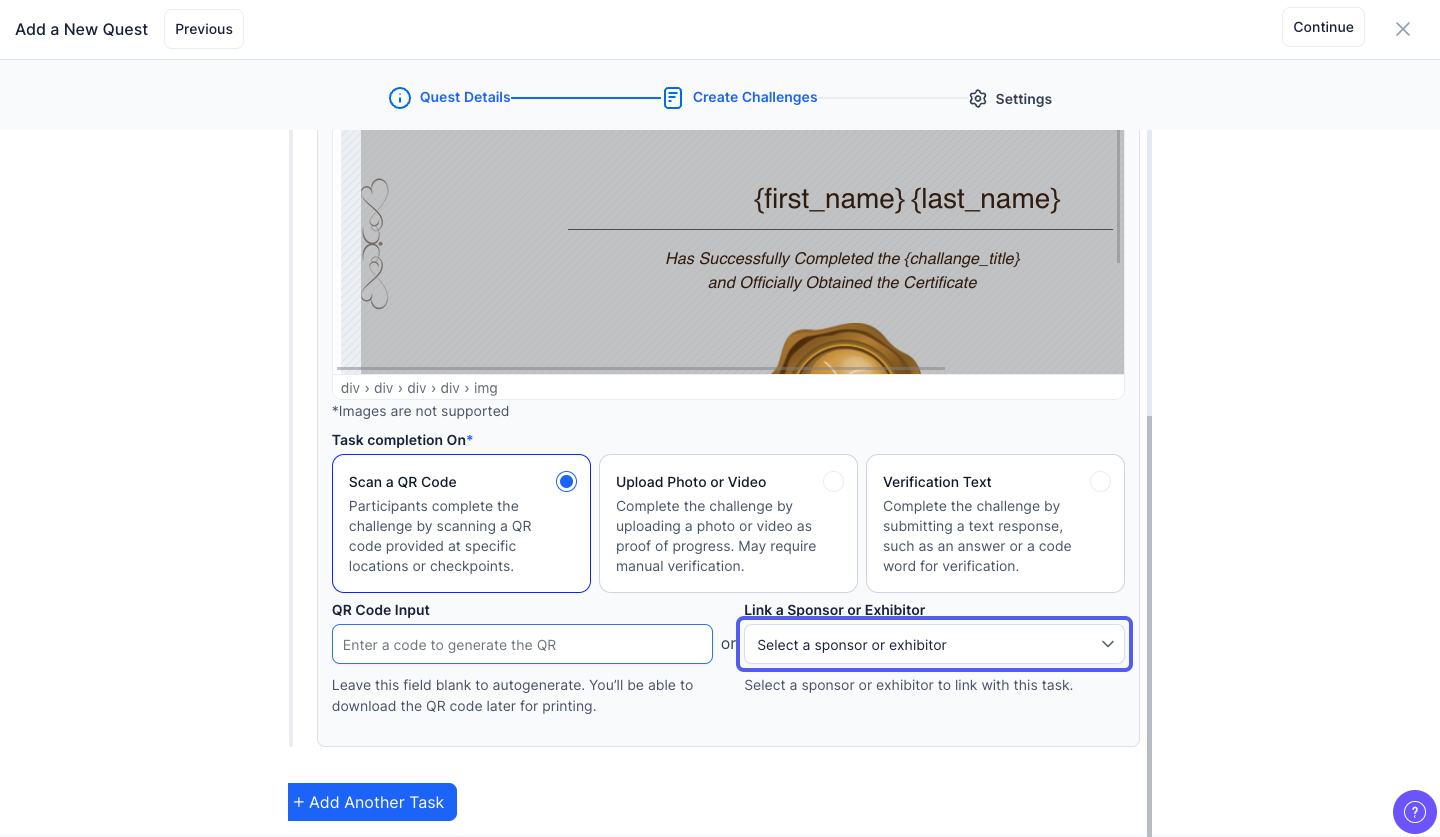
26: You can enter a code to generate the Qr code or leave this field blank to automatically generate the Qr code
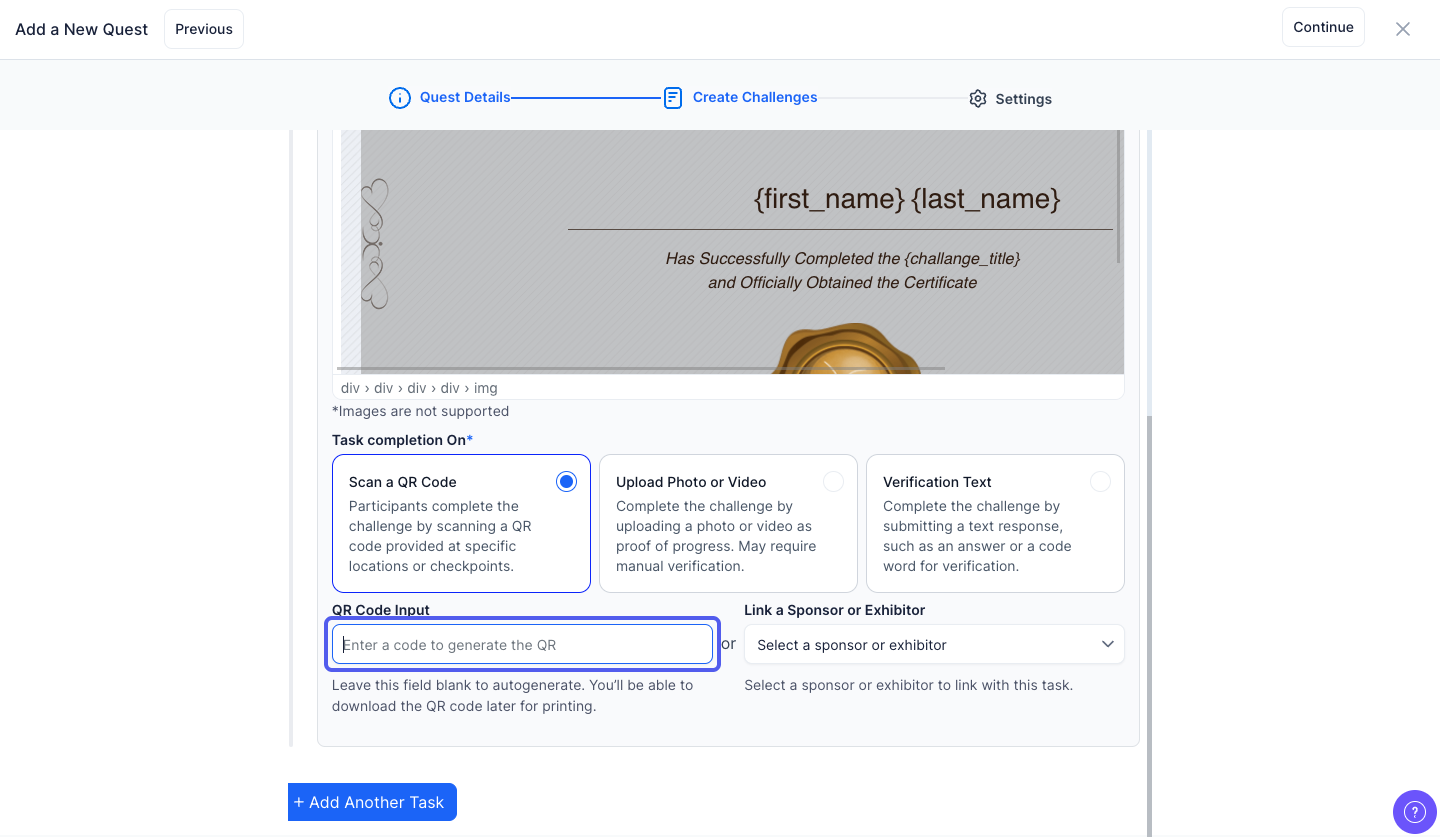
27: Or, you can link a sponsor or exhibitor with the task
28: Users are required to upload a photo or video as proof of task completion. This method is useful for visual confirmation and may involve manual verification by the admin
29: Keep this checked if you want host verification before crediting points otherwise keep this unchecked
30: Participants complete the challenge by submitting a text response — such as an answer to a question or a specific code word provided by the organizer
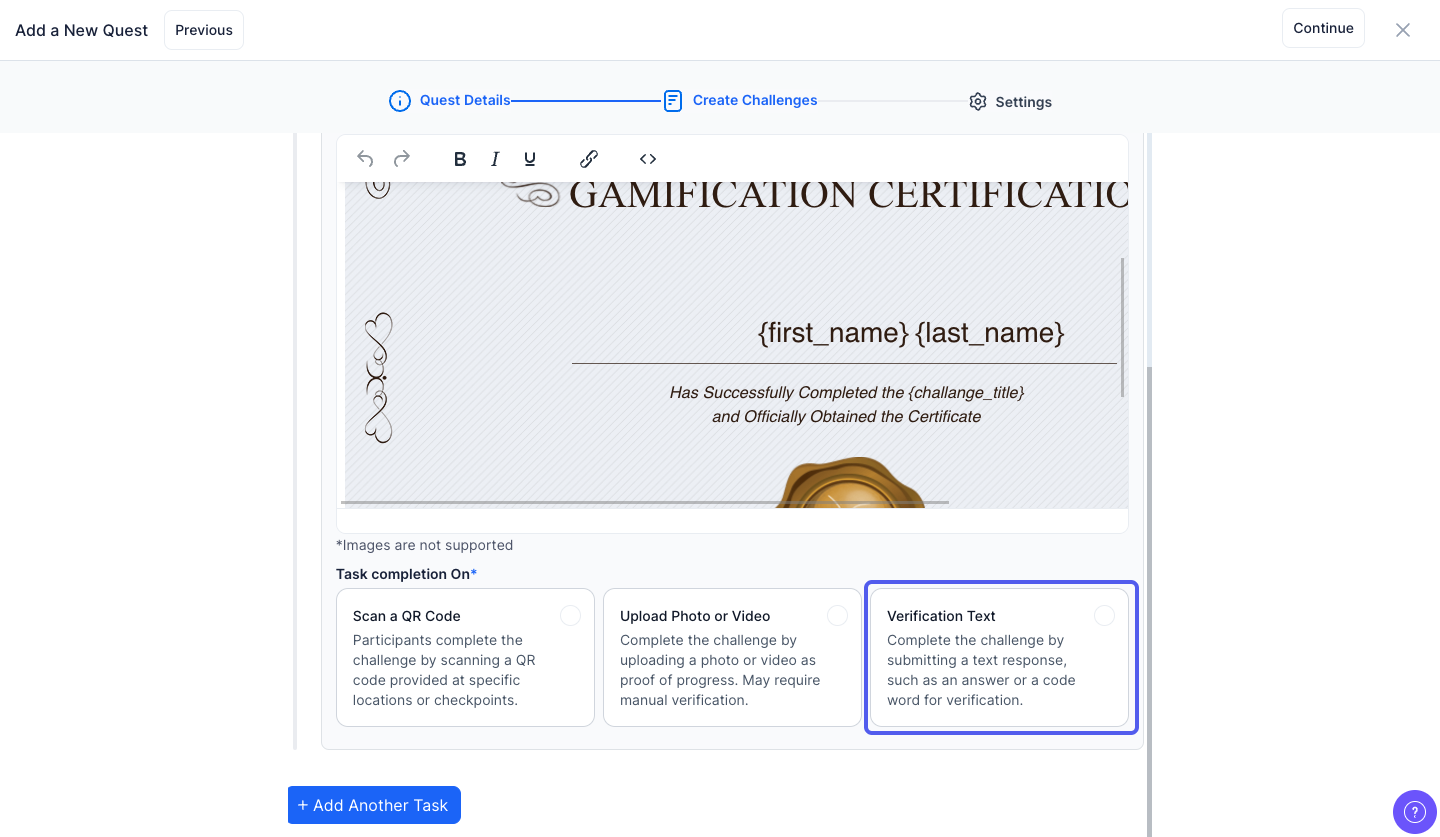
31: Enter the verification text
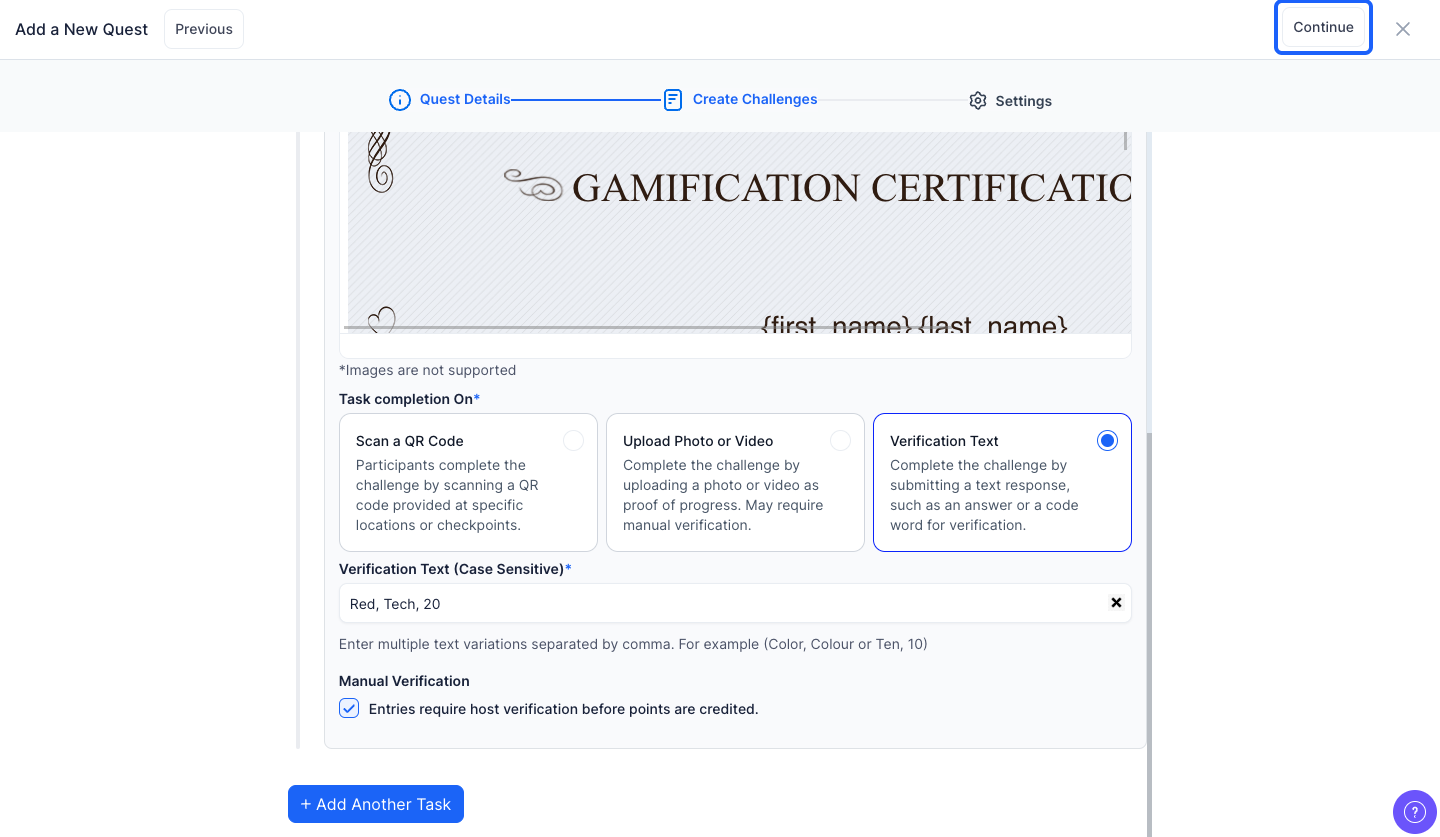
Note: You can add multiple texts separated by comma
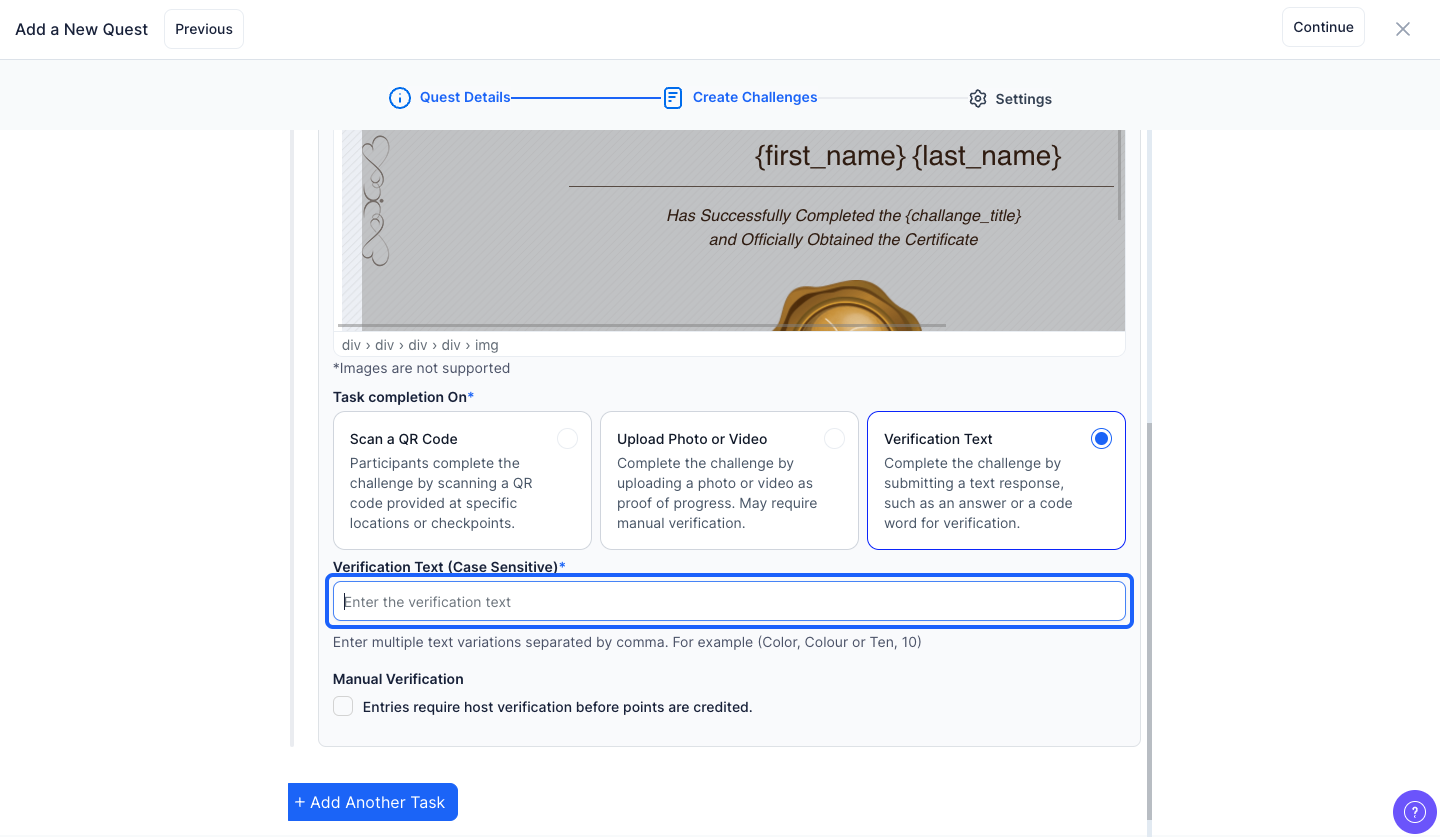
32: Keep this checked if you want host verification before crediting points otherwise keep this unchecked

33: Click the “Add Another Task” button to add a new task

34: Click the “Continue” button to proceed to the next step
35: Enter the rules for the challenge
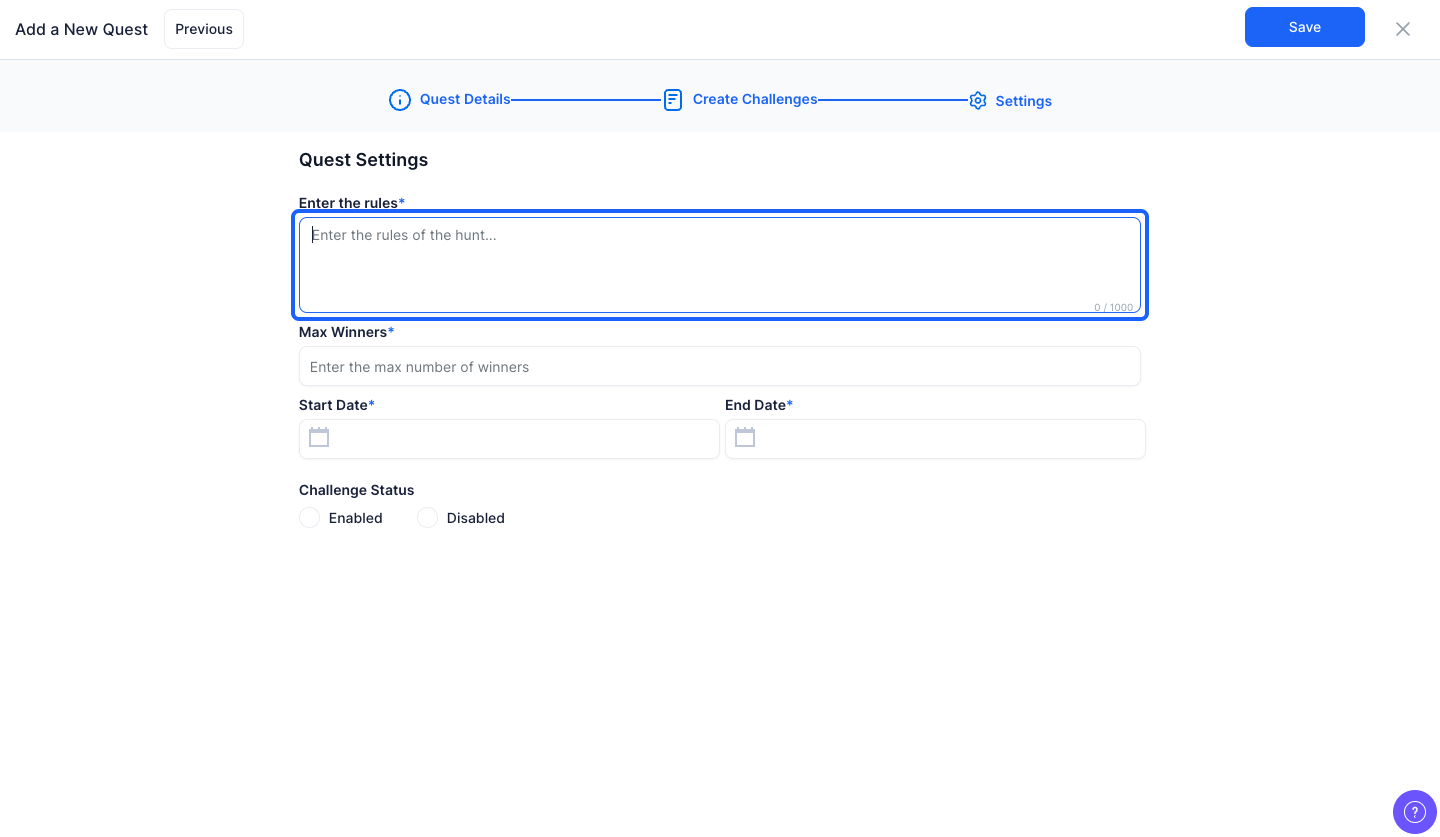
36: Enter the maximum number of winners

37: Select the start date of the challenge from the calendar
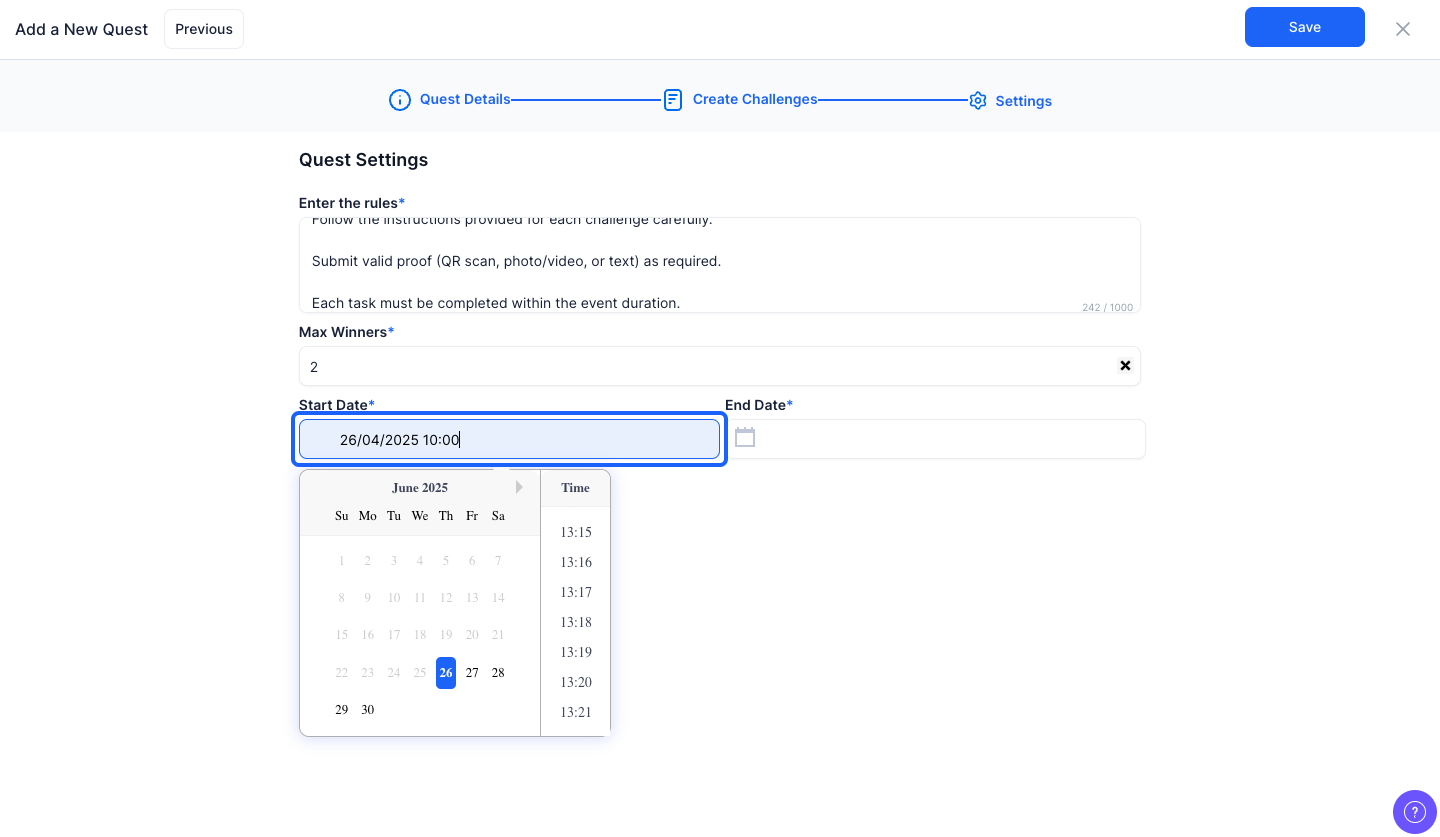
38: Select the end date of the challenge from the calendar
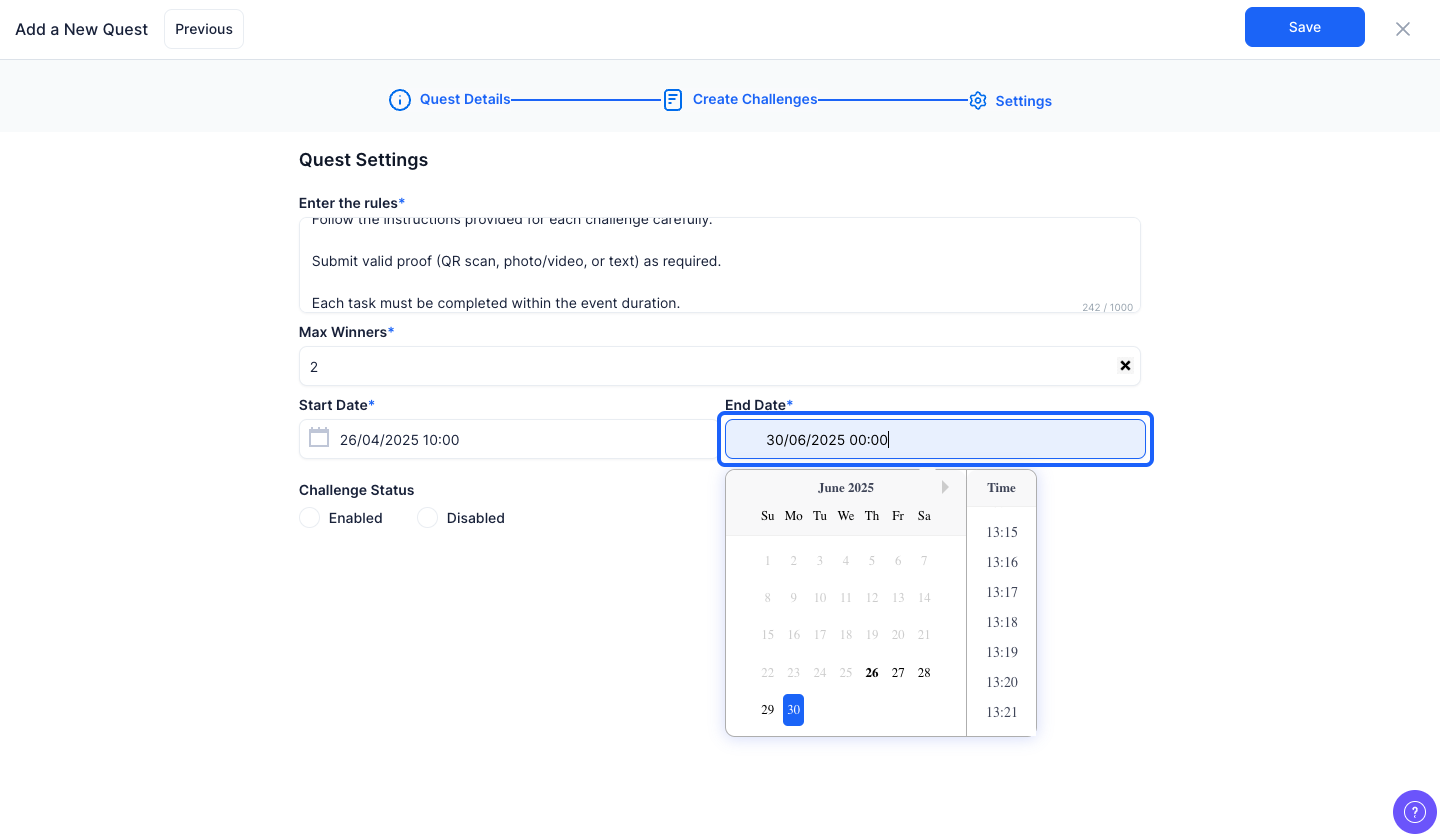
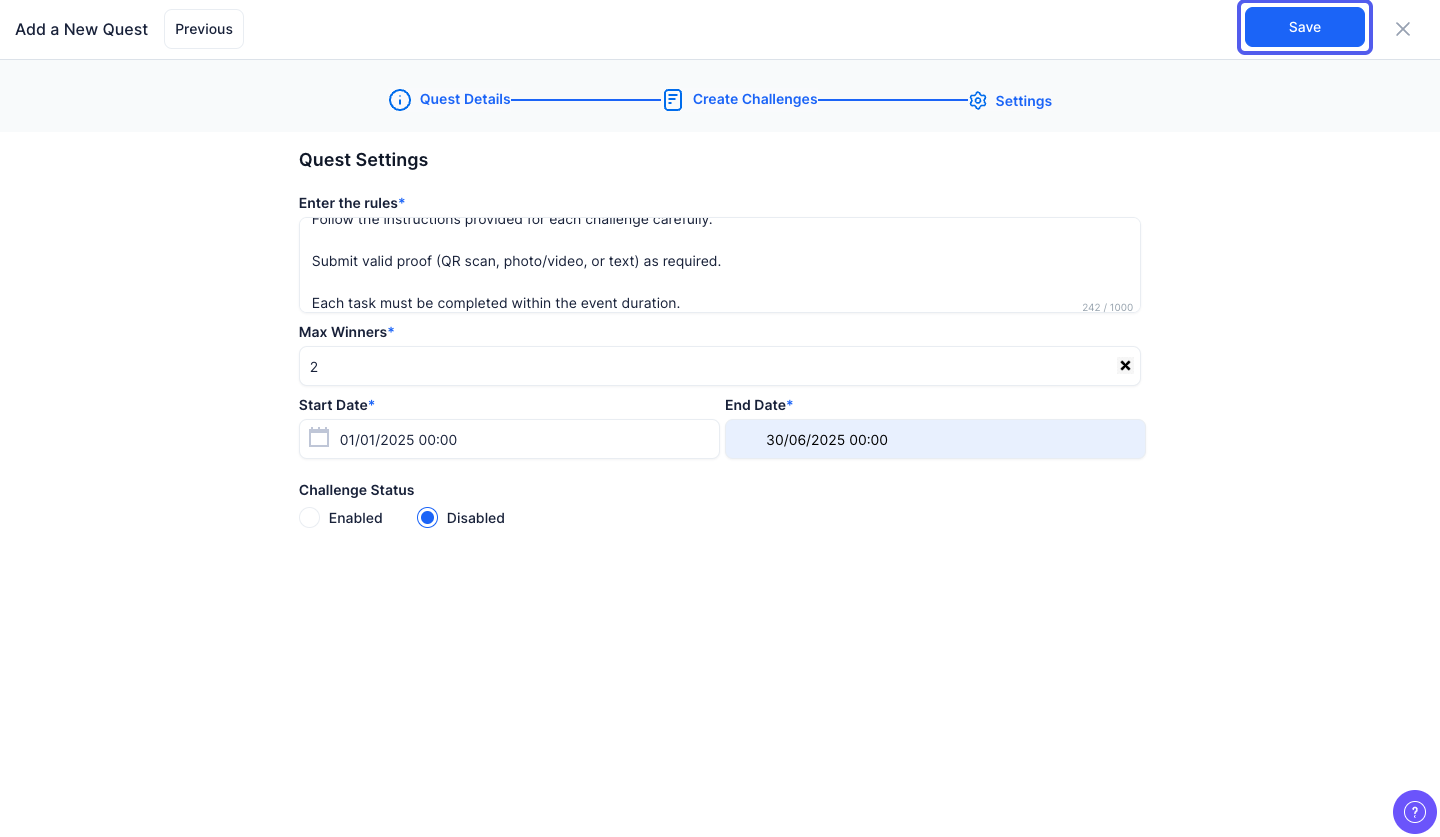
39: Click the “Save” button to add the challenge
40: Click the pencil icon to edit existing challenges

41: Enable or disable this button to activate or deactivate the challenge respectively

